Page 94
16.7.2 Interactive and limiting controls in SIMV.
The user needs to be aware that the following
controls interact.
The BPM and Ti controls interact. Increasing the
number of breaths per minute can decrease the
inspiratory time. Increasing the Insp time can
decrease the number of breaths per minute.
This occurs when the number of breaths per minute
cannot be achieved with the set inspiratory time or
the set inspiratory time cannot be achieved with the
set number of breaths per minute.
The PEEP control interacts with the PIP control.
When increasing the PEEP, the PIP will track
accordingly if initially below the starting PEEP level.
The PIP control is limited by the PEEP. The user
cannot decrease the PIP level below the PEEP
level. The PEEP parameter control displays a
warning stating the limiting pressure.
16.7.3 TTV
plus
(Volume targeting) of all
synchronized and mechanical breaths in
SIMV.
When the user selects TTV
plus
the PIP control
becomes the MAX PIP control. The MAX PIP
control allows the user to set the maximum pressure
at which a volume limited backup breath is
delivered. In TTV
plus
the volume that the machine
delivers is the limiting factor.
The inspiratory time Ti will change to Max Ti as the
delivered volume limits the machine breath rather
than the inspiratory time. The actual inspiratory time
(Ti Meas.) will be displayed in the lung mechanics
and measurement panel and parameter window.
Step 9. Set the Breath Detection threshold for
Apnoea settings. The threshold is found in the flow
waveform window. (This waveform will not appear
when operating without a flow sensor).
If required, set the minute volume alarms. The alarm
thresholds are found by selecting the minute volume
graph . Once set, the user can revert to
the default waveform display.
Step 10. If TTV
plus
(volume targeting) of the
synchronized and mechanical breaths is required,
turn on the function and set the Max PIP and the Vte
(TTV) (Targeted Tidal Volume). The user may have
to adjust the Low Tidal volume alarm threshold.
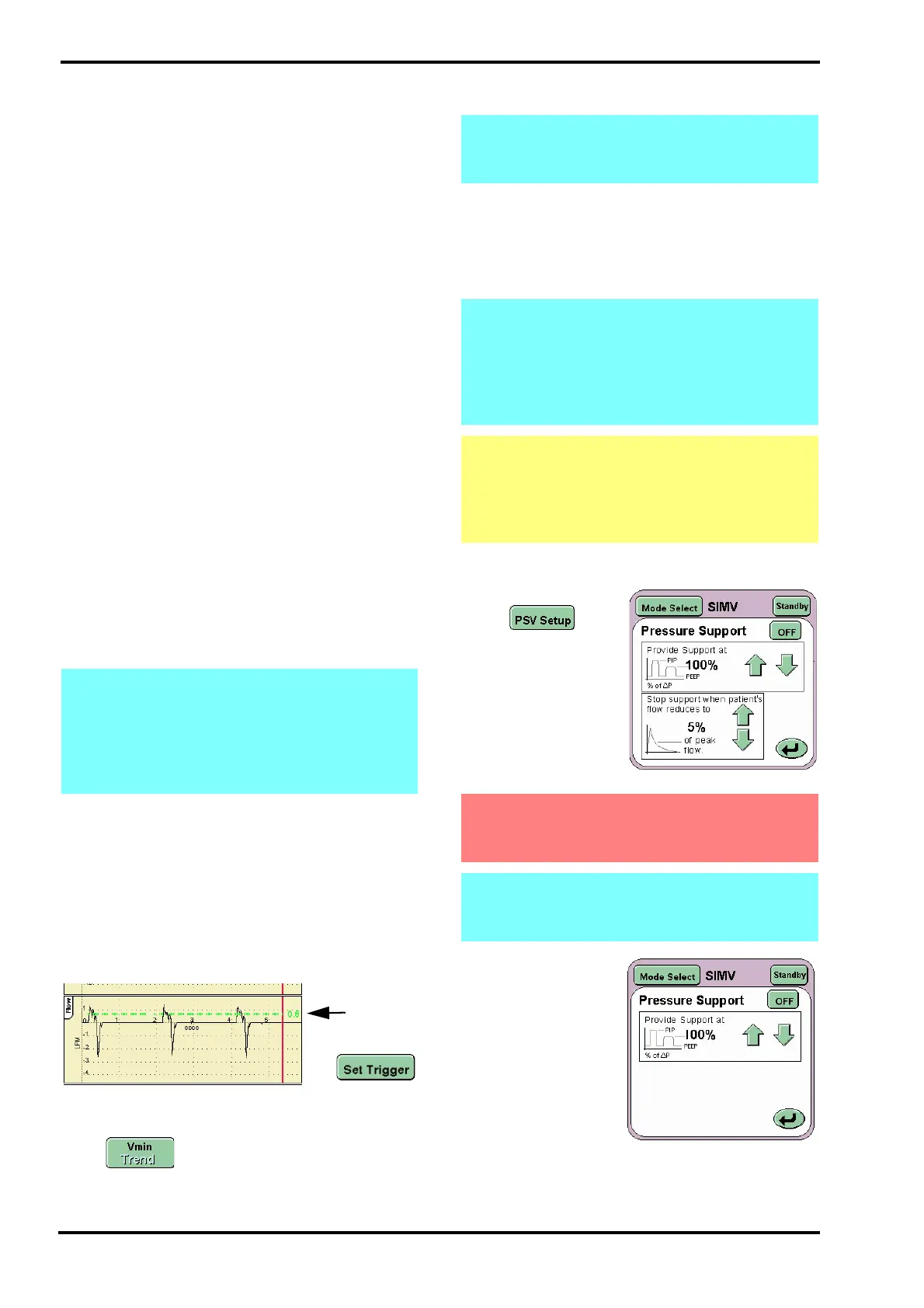
Step 11. Set the Pressure Support parameters.
Press the PSV Setup
button to
display the Pressure
Support settings
panel.
Set the two values as
determined by the
user.
Note: When TTV
plus
is discontinued the Max
PIP returns to the last used PIP as shown in
the MAX PIP parameter control (Not the set
MAX PIP) or with a minimum of 5 mbar above
the set PEEP. The user should ensure the PIP
is set correctly and adjust if required.
Note: The user cannot set the high and low
minute volume alarms when the flow sensor
is not connected.
Note: When TTV
plus
is discontinued the Max
PIP returns to the last used PIP as shown in
the MAX PIP parameter control (Not the set
MAX PIP) or with a minimum of 5 mbar above
the set PEEP. The user should ensure the PIP
is set correctly and adjust if required.
Caution: If the flow sensor requires removal
from the circuit whilst TTV
plus
is ON, the user
must set the MAX PIP to the measured PIP.
For further information refer to "14.1.15
Targeted Tidal Volume, Vte (TTV)" on page 70
Warning: When an SIMV breath is given or
apnoea episode is recognized the delivered
breath will be at 100%, i.e. the set PIP an Ti.
Note: Without the flow sensor connected the user
will only be able to set the “Triggered breath level
set to” percentage.



 To Next Page