Page 47
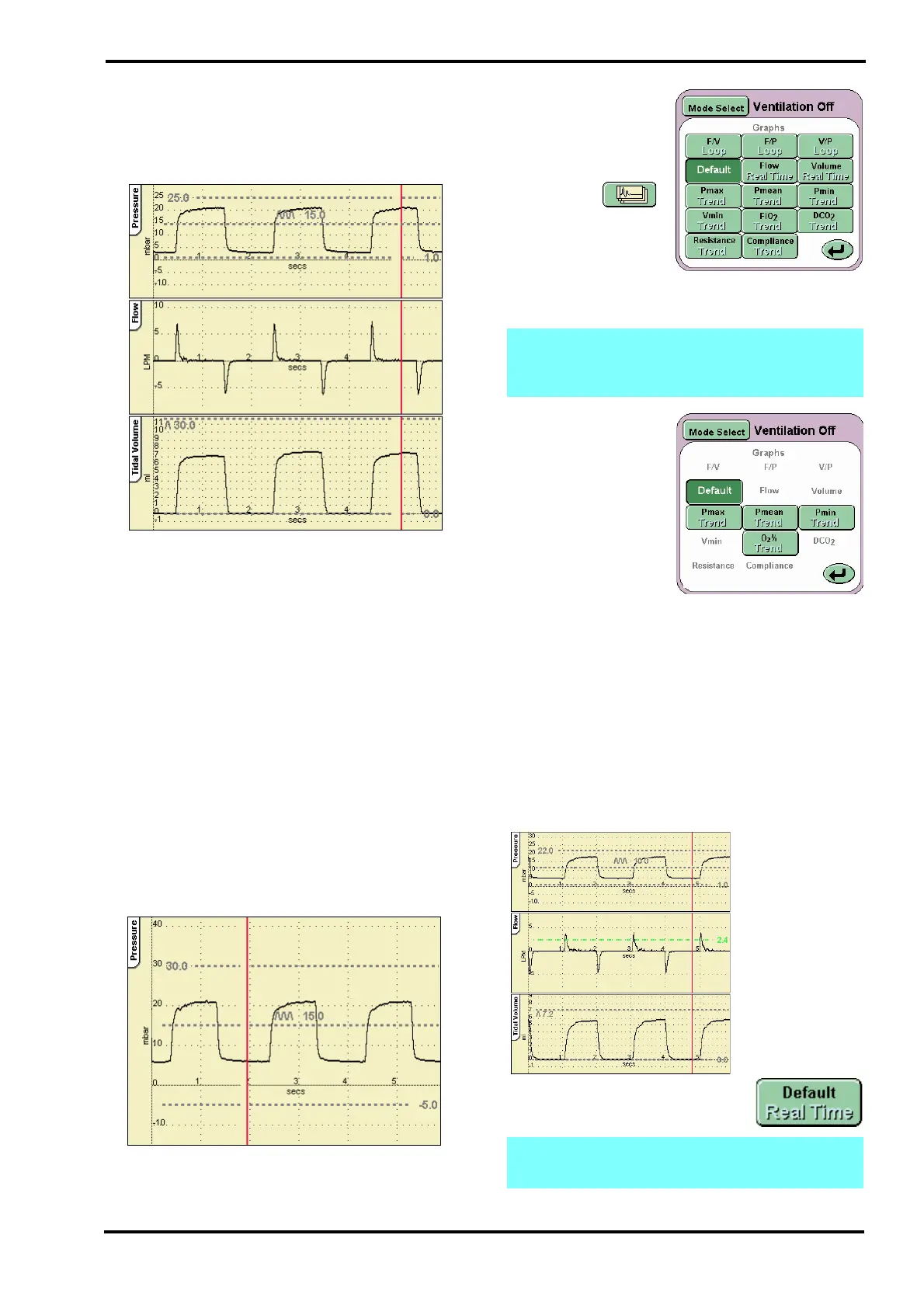
10.9 Default Waveform Windows
The windows display the waveforms and loops
generated during ventilation.
The default waveform layout.
The SLE4000 ventilator default setting is to display:
Pressure, Flow and Tidal Volume waveforms for
CPAP, CMV, PTV, PSV and SIMV.
The SLE5000 ventilator default setting is to display:
Pressure, Flow and Tidal Volume waveforms for
CPAP, CMV, PTV, PSV, SIMV and HFO. For
HFO+CMV the ventilator will only display Pressure
and Flow waveforms.
The red sweep bar tracks across the windows
updating the display.
The alarm thresholds are also displayed in these
waveform windows.
The scales in the waveform windows autoscale to
match the set ventilation parameters.
When the ventilator is used without a flow sensor
the default layout changes to exclude flow related
waveforms.
The ventilator can also
display loops and
trends. These are
accessed from the
Waveform Display
Option button .
The button activates
the Loops and
Waveforms panel.
From this panel you can select the combination of
loops and waveforms.
For a full explanation of the loops, trending and
waveforms see “Loops, Trends & Waveforms” on
page 54.
10.10 Alarm and Breath Detection
Thresholds
The ventilator has the following user adjustable
alarms and breath detection threshold.
Default waveform windows (with flow sensor
connected)
Note: Flow related buttons will not be
displayed when the ventilator is used without
the flow sensor.
Note: When TTV
plus
is turned ON the Cycle Fail
threshold is disabled.
High Pressure
Low Pressure
Breath Detection
Low Tidal Volume
High Tidal Volume
Cycle Fail



 To Next Page