Page 173
Step 52. For the SLE4000 select Ventilation Off
from the Mode Select panel. Press the confirm
button. Advance to Step 63.
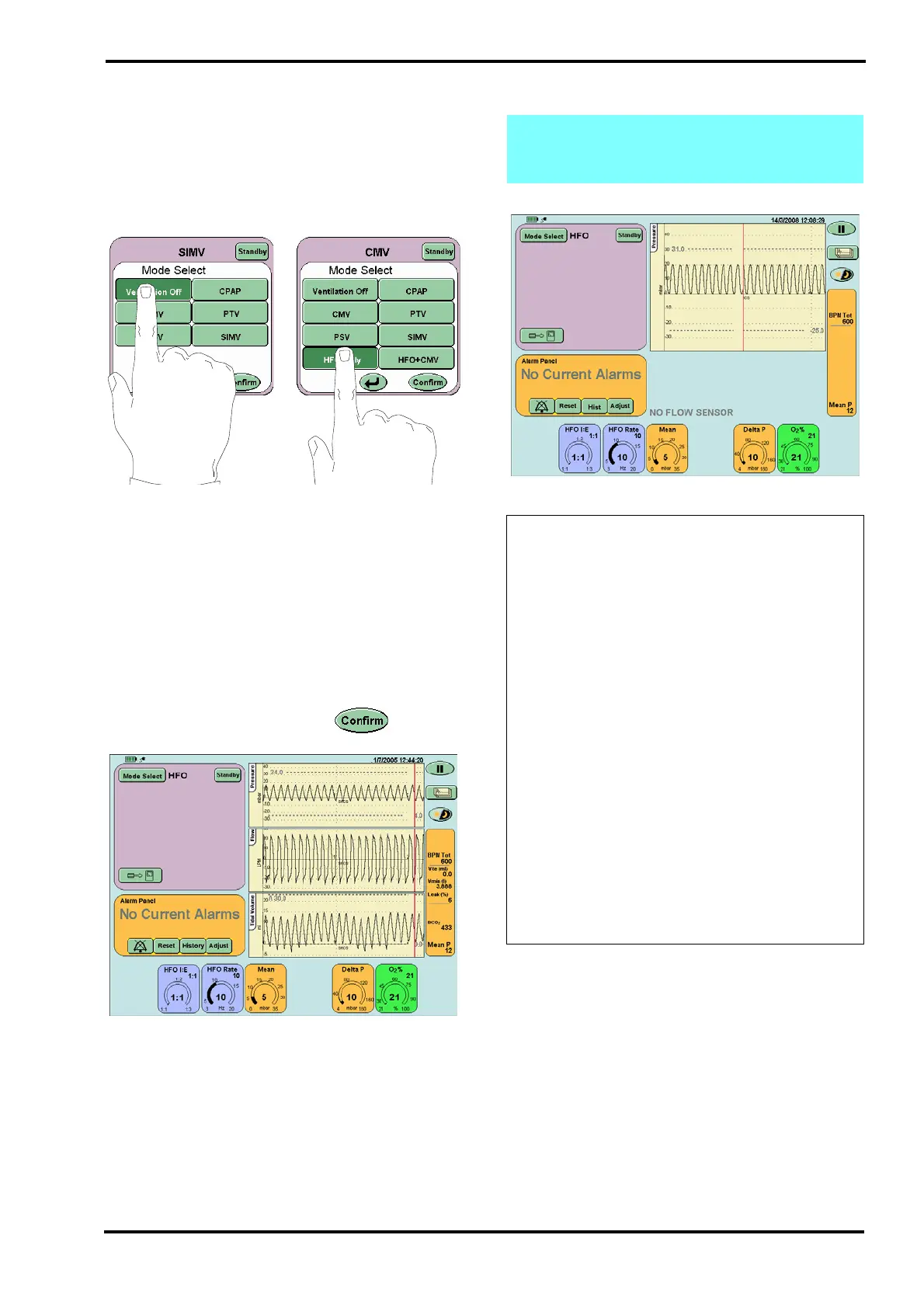
For the SLE5000 ventilator: Select HFO Only from
the Mode Select panel, but do not press the confirm
button. Advance to Step 53.
31.1.16 Functional Test of HFO Mode
Step 53. Set the following parameters in the HFO
Only preview mode.
HFO I:E 1:1
HFO Rate 10Hz
Mean 5mbar
Set the Delta P to 10mbar
O
2
% 21%
After pressing the confirm button the user
will be presented with the HFO screen.
Step 54. Verify that:
the ventilator is oscillating,
the oscillation waveform appears in the waveform
windows.
Note: If functionally testing the ventilator
without a flow sensor fitted the Flow/Time &
Tidal Volume/Time windows will not appear.
Action: If the ventilator is not oscillating or
the HFO waveforms are not appearing in the
waveform window, then perform the following
actions in the order suggested below. After
each action retest the ventilator. If the
ventilator successfully passes all these tests,
after performing one of these actions, go to
the Step 55.
Check the patient circuit is set up correctly as
shown in Section 12: Ventilator Set-up. Pay
close attention to proximal airway, fresh gas
connection and the expiratory limb.
Check the silencer, to ensure it is not adding
exhaust gas resistance due to it becoming
restricted.
Check the test lung and replace if necessary.
If the fault continues after checking all the
possible causes remove the ventilator from
service and contact an SLE approved
engineer.



 To Next Page