Page 55
11.2 Loops
The ventilator displays the following three loops:
flow versus volume, flow versus pressure and
volume versus pressure.
The ventilator draws three loops before refreshing
the window. Each loop is coloured differently in each
three loop cycle. The colours being red, green and
black.
The ventilator has the ability to store one set of
loops in its internal memory for each type of loop.
These stored loops are date and time stamped.
When the loops are retrieved from the memory they
appear underneath the current active loops.
The loops are accessed by pressing the Display
Graphs Options button . This activates the
Loops and Waveform panel where the appropriate
loop can be selected.
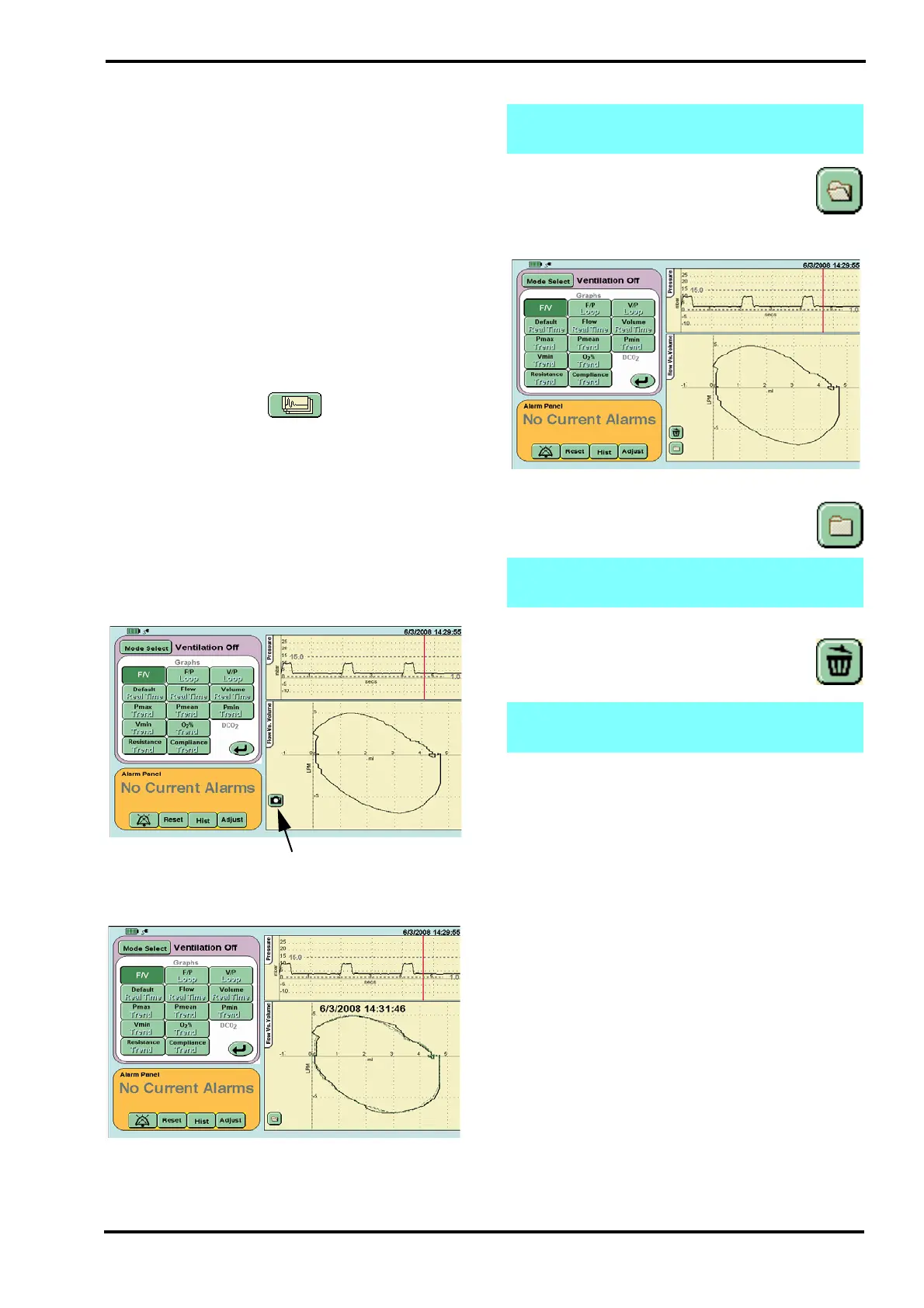
11.2.1 Capturing, Retrieving & Deleting Loops.
11.2.1.1 To capture a Loop
Step 1. Select the loop type required.
Step 2.Press the camera button. The current loop is
saved. The ventilator will display the time and date
as the loop is saved to memory. The open folder
button will then be displayed.
The ventilator will now display the saved looped and
the current active loops.
Step 3. Pressing the open folder button will
hide the stored loop and the ventilator will
display the active loops only. The ventilator
will also display above the closed folder button the
delete stored loop button (Trash can icon).
11.2.1.2 Retrieving the saved loop
To retrieve the stored loop press the closed
folder icon.
11.2.1.3 Deleting stored loops.
To delete the stored loop press the delete
stored loop button.The button is only
available from the active loop panel.
The two buttons are replaced by the capture loop
button (Camera icon). This indicates that there are
no loops stored in the memory.
Step 2. Loop capture button
Note: When viewing a stored loop the active
loops are shown as grey lines.
Note: The retrieved and active loops will scale
so both are visible in the window.
Note: The user cannot see the loop to be
deleted.



 To Next Page