Page 56
11.3 Trends
The ventilator can display eight different trends,
these being Minute Volume, Max Pressure, Mean
Pressure, Min Pressure, O
2
%, DCO
2
, Resistance
and Compliance against time.
The ventilator stores 24 hours of trend data for all
six trend types in a memory buffer. This buffer holds
the last 24 hours of stored data from the current
displayed time. As time progresses, data greater
than 24 hours old is lost as new data is added.
The trend windows by default display two hours of
data (at power up). Once data has started to be
recorded the windows will automatically rescale to
display one hour of trend data. The user has the
ability to zoom in to view one hour of data or zoom
out to view a maximum of six hours data. The user
can scroll back in time at the selected magnification
to view any recorded data in the previous 24 hours.
11.3.1 Minute Volume trend
All the trend windows behave in the same manner
with the exception of the minute volume window
which has the high and low minute volume alarm
thresholds. The minute volume alarm thresholds are
only visible when the trend window is scrolled to the
current time.
The minute volume trend can also be accessed
directly from the alarm panel by pressing and
holding down the Adjust button for three seconds.
The trend when accessed by this method will time-
out after 10 seconds. The trend will not time-out if
accessed by the display graphs option button.
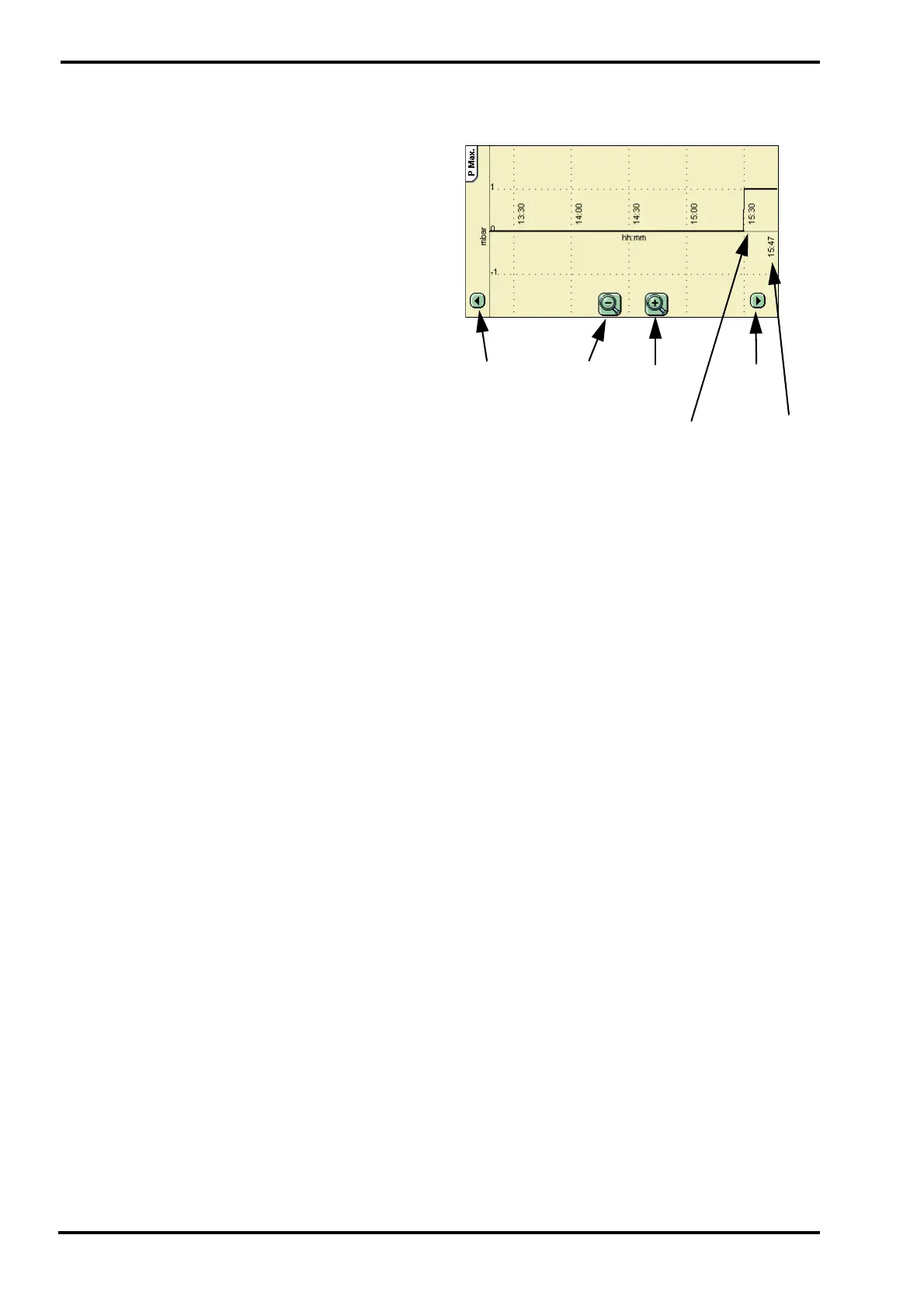
11.3.2 Description of Trend Windows
The example window is that of Max pressure
against time.
Zoom In
Zoom Out
Scroll
Scroll
Right
Left
Current
Time
Reference
Time



 To Next Page