96
CHANGING TIPS OR MATERIAL TYPE
Perform the following steps to change tips an/or material type:
1. Clean the oven and the tip wipe assembly.
2
. Empty waste material from the purge bucket.
3
. Inspect the tip wipe assembly (refer to “
Clean/Inspect Tip Wipe Assembly” on page 118).
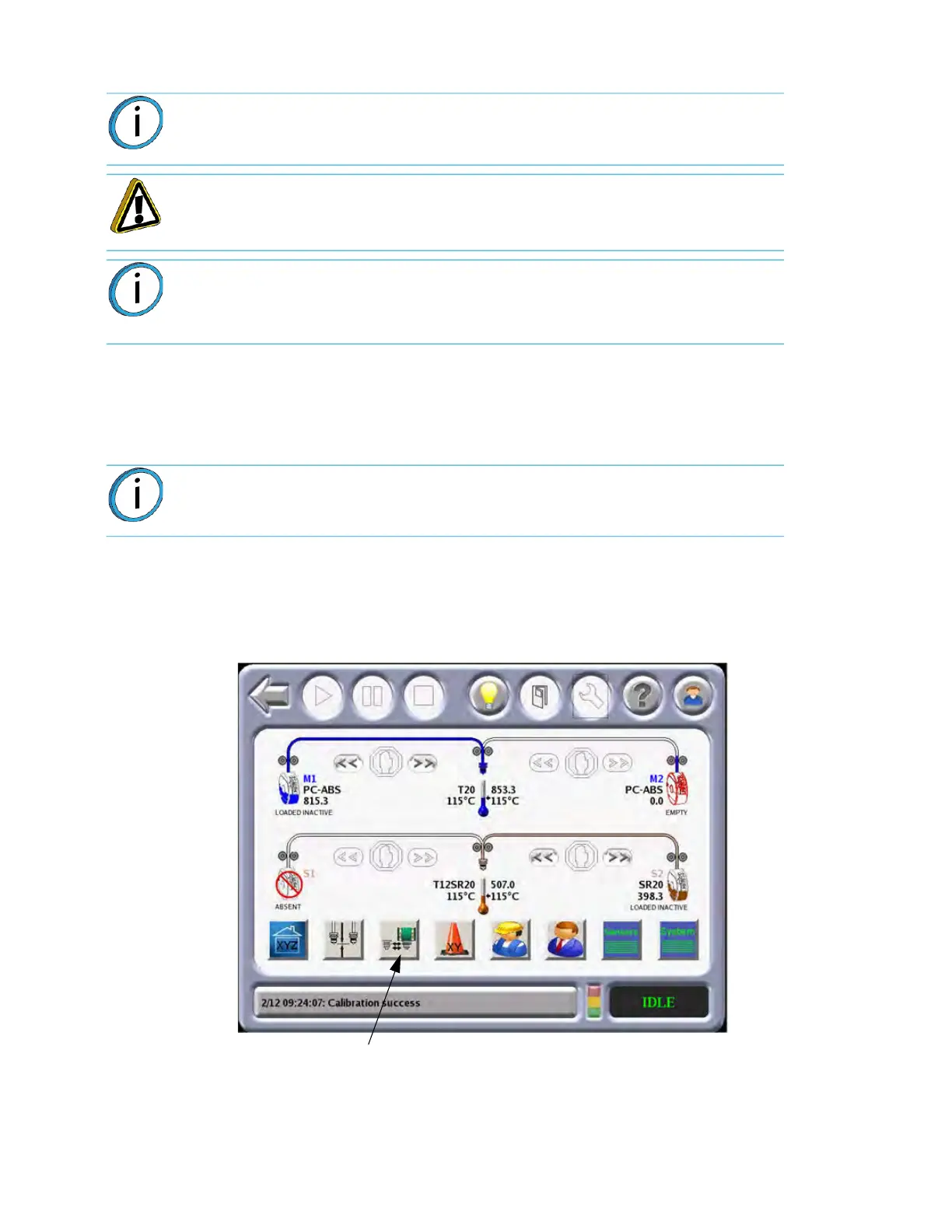
4. From the Main Menu select the M
aterials/Tools icon and then select the Tips/Materials
Change icon
.
Figure 4-42: Op
erator Tools
5. The Tips/Materials Change menu is designed to guide you through the steps necessary to
c
omplete a material type change or a tip replacement procedure.
Note: If you are changing tips, or changing to a different material type, the user
interface has a menu selection that guides you through the process.
Caution: If the material type is changed, the tips must be changed.
Note: Use of Nylon 12CF requires a hardened wheel drive head. All other
materials, including ASA, use a standard head. As such, the hardened wheel
drive head must be exchanged with a standard head to build with Nylon 12CF or
ASA. ASA may be used with either head.
Note: Residue from lower temperature materials can melt and drip onto higher
temperature parts if cleaning is neglected.
Tips/Materials Change














 To Next Page