82
REMOTE JOB MONITORING
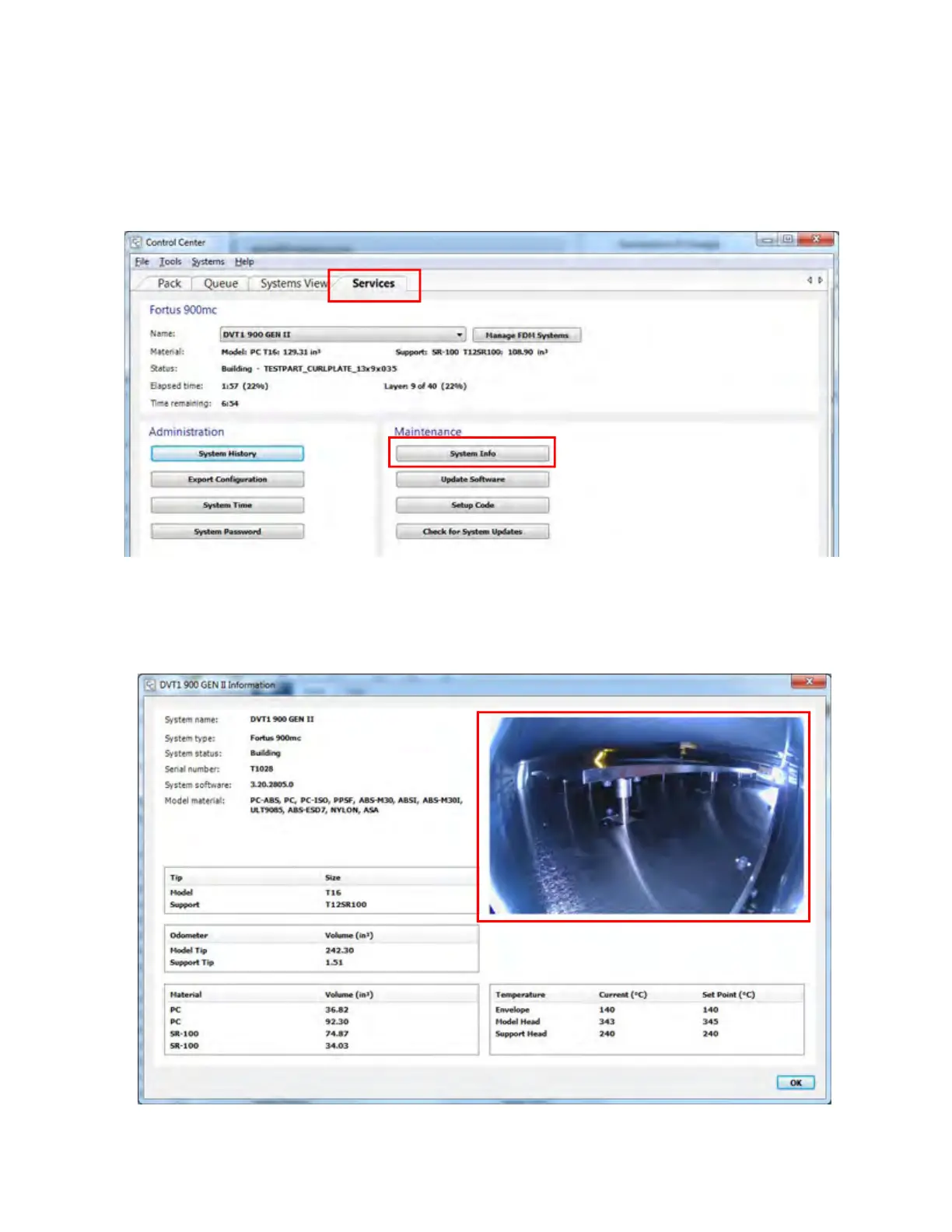
An active job build may be monitored remotely via Control Center.
1. After opening the Control Center application, select the S
ervices tab.
2. From the Maintenance portion of the page, select the S
ystem Info button.
Figure 4-30: Co
ntrol Center - Services Tab
3. A dialog will be displayed containing an image showing the inside of the printer’s oven. This
i
mage will refresh approximately once per minute allowing you to monitor the progress of the
build. If problems are noted, you will be able to pause or abort the build as necessary.
Figure 4-31: Jo
b Monitoring Example














 To Next Page