141
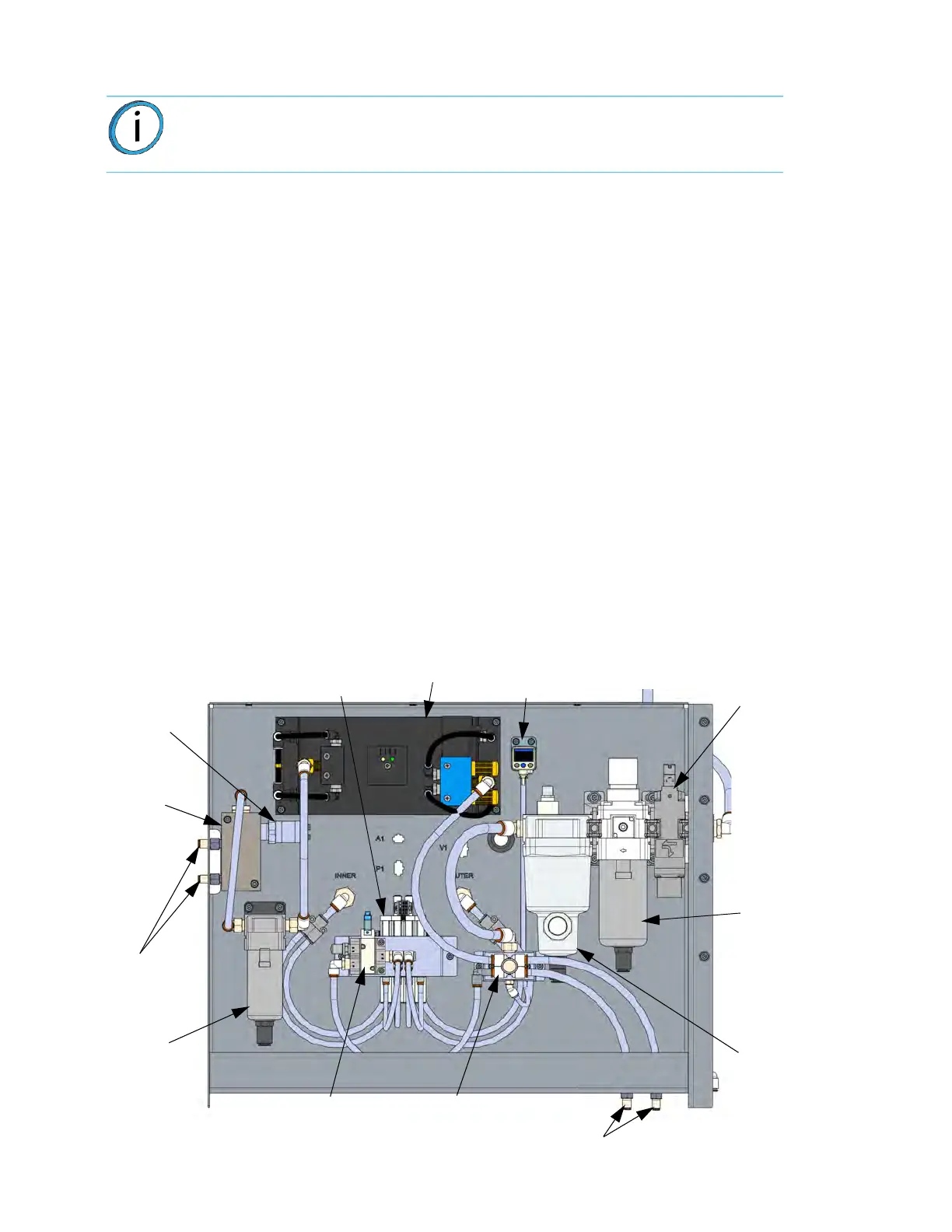
AUXILIARY PANEL GEN III
The auxiliary panel is located on the right side of the system and accessed from the access panels. With the
MAC board interface and control, the auxiliary panel provides two primary functions; vacuum generation and air
drying. These functions are performed using an external compressed air source (non-lubricated) at 90-120 psi).
Because of the large build area offered by the F900, two separate vacuum zones on the vacuum platen are
provided. The zones are identified as the “inner” and “outer” and permit use of either large or small build sheets.
Dried air is supplied to the filament feed path of the system making sure that material delivered to the head does
not become contaminated by moisture that could cause part quality issues.
Auxiliary Panel Components:
• Vacuum Generators & Vacuum Switches With Digital Displays
•
Air Dryer
•
Pressure Switch With Digital Display
•
Main Air Supply Solenoid Valve
•
Pressure Regulator & Particulate Filter
•
Micro-mist Separating Dust & Oil Filter
•
Camera & Lights Cooling Flow Control Orifices
•
Distribution Manifold
•
Vacuum Supply Solenoid Valve
•
Dry Air Dust Filter
•
Dry Air Flow Control Orifices
•
Dew Point Sampling Manifold
•
Dew Point Sensor
Fi
gure 8-3: Au
xiliary Panel Components
Note: The following description and diagram represent Gen III versions serial
number > 2000 or any other printer that is upgraded to an F900.
Air Dryer
with Digital Displays
Pressure Switch
with Digital Display
Main Air Supply
Solenoid Valve
Pressure
Regulator &
Particulate
Filter
Micro-Mist
Separating
Dust & Oil
Filter
Camera & Lights
Cooling Flow
Control Orifices
Distribution
Manifold
Vacuum Supply
Solenoid Valve
Dry Air
Dust Filter
Dry Air
Flow
Control
Orifices
Dew Point
Sensor
Dew Point
Sampling
Manifold
Vacuum Generators & Switches














 To Next Page