9
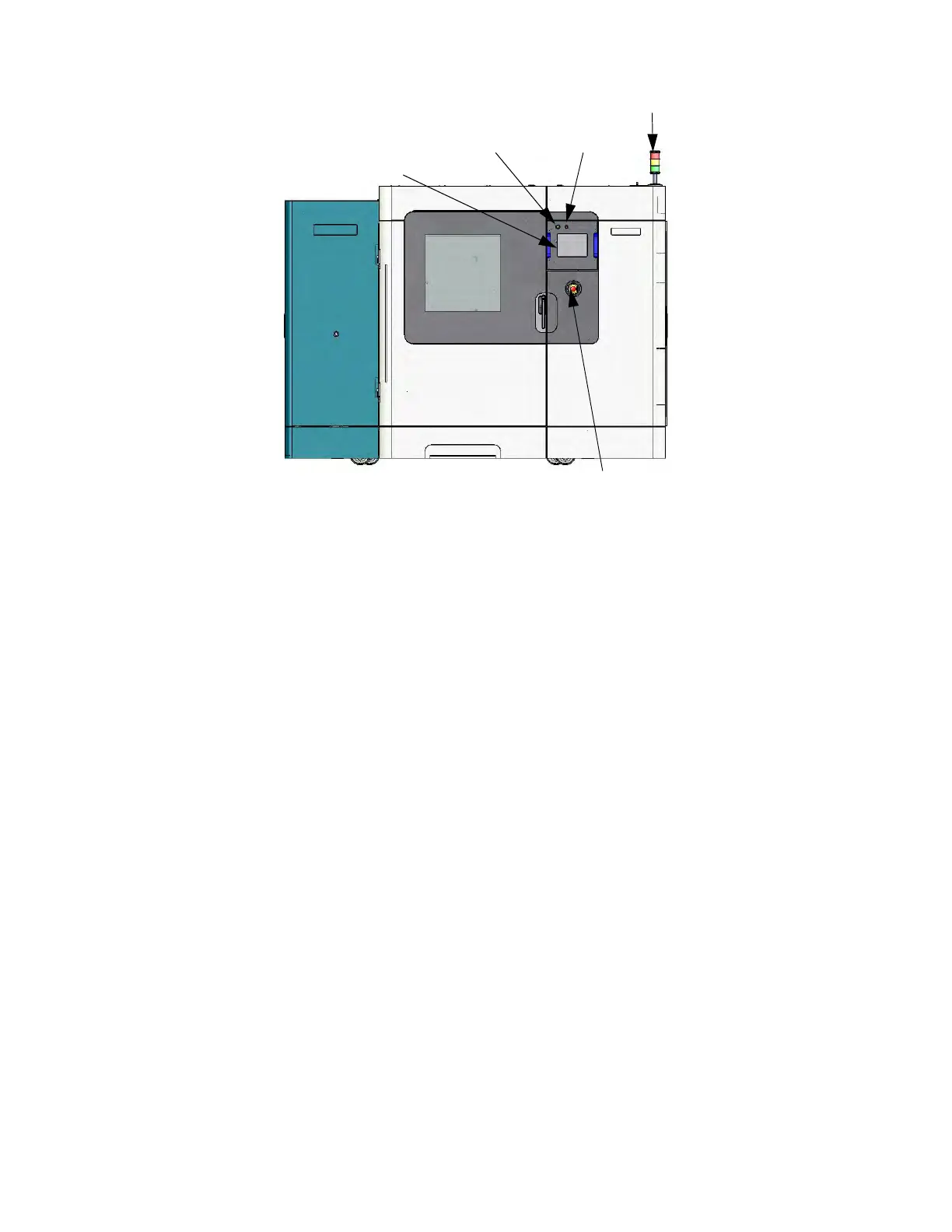
Figure 2-3: F900 Front View
SIGNAL TOWER
Visually displays the status of the F900. (Figure 2-3)
Green: Sy
stem is OK; it is building a part, or it is finished building a part.
Yellow: Al
l monitored parameters are within tolerance. (See “Health Monitor” on page 60 for
details.)
Red: An
indicator has moved beyond its control limit and is now outside of its specification
limit. The system will not allow a part to start building. The system may pause, or stop,
or power down depending on the condition.
EMERGENCY STOP
Pressing the Emergency Stop button immediately removes power to the system. This button should be used
only as an extreme measure to remove power to the system and should not be used or tested unnecessarily as
the computer hard drive can be corrupted due to the hard shutdown. The system can be restarted by pulling the
Emergency Stop button out to its original position and following the normal startup process.
TOUCHSCREEN
The operator Touchscreen is the user interface to the system. Through this touchscreen the operator can
access various screens to control the system, set security, and perform calibrations. The touchscreen also
displays the operation of the system as well as displaying warning information.
POWER ON
Pressing the Power On button activates the system.
POWER OFF
Pressing the Power Off button initiates a power down sequence to power off the system.
Signal Tower
Touchscreen
Emergency Stop
Power On
Power Off














 To Next Page