89
MATERIAL, CANISTERS, AND LIQUEFIER TIPS
UNLOADING MATERIAL FROM THE LIQUEFIER TIPS
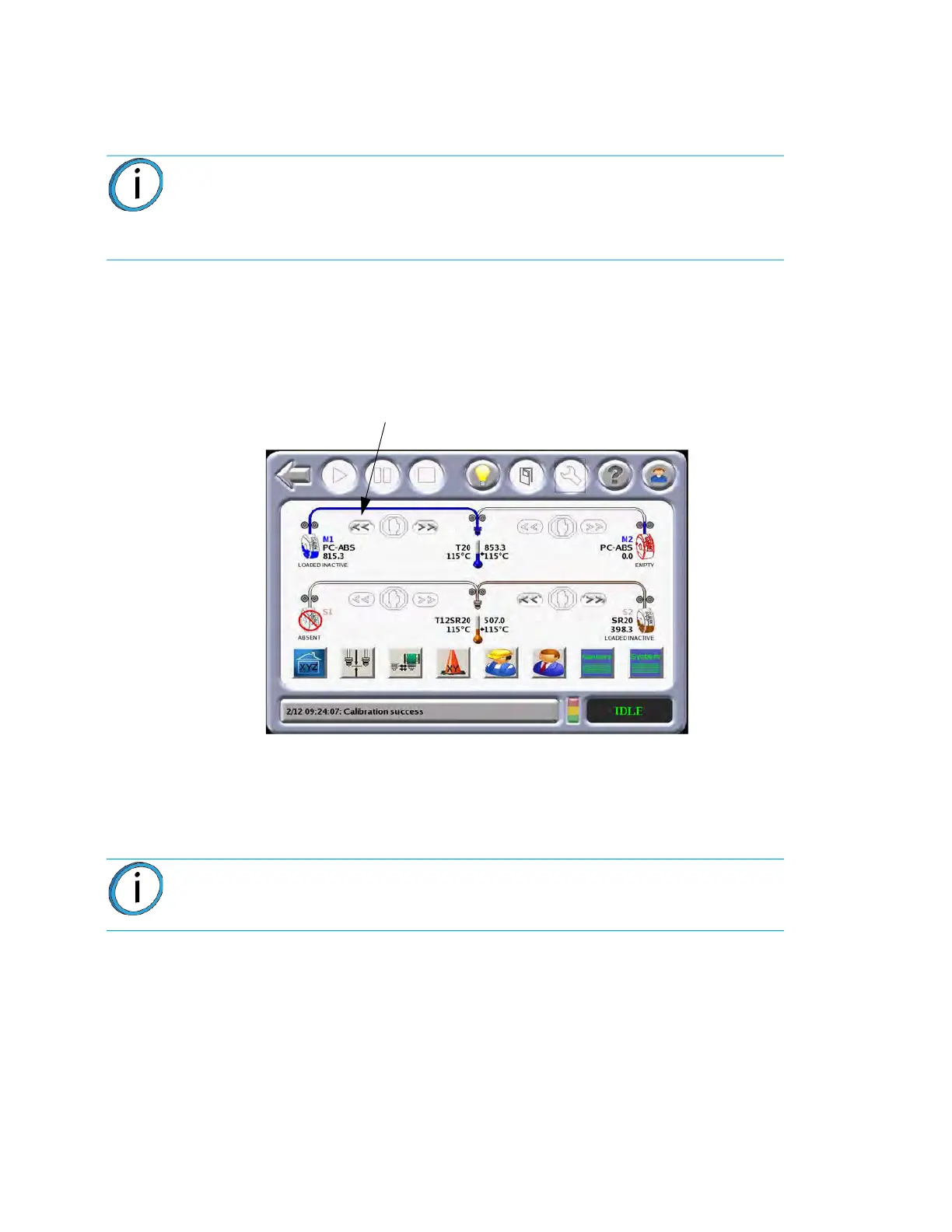
Perform the following steps to unload material from the liquefier tips:
1. Make sure the system is in the Pause or Idle mode.
2
. From the Main Menu, select O
perator Tools and the following screen will appear.
Figure 4-38: Op
erator Tools
3. Select the material to be unloaded and press the U
nload icon.
• The head warms up to the unload temperature, and the canister LED rapidly flashes green.
•
The head drive motors and canister drive motor turn in reverse. The material is pulled back
f
rom the head about 4-6 inches (10-15 cm).
• The head temperature lowers to standby temperature and the canister LED turns to a slower
f
lashing green (same flash rate as used to indicate canister Ready condition).
• The display will show A
t Head for the unloaded material.
4. Replace the canister. Refer to “
Removing Canisters” on page 90, “Canister Installation” on
page 91, and “Handling/Storing Canisters” on page 95.
Note: If you are changing to a different material type or changing tips, follow the
procedure outlined in “Changing Tips or Material Type” on page
96.
Unloading filament from the liquefiers is done in the Idle or Pause mode only, not
wh
ile building.
Note: For some materials (i.e., SR-20), a tip purge is performed before the
material is unloaded from the liquefier.
Unload














 To Next Page