11
UPS
The UPS unit is a battery standby system that supplies power (AC voltage) to the computer, oven lights, and
head cooling fan in the event of a loss of AC power. It does not power the entire system. You can access the
UPS from the back of the system. In the event of an overcurrent condition, the UPS is protected by a
combination on/off switch and circuit breaker located directly above the main breaker.
• It shuts itself off if power is not restored to the system.
•
If power is lost to the system you may need to manually power the unit back up. However, this
s
hould not be necessary unless the UPS has been manually turned off. To regain power, hold
the “On” button on the front of the UPS unit until a beep is heard and/or LED lights appear.
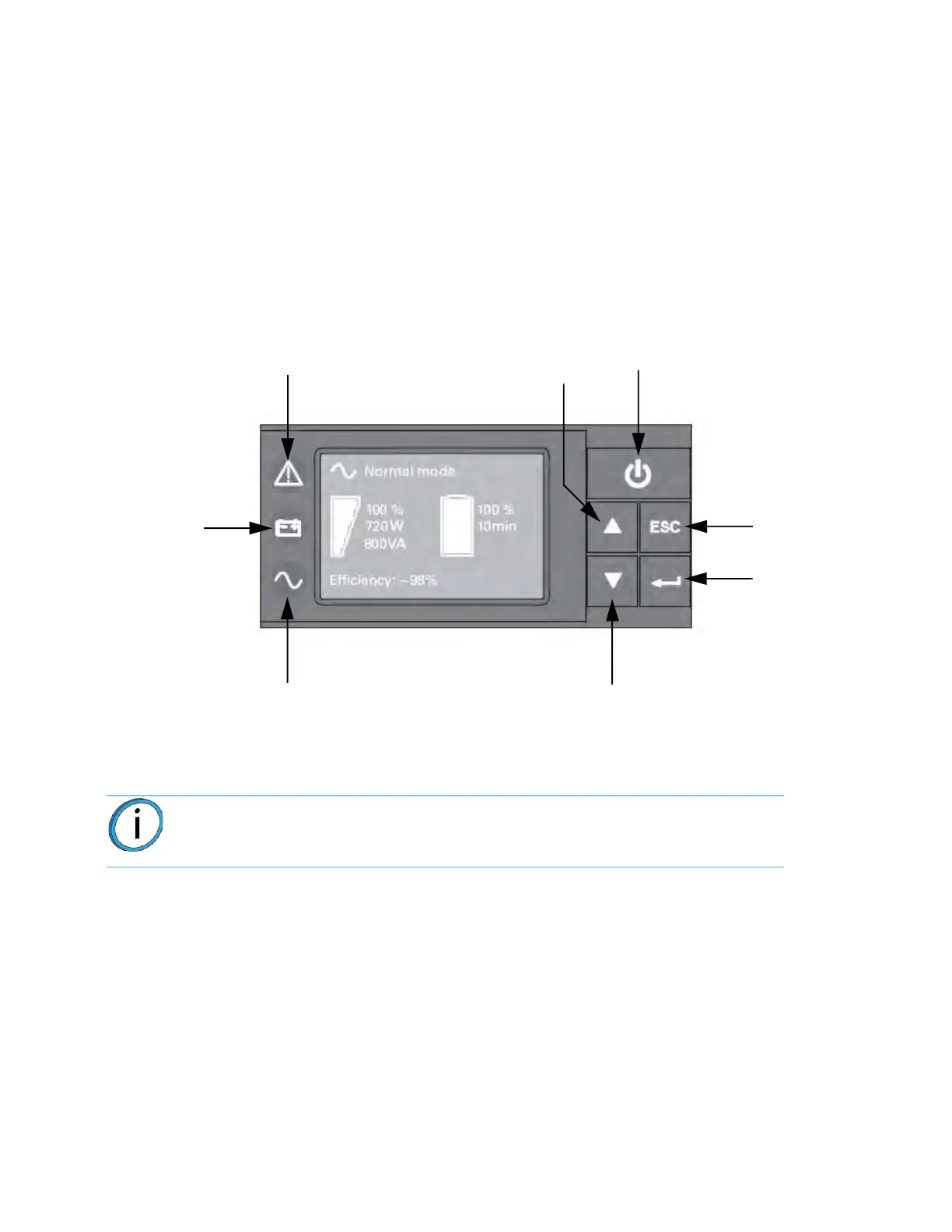
• The LED display shows status of the UPS.
Fi
gure 2-5: UP
S Front Panel
Note: UPS model and display may vary, but functions will be the same (or
similar).
Alarm Indicator
(Red)
On battery
(Yellow)
Indicator
Power On
Indicator
(Green)
On/Off
Button
Down
Escape
Enter
Up














 To Next Page