54
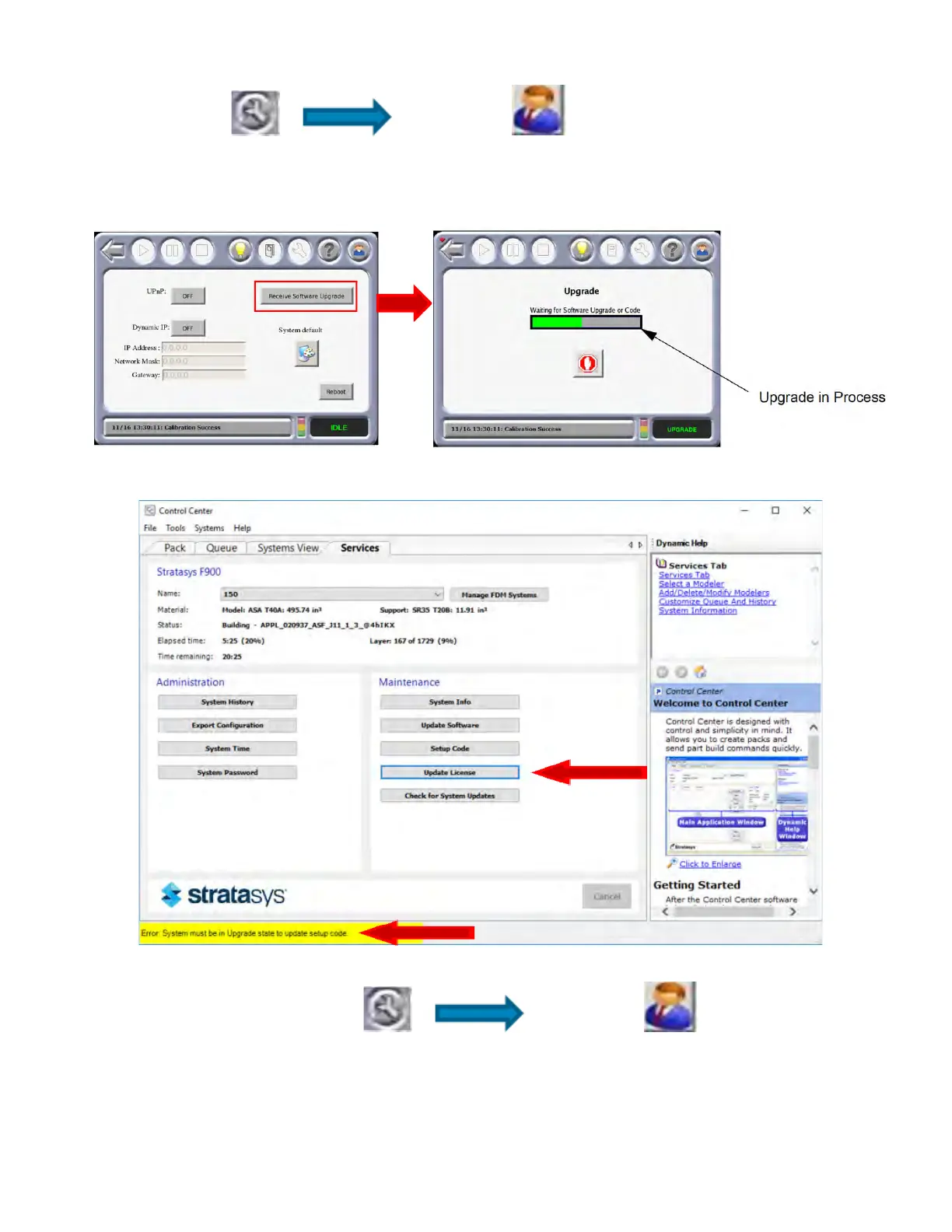
1. Place system in update mode and select
Material/Tools Administrator .
2. P
ress the Receive Software Upgrade button on the Administrator screen.
Fi
gure 4-16: Re
ceive Software Upgrade
3. Update the license file via Control Center while the system is in the update state shown above.
4. After the back end files and license files are updated, MTConnect must be enabled on the printer.
To do this, select Material/Tools Administrator . At the
Administrator screen, press the System Defaults button. On the System Defaults screen, turn
MTC
onnect ON.














 To Next Page