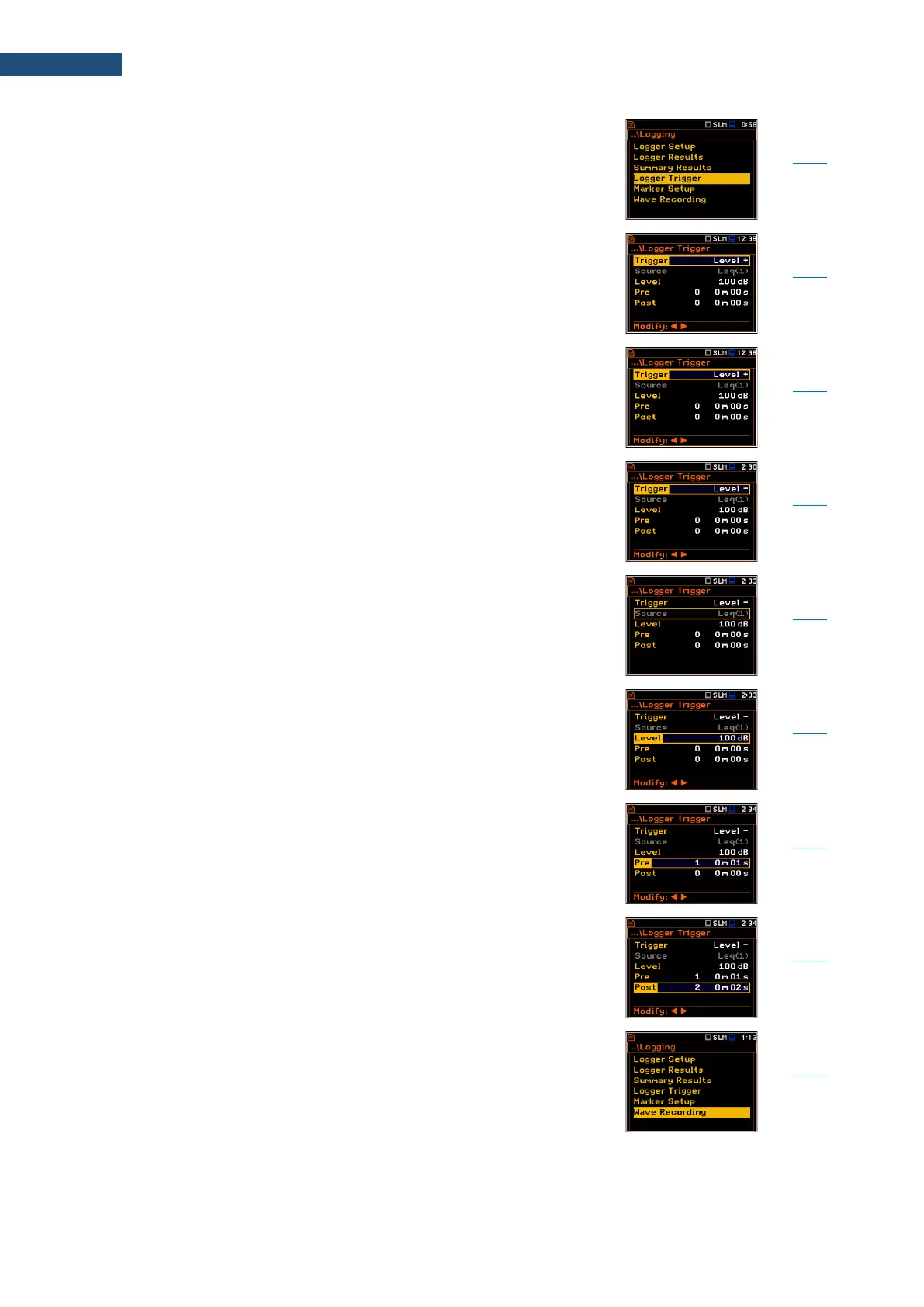
Screen that enables configuring parameters for
triggering of Logger Results recording to the logger file:
Trigger, Source, Level, Pre and Post.
Position that switches Off or On the logger trigger by
selecting its type: Level + or Level –.
If the instrument is waiting for the trigger condition, the
appropriate trigger icon is flashing on the display
alternatively with the „logger” icon.
Type of trigger, that starts logging of Logger Results on
condition: value of the Leq/RMS result (Source)
integrated by the Logger Step period is greater than the
threshold value (Level). In other cases, the logging is
skipped.
Type of trigger, that starts logging of Logger Results on
condition: value of the Leq/RMS result (Source)
integrated by the Logger Step period is lower than the
threshold value (Level). In other cases, the logging is
skipped.
Measured result that is compared with the threshold
value (Level) for triggering – RMS measured in the first
profile: Leq(1) in sound modes and RMS(1) in vibration
modes.
Threshold level of Source for triggering condition
fulfilment.
Period of additional logging before triggering condition
fulfilment.
Period of additional logging after triggering condition
fulfilment.
Recording of the waveform signal to a file with the
extension WAV. Files WAV are created automatically.
Every time a wave recording starts the new WAV file is
created and is closed when recording stops.



 To Next Page