[Ex.5.9.4-1] NEEDLE SELECT
Calling the design in memory #25 and setting the needle bar order at 7-3-
5-1-6-4-2-1
Call the design in memory #25 as shown in [Fig.5.7-6].
(Refer to 5.7 EMB CALL for calling a design.)
Select .
Press NEEDLE SETTING
Select NEEDLE SELECT
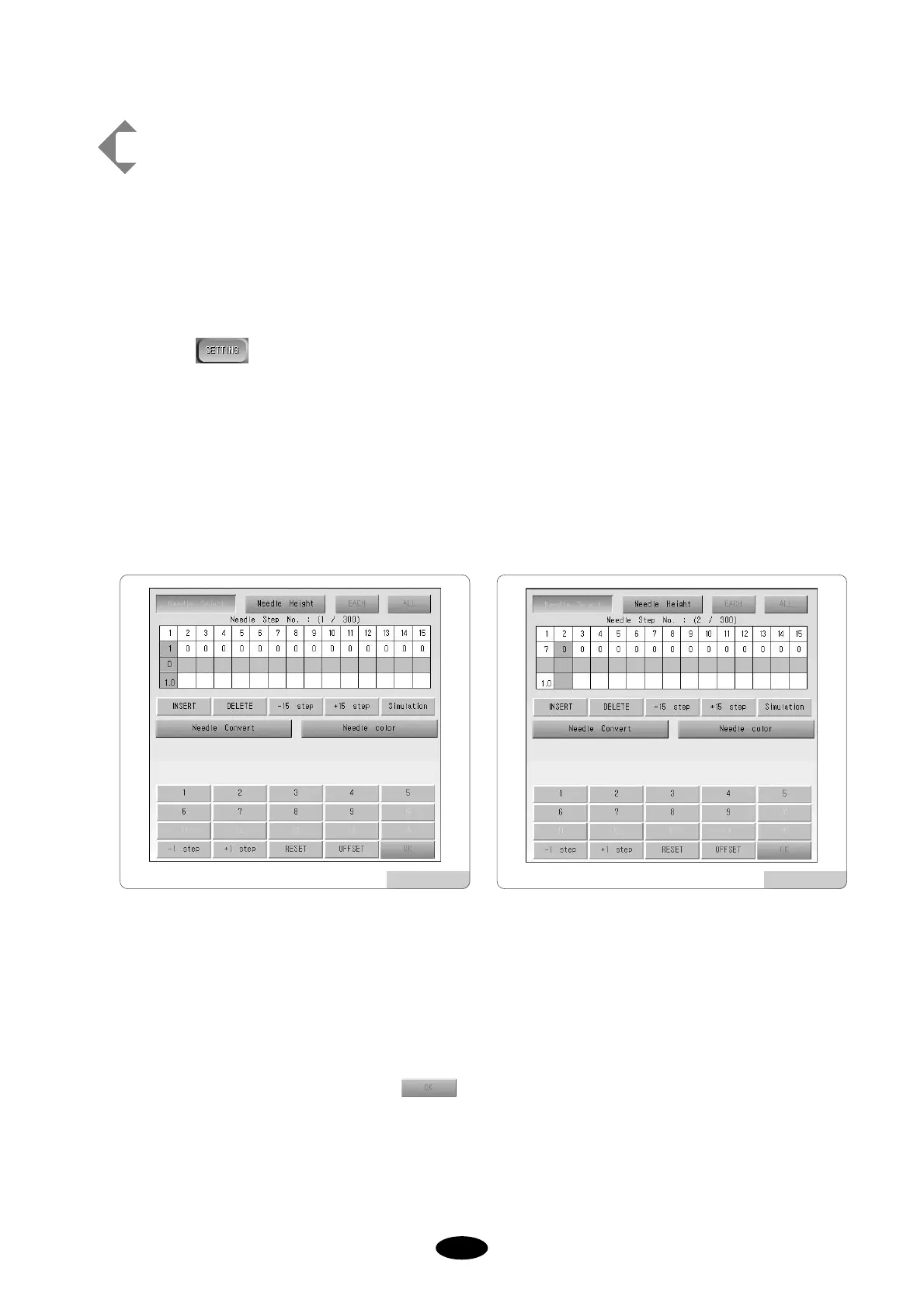
You will see sub menus activated as in [Fig.5.9.4-4] - INSERT, DELETE, -15 STEP, +15 STEP, SIMULATION
and keypad. The selection order will be at 1.
Press 7 in the keypad.
7 will appear as shown in [Fig.5.9.4-5] and the selection order will be at 2.
Input 3, 5, 1, 6, 4, 2, and 1 in the same way.
Check if the order is correct and press .
[Fig.5.9.4-4] [Fig.5.9.4-5]



 To Next Page