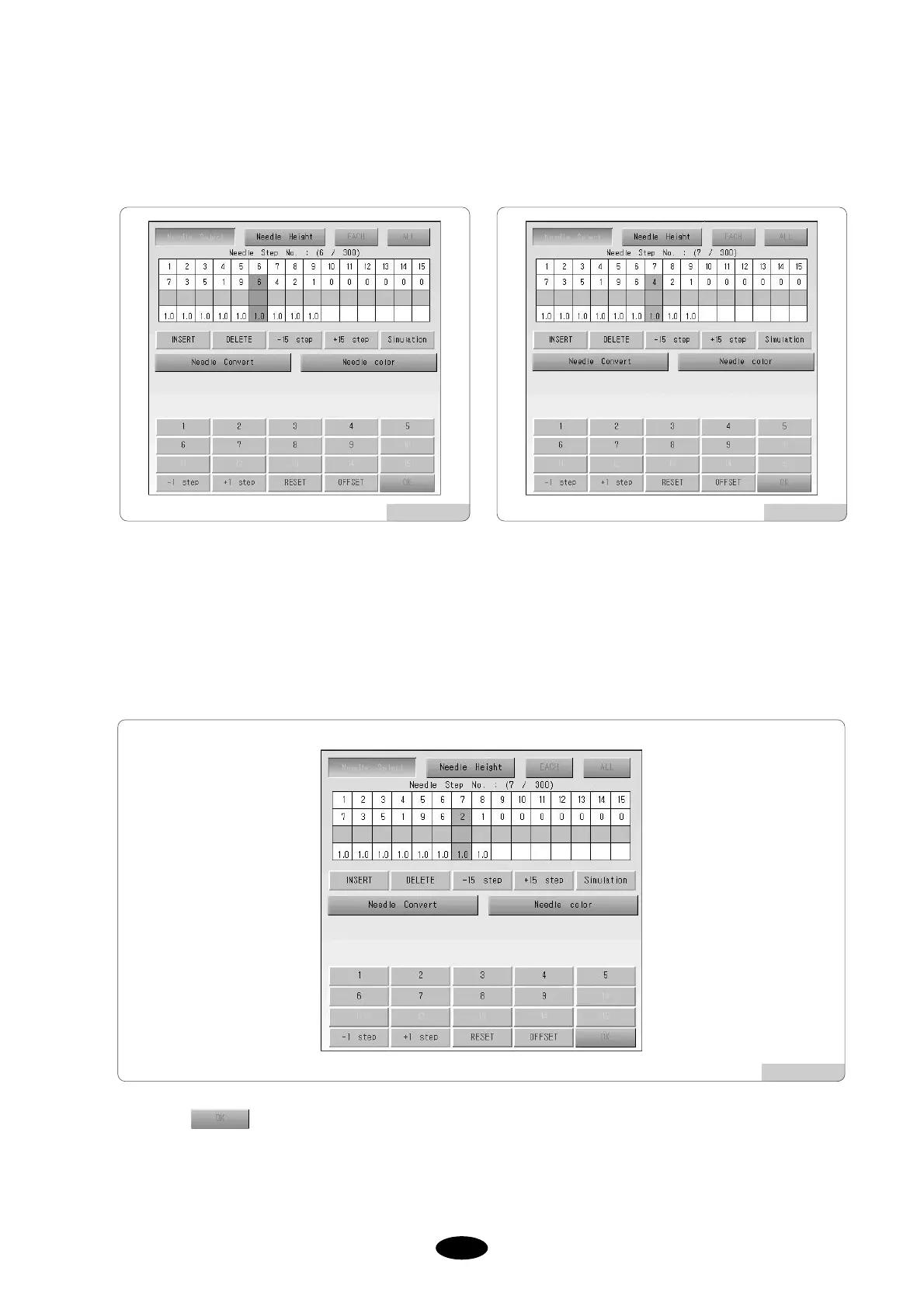
Press +1 STEP in the keypad and move to 4.
The cursor will blink at 4 as shown in [Fig.5.9.4-9]
Select DELETE.
You will see a screen [Fig.5.9.4-10]
Press to apply the new setting.
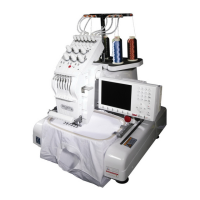
Input 9 from the keypad.
9 is inserted as in [Fig.5.9.4-8]
[Fig.5.9.4-10]
[Fig.5.9.4-8] [Fig.5.9.4-9]



 To Next Page