Basic Features
88 The Phone System Tab
3.10.3.1 ADDING VOIP VOICE SERVICES
IMPORTANT! Not all VoIP service providers provide access to 911 emergency ser-
vices. Check the service provider documentation to determine whether 911 dialing is
supported.
NOTE: DOS-A50 provides support for a single VoIP voice service. Attempting to
add a second VoIP voice service displays the Edit Voice Service
screen.
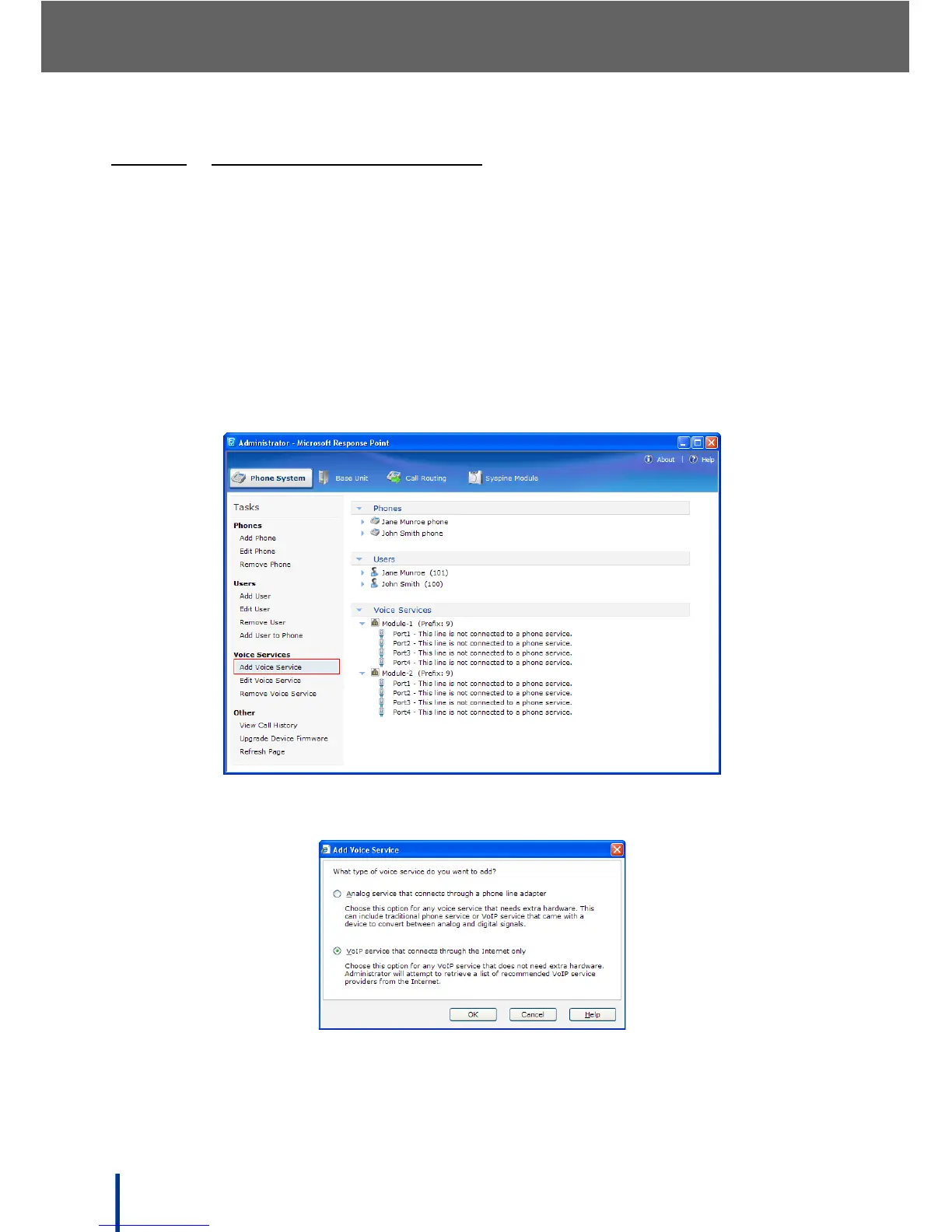
To add a new VoIP voice service, perform the following steps:
1. In Phone System´ Voice Services, click Add Voice Service.
2. The What type of voice service do you want to add screen displays.
3. Select VoIP and click OK.



 To Next Page