Basic Features
Microsoft Response Point Assistant Features 137
3.13 Microsoft Response Point Assistant Features
Assistant manages user’s personal phone system settings and provides access
to the Click to Call feature. Manage voicemail delivery, use voice commands to
voice dial contacts, direct call forwarding, and more.
IMPORTANT!
Users should not have access to the Administrator. All user needs are
catered for by the Assistant.
To begin using Response Point Assistant, perform the following steps:
1. Go to Start´ All Programs´ Microsoft Response Point Assistant to
launch Microsoft Response Point Assistant.
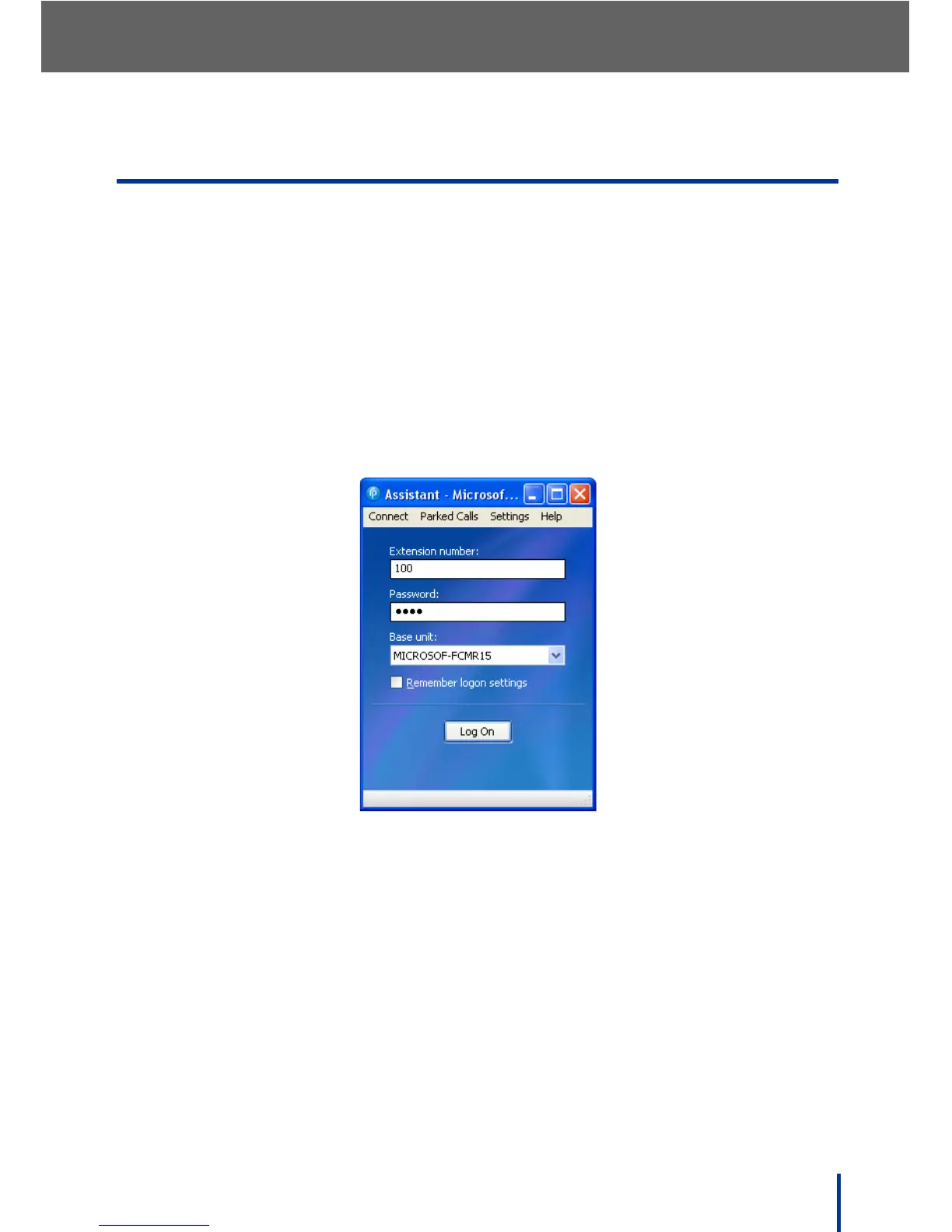
The log in screen displays.
2. Enter the user extension number and the default password 9999.
N
OTE: The DOS-A50 is automatically detected.
3. Click Log On.



 To Next Page