Introduction
Syspine IP Phone 310 13
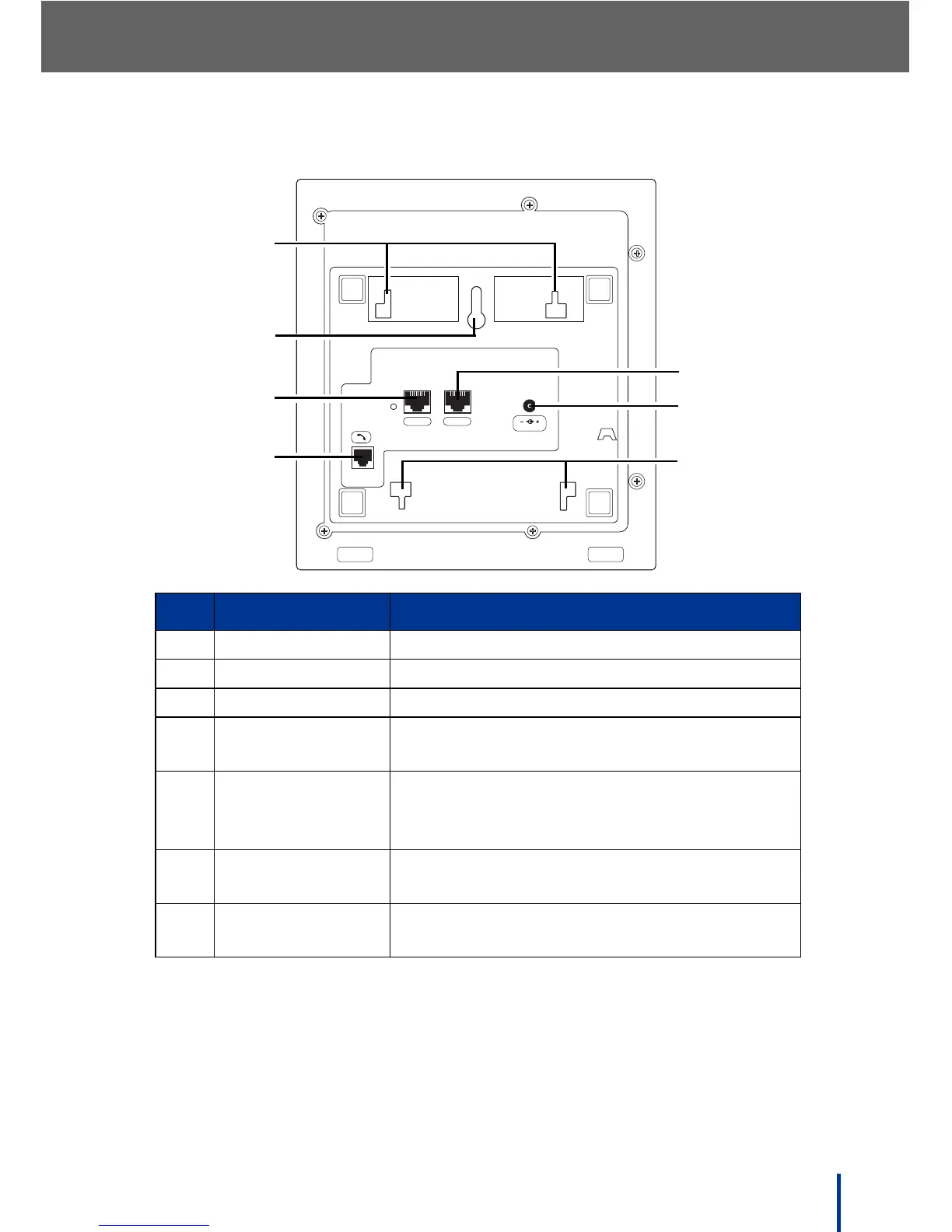
1.4.3 Rear View
NOTE: See Locating IP Phone 310s on page 25 for installation instructions.
No. Item Description
1. Desk Stand Slots Attach the desk stand to these slots
2. Wall Mount Slot Attach to wall using this slot
3. LAN Port Connect RJ-45 Ethernet cable
4. Handset
Connection Jack
Connect the handset cord
5. PC Port Connect RJ-45 Ethernet cable to PC, or
daisy chain a PC, hub, or other Ethernet
device
6. AC Power
Connection Jack
Connect AC power adapter
7. Wall Mount Stand
Slots
Attach the wall mount stand to these slots
LAN PC
DC 12V



 To Next Page