Installation
36 Logging on to Response Point Administrator
2.4.1 Changing the DOS-A50 Password
After logging in, change the password to prevent any security issues.
N
OTE: The default password for the DOS-A50 is admin.
To change the DOS-A50 password, perform the following steps:
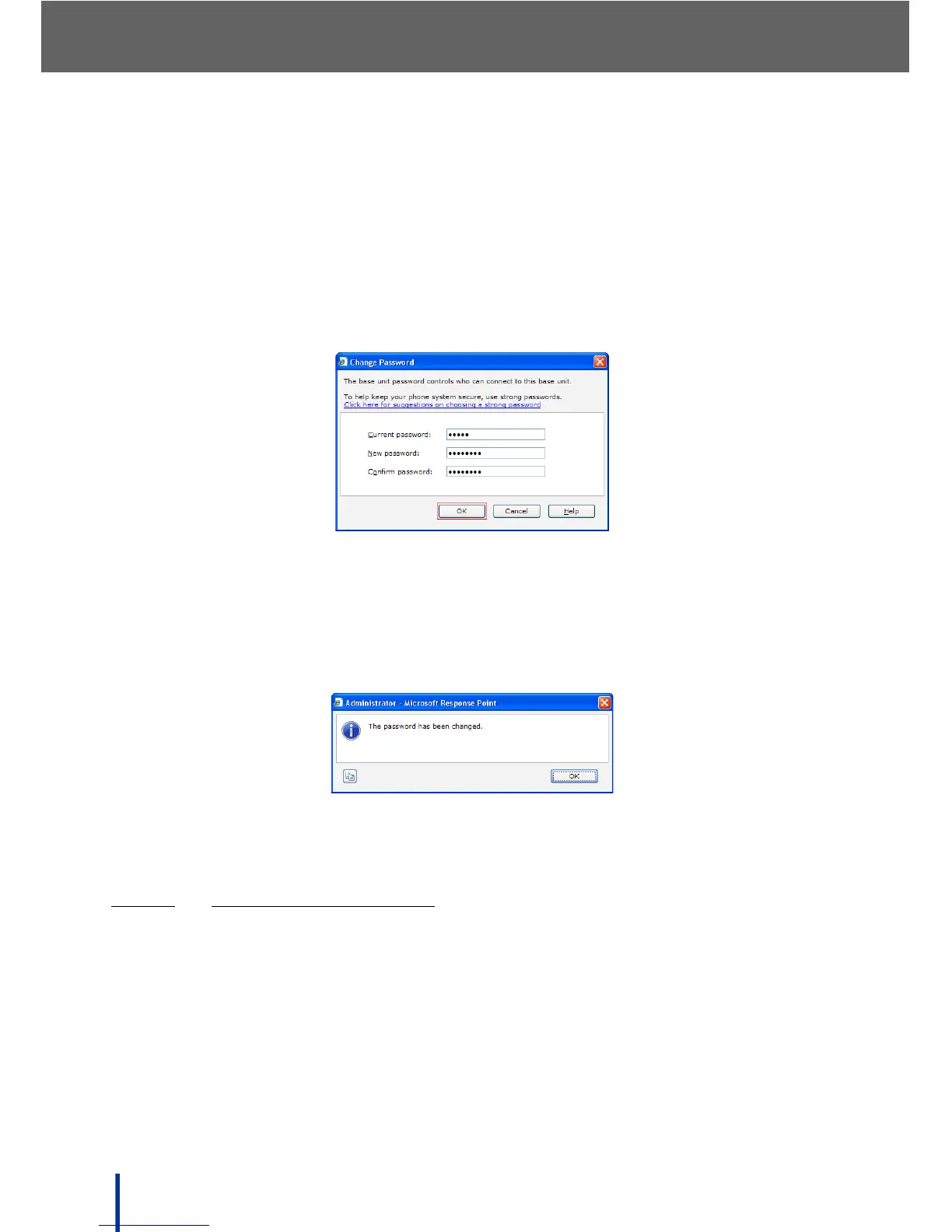
1. On the Base Unit tab, click Change Password in the Properties panel.
The Change Password screen displays.
2. Enter the current password (admin), a new password, and confirm the new
password.
3. Click OK.
The following message is displayed when the password is changed suc-
cessfully.
N
OTE: If an error message is displayed, follow the on-screen prompts to correct
the problem and try again.
2.4.1.1
STRONG PASSWORD TIPS
A maximum of 256 characters can be entered for Response Point Administrator
passwords. Due to the way passwords are encrypted, the most secure pass-
words are 7 or 14 characters long.
For a password to be strong, it should:
• Contain at least seven characters, including letters, numbers, and symbols.
• Be significantly different from prior passwords.



 To Next Page