Introduction
Syspine IP Phone 310 11
NOTE: For ease of use, place the labels as shown in the preceding image.
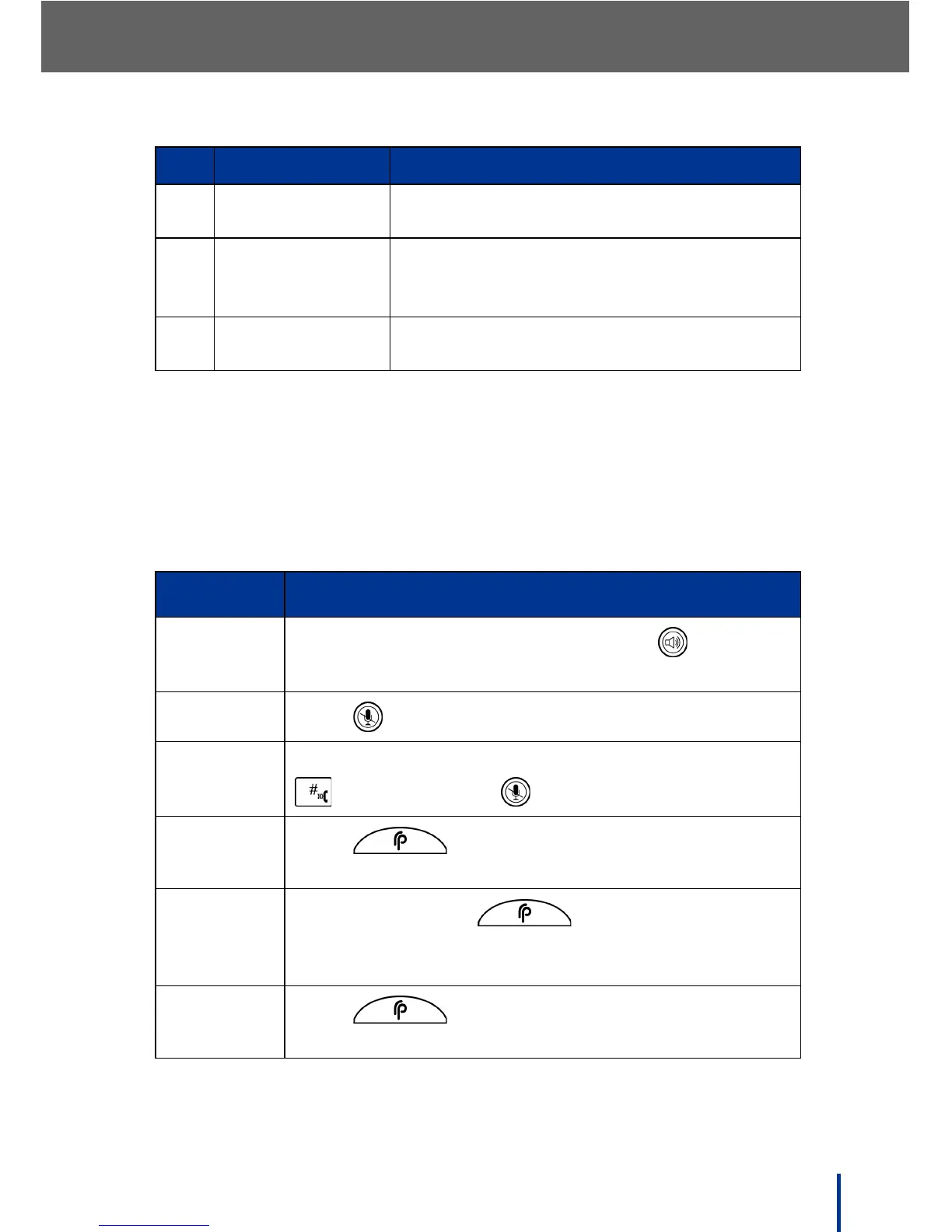
1.4.2 IP Phone 310 Operation
The following table describes the IP Phone 310 basic functions.
IMPORTANT!
IP Phone 310 Hook functionality may differ depending on the selected
service provider. Contact the provider for more information.
12. Handsfree Place or answer a call without the use of the
handset
13. Volume and Menu
Navigation
Move up and down through menu options
and adjust ringer volume. Increase or
decrease volume while phone is in use
14. Dial / Enter Press to dial manually entered phone num-
bers / select items in the LCD menu
Label Description
Answer Call
Pick up the handset to answer or press to use
Handsfree mode.
Reject Call
Press to reject call.
Number
Dial
Enter the desired number on the keypad and press
to confirm (press to correct mistakes).
Voice Dial
Press and say the name of the contact to
call.
Call Park
During a call, press to park the call. The
system assigns the call a number and says Call
<parked call number> parked.
Call
Retrieve
Press and say Retrieve call <parked call
number>.
No. Item Description



 To Next Page