Installation
26 Hardware Installation
6. Align the wall-mounting slot on the underside of the IP Phone 310 with the
screw.
7. Place the IP Phone 310 on the wall and pull down to locate the screw
securely.
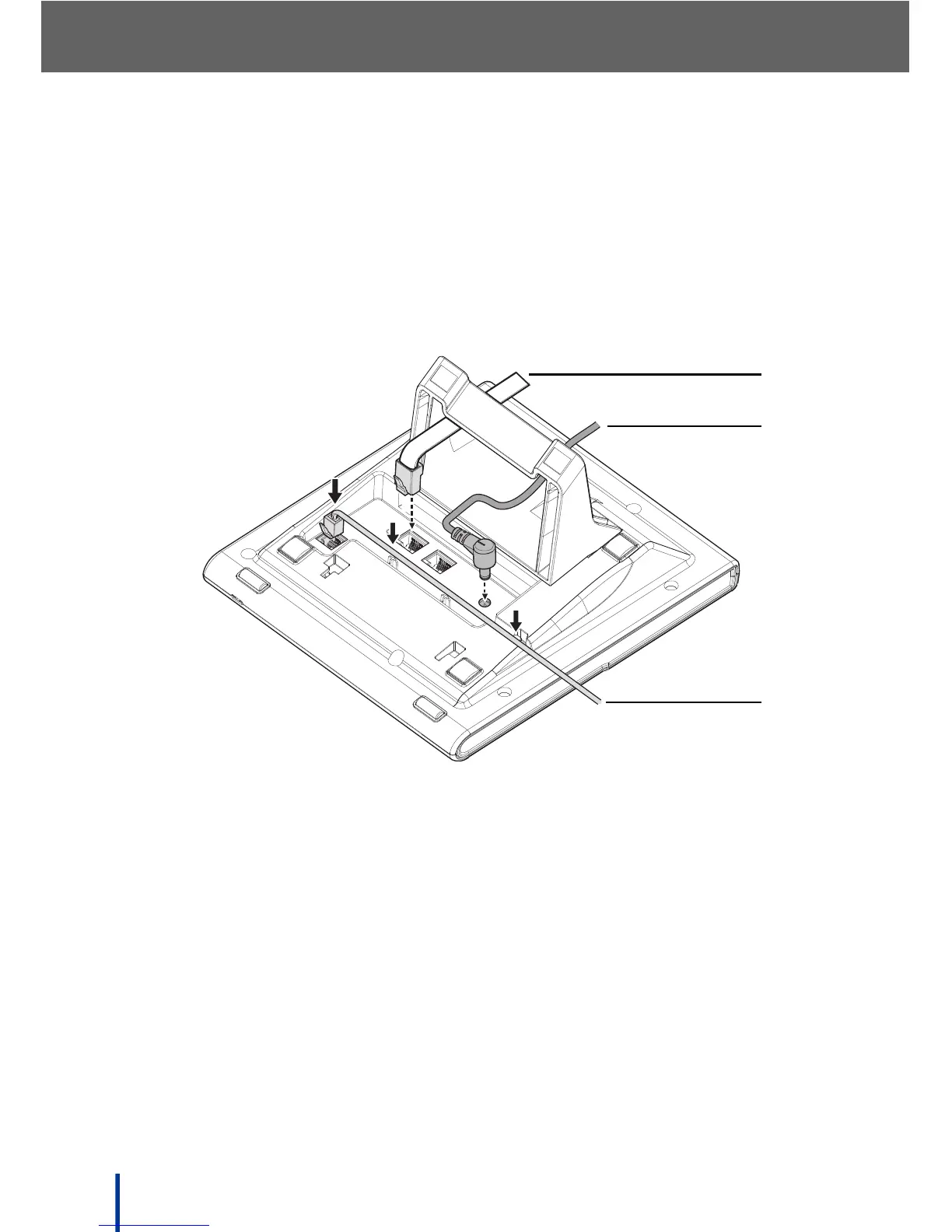
2.1.8 IP Phone 310 Cable Connections
Connect the IP Phone 310 cables as shown in the diagram:
1. Connect the white Ethernet cable to the LAN port.
2. Connect the power cable to the DC power jack.
N
OTE: If the IP Phone 310 is connected through a Power over Ethernet (PoE)
device, it is not necessary to connect the power adapter.
3. Connect the handset cable to the handset jack.
N
OTE: The handset cable has a long straight connection and a short straight
connection. Use the long section to connect to the IP Phone 310. Secure
the cable in place by pressing down as shown in the preceding image.



 To Next Page