Installation
Hardware Installation 19
2.1.4 Locating the DOS-A50
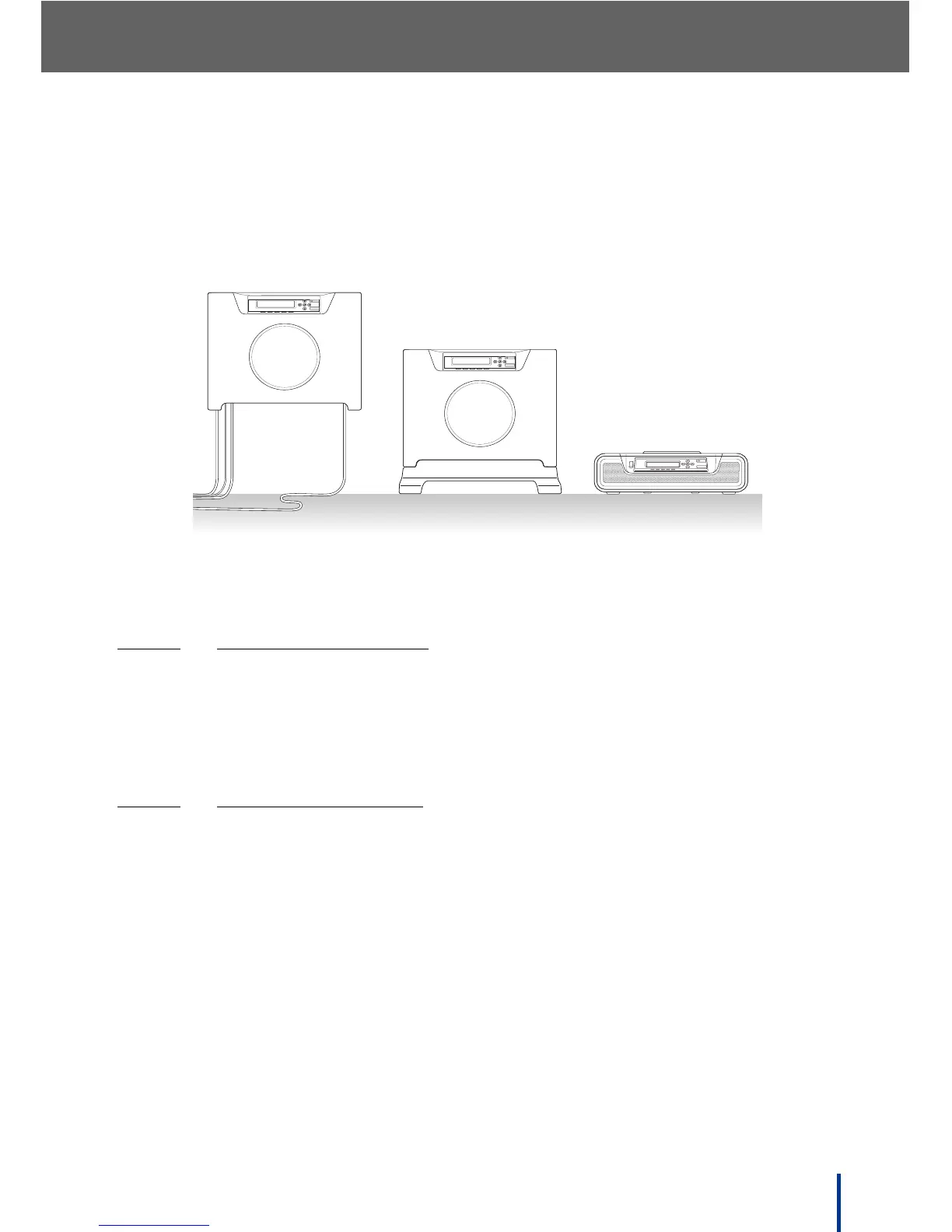
The DOS-A50 provides three distinct setup options—desktop, upright, and wall
mounted. The LCD panel and top ventilation panel can be inverted for upright
and wall mounted installation.
N
OTE: The DOS-A50 is setup in the upright position by using the upright cradle
(optional). See Optional Contents on page 4.
2.1.4.1
DESKTOP INSTALLATION
Place the DOS-A50 on a flat, stable surface in a well ventilated area.
N
OTE: Do not obstruct the cooling vents (see Front View on page 5 for vent
locations).
2.1.4.2
UPRIGHT INSTALLATION
1. Attach the upright cradle (optional) as described in the Quick Setup Guide
supplied with the cradle.
2. Place the DOS-A50 in the upright position on a flat, stable surface. Ensure
that there is ample ventilation and space for the required connections.
IMPORTANT!
Do not obstruct the cooling vents (see Front View on page 5 for vent
locations).
3. Press the LCD panel release button (see Front View on page 5) and lift the
panel clear.
4. Invert the panel and insert it, right-hand side first into the panel bay.
QUANTA COMPUTER
POWER SYSTEM LINE1 LINE2 GATEWAY
RESET
IP
QUANTA COMPUTER
POWER SYSTEM LINE1 LINE2 GATEWAY
RESET
IP
RESET
IP
QUANTA COMPUTER
POWERSYSTEM LINE1
LINE2GATEWAY
Wall Mount Installation
Upright Installation
Desktop Installation



 To Next Page