Basic Features
140 Microsoft Response Point Assistant Features
3.13.2 Using the Parked Calls Menu
Call Park is used to hold a call in the system until another system extension or
user is free to respond.
There are a total of nine slots available for call parking. Any IP Phone can
retrieve a Parked call by using the Response Point button on the phone or by
using the Parked Calls menu in Assistant.
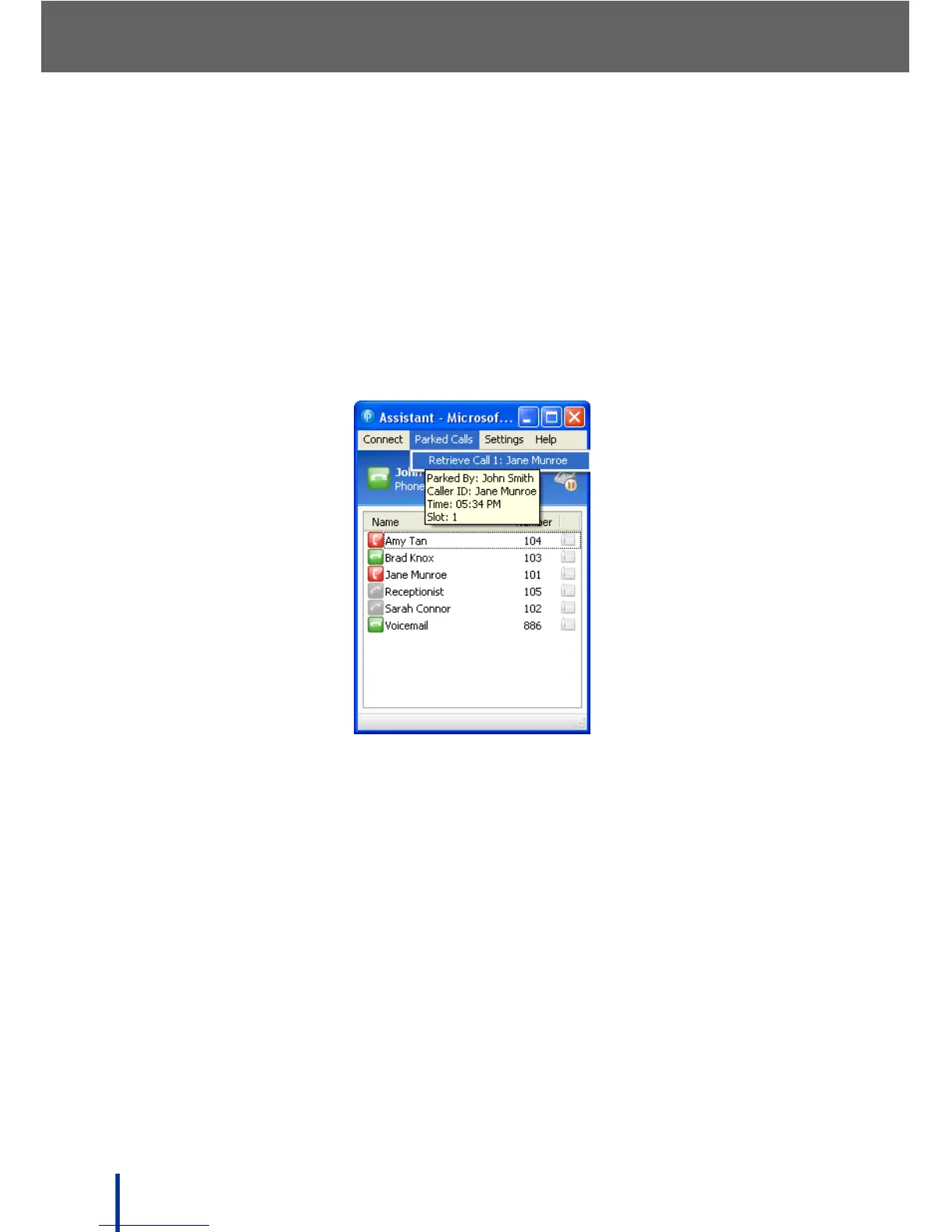
1. Click Parked Calls to display all the parked calls on the system.
N
OTE: If there are no parked calls, the menu displays No Parked Calls.
Roll over the parked call list with the mouse pointer to display information
about the caller, including Caller ID and time parked.
2. To retrieve a parked call, click the desired entry in the Parked Calls list.
Response Point transfers the call to loud speaker and releases the call
from the Parked Call list.



 To Next Page