Basic Features
110 The Base Unit Tab
3.11.1.1 VIEWING THE EVENT LOG
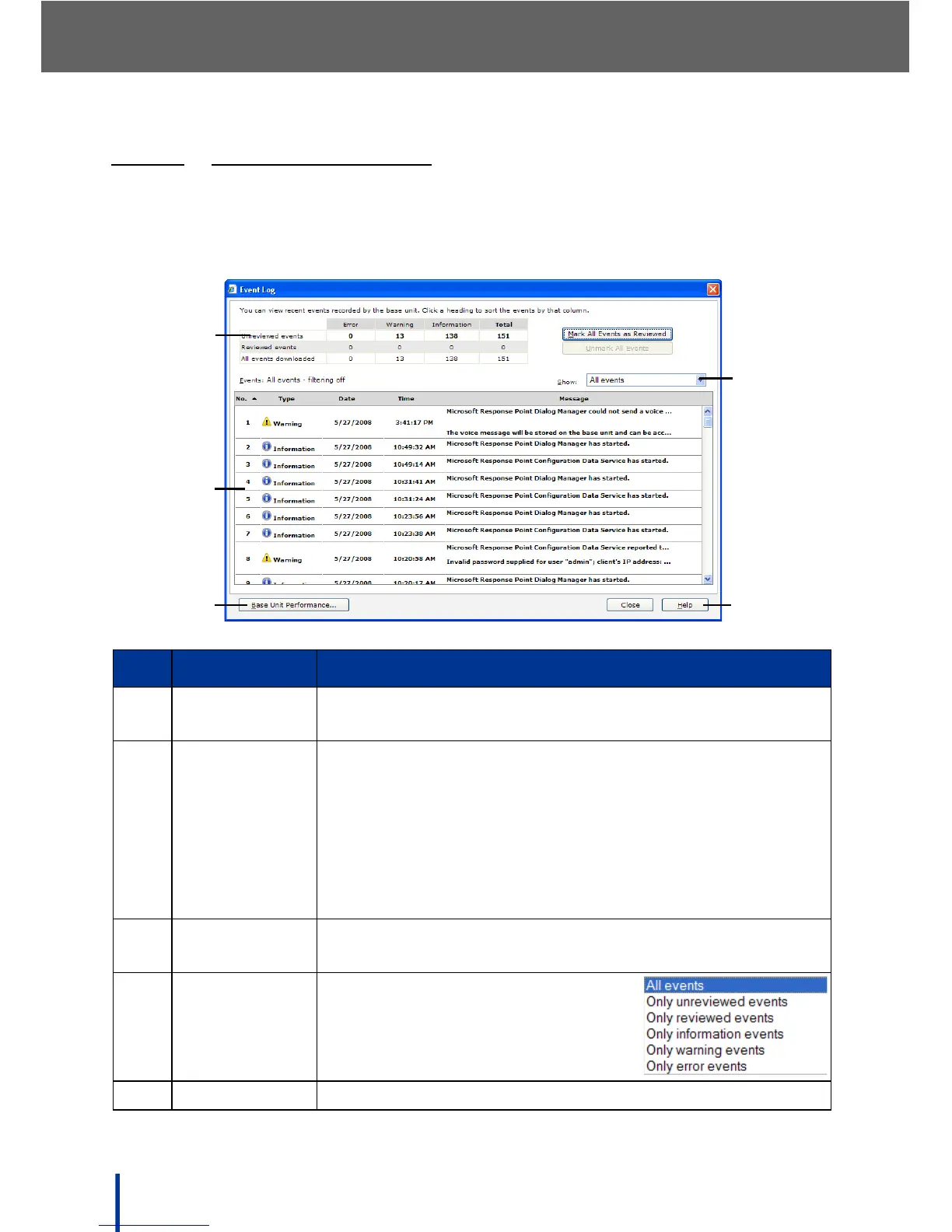
The Event Log shows all errors, warnings, and informational messages.
To access the Event Log, click View Event Log in the Status panel. The View
Event Log screen displays.
No. Item Description
1. Message
Count panel
Displays the total number of messages and message
status.
2. Message
Description
panel
Displays the content of the message:
Number — message number, listed from newest to old-
est by default.
Type — message type: error, warning, or informational.
Date — the date of message posting.
Time — the time of message posting.
Message — message content.
3. Base Unit
Performance
Click to display Performance Counters and set the
refresh time.
4. Display Filter Enable or disable the message
filter:
5. Close/Help Click Close to exit or Help to view the help files.



 To Next Page