Basic Features
The Base Unit Tab 115
3.11.2.5 CUSTOMIZING PARKED CALL MUSIC
DOS-A50 supports playback of customized music during call parking through
the audio jack on the rear of the base unit.
N
OTE: If no custom music is supplied, the base unit plays the default music dur-
ing call parking.
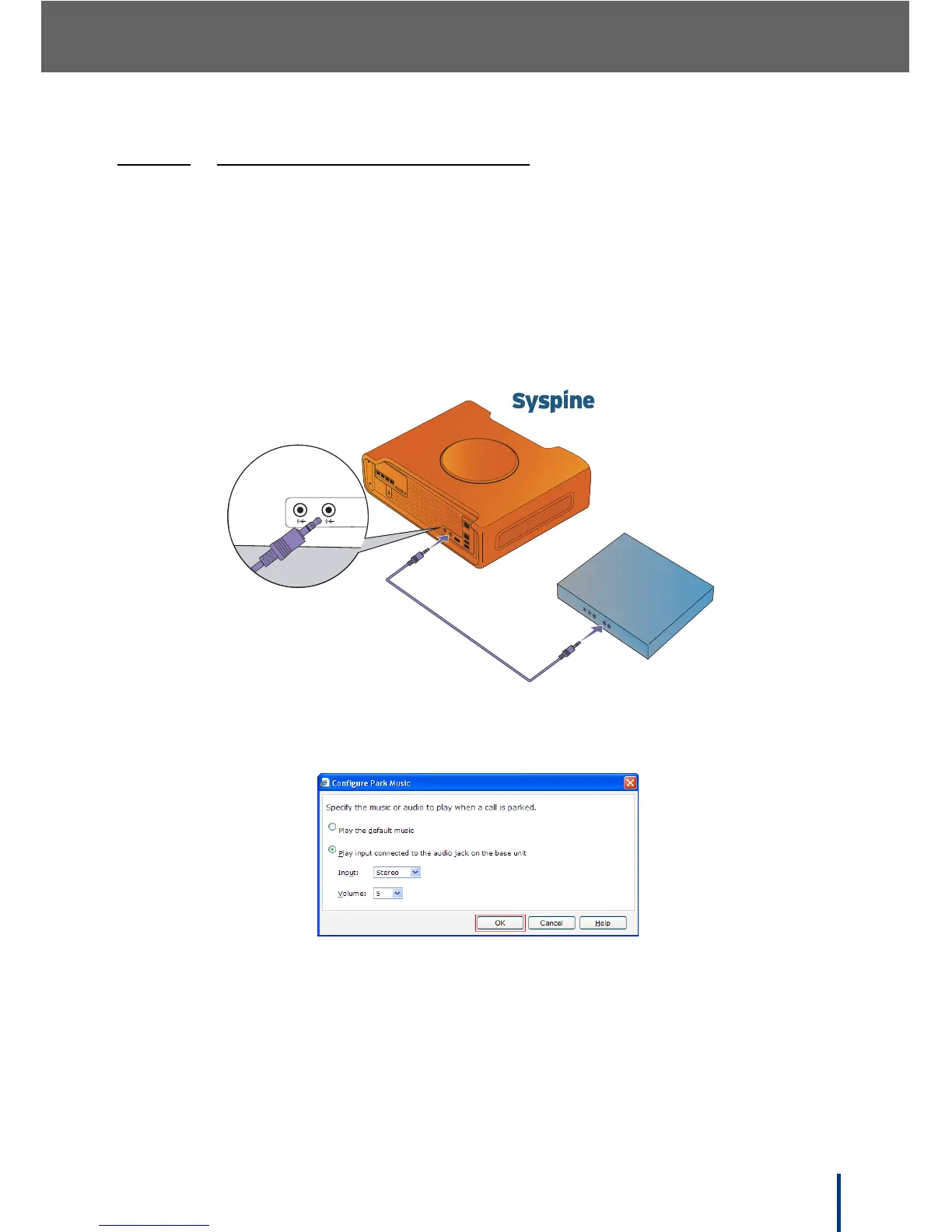
To customize the parked call music, perform the following steps:
1. Prepare the desired music on an audio device with analog output.
2. Connect the device to the audio in jack on the rear of DOS-A50 as shown.
3. In Base Unit´ Properties, click Configure Park Music.
The Configure Park Music screen displays.
4. Select Play input connected to the audio jack on the base unit as
shown.
5. Select the input type and volume from the drop down menus.
6. Click OK.
All parked calls hear the selected audio in place of the default DOS-A50
music.
P4 P3
P2 P1
DC IN
DOS-A50
Audio Device
Line-Out Line-In



 To Next Page