Advanced Features
Syspine DOS-A50 Module Configuration 159
4. Select Administrator Mode and enter the password admin (lower case).
N
OTE: In Administrator Mode, the Syspine Module screen has limited function-
ality. For more information on Debug Mode and Syspine Module configu-
ration, see the Service Manual and Security Gateway User’s Manual.
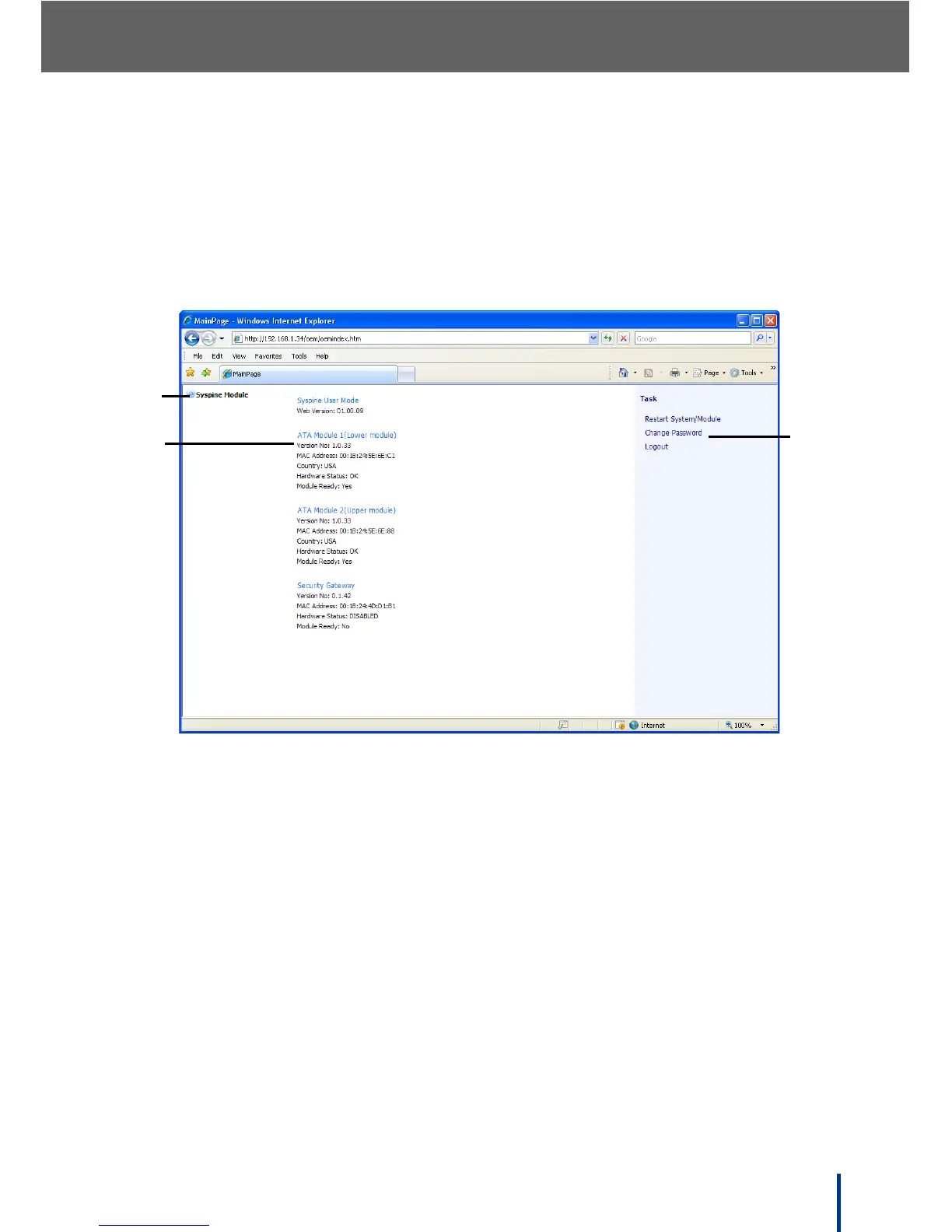
The Syspine Module MainPage page displays.
The main configuration page contains Main Categories panel, summary panel,
and Tasks panel.
1. Main Categories—displays the available menus.
2. Summary—displays brief descriptions of System Information and the sta-
tus of installed modules.
3. Tasks—the Tasks panel enables the administrator to perform the functions
described below.



 To Next Page