Installation
30 Installing Response Point on the Administration Computer
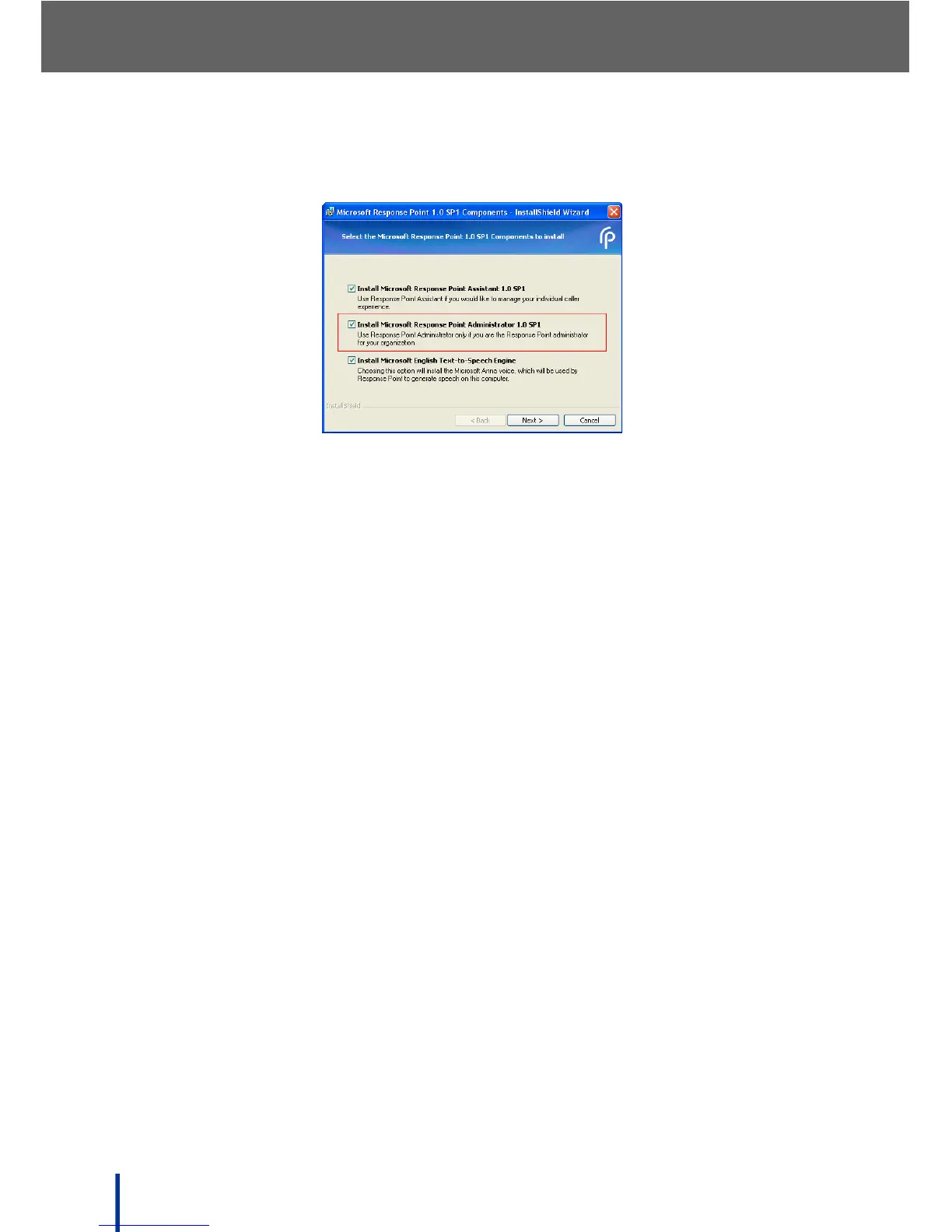
The Select the Microsoft Response Point 1.0 SP1 Components to
install screen displays.
N
OTE: The Administrator software does not install by default.
3. Ensure that all the check boxes are selected, including Install Microsoft
Response Point Administrator 1.0 SP1.
4. Click Next.
5. Follow the on-screen prompts to install the software. The Assistant is
installed first, followed by the Administrator and Text-to-Speech software.
N
OTE: For both the Assistant and Administrator installation, a license screen
must be accepted before installation can continue.
6. Once installation is complete, go to Start´ All Programs´ Microsoft
Response Point Administrator to launch Microsoft Response Point
Administrator.



 To Next Page