6 Using the product
150
1. Select the day or time period in the calendar that should be
evaluated.
2. In the tree structure of the data range, open the zone that
contains the data to be displayed.
- The table view of the selected data is shown.
> If necessary, deactivate channels via the checkboxes for the
display.
Pos: 170 /TD/Produ kt verwenden/testo Sa veris/05b Tabellen a nalysieren/01 Mess werte markieren @ 0\mod_1188 996635625_79.doc x @ 3565 @ 4 @ 1
6.6.4.1. Marking readings
Mark specific readings to perform a statistical computation for part
of the measurement series, for example.
The min, max and average values cannot be calculated via
a period/index range defined in the table.
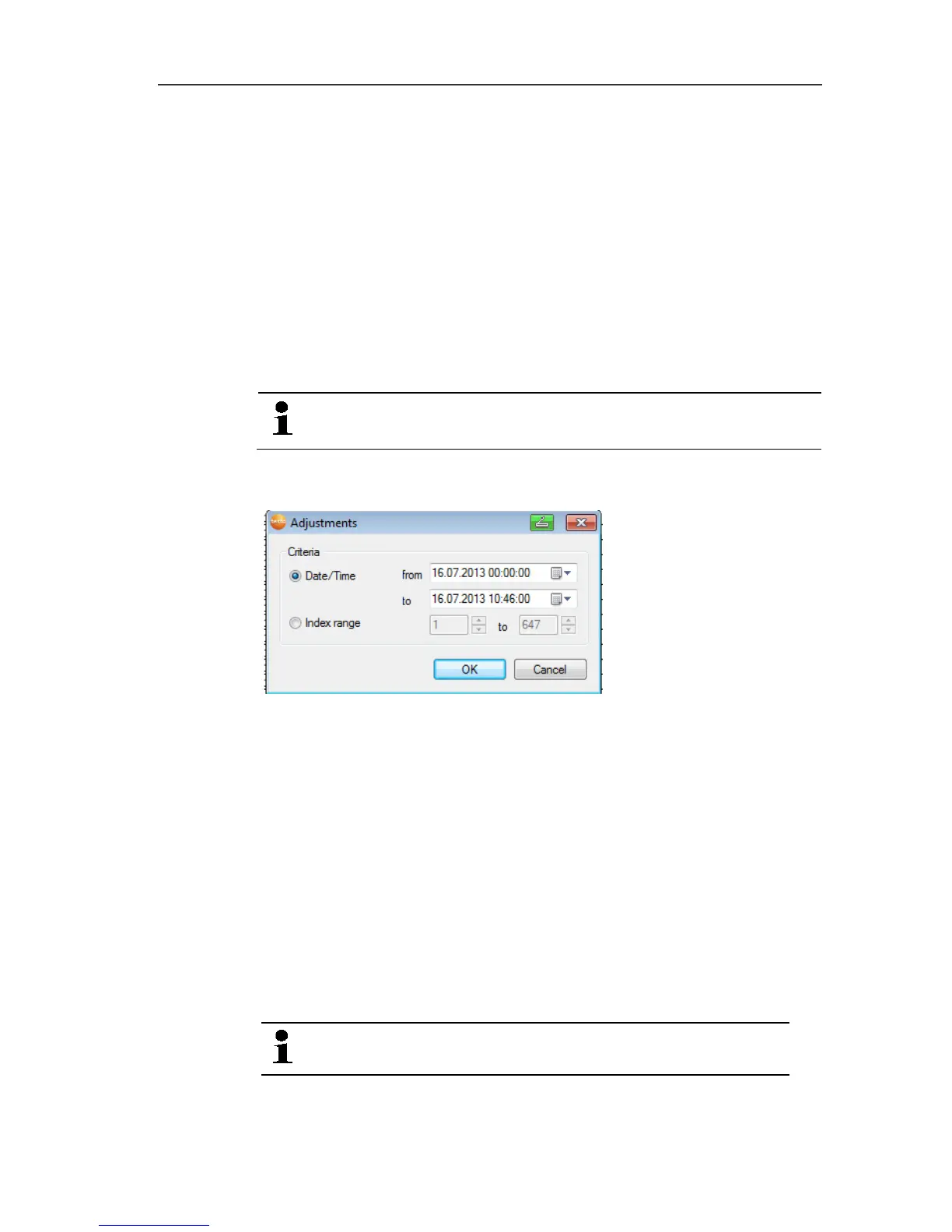
1. Click on Edit | Tools | Mark.
- A dialogue for determining the criteria is shown.
2. Select the
• Select Date/time if the readings for a particular time period
are to be marked.
- The selection lists are enabled for the determination of the
time period.
• Select the Index range if the readings in particular rows in
the table are to be marked.
- The selection lists are enabled for the determination of the
index range.
3. Determine time period or index range.
4. Click on [OK].
- The dialogue is closed and the corresponding readings are
marked in the table.
The selected readings can be copied and further edited
using suitable software (e.g. with Microsoft® Excel
®
).







 To Next Page