5 First steps
60
Pos: 74 /TD/Erst e Schritte/testo Saver is/Hardware erwei tern/01 a Router einbinden/ 01b Router-ACDC @ 1\mod_11979 78273593_79.doc x @ 6543 @ 4 @ 1
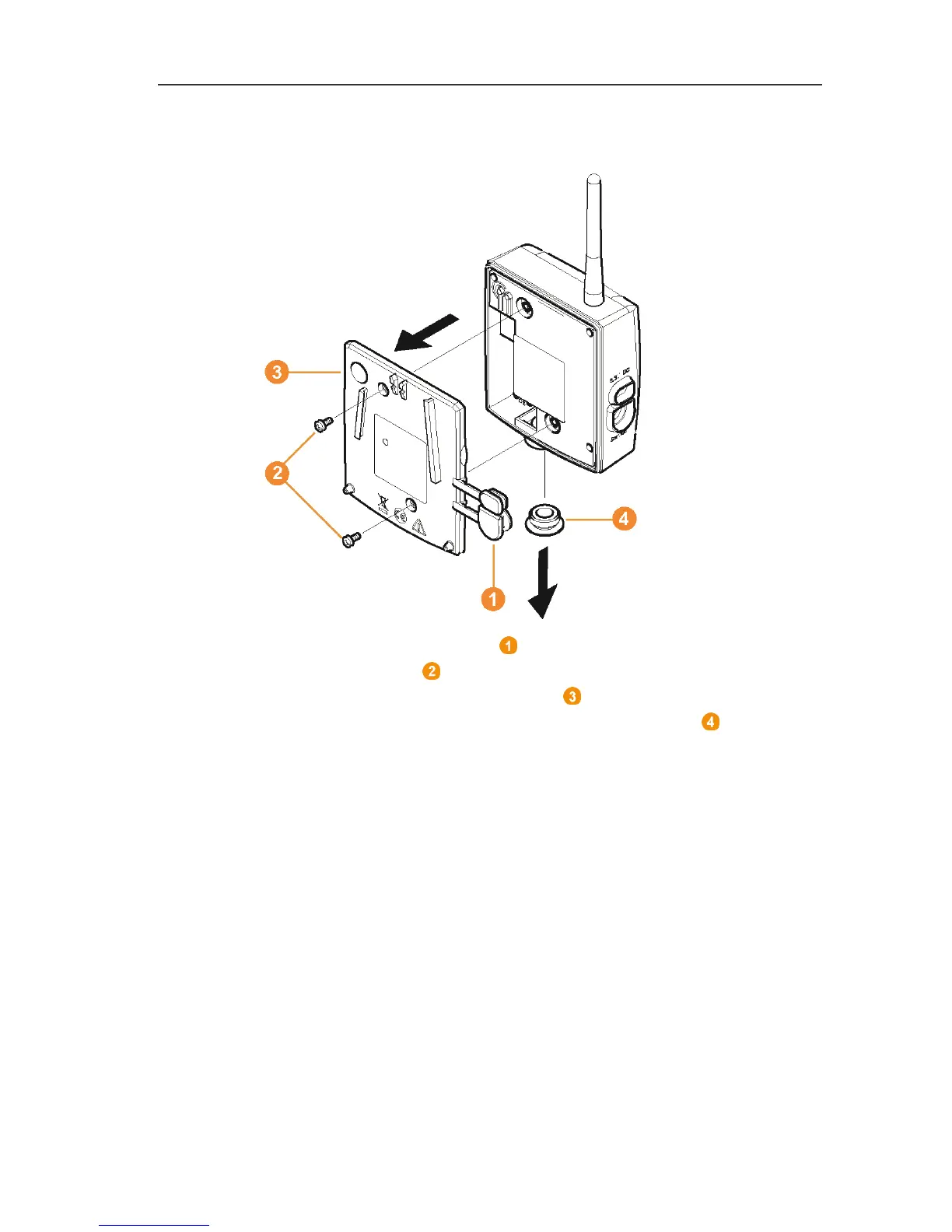
5.14.1.2. Connecting router with power supply (AC/DC)
1 Remove protection caps .
2. Loosen screws on the rear of the router.
3. Remove housing cover of router .
4. Unscrew and remove cover cap of cable opening .







 To Next Page