6 Using the product
130
Remove from group
1. Right-click on component, then click on [Remove from group].
- The component is removed from the assigned alarm group.
Delete group
1. Right-click on component, then click on [Delete this group].
- The assigned alarm group is deleted, all components that were
assigned to this group are now without an alarm group.
Apply to all
1. Right-click on component, then click on [Apply to all].
- The alarm group assigned to this component is applied to all
other components.
6.5.2.2. Channels
Any configuration changes are only transferred to the
probe/base once you have exited the Alarm management
menu!
You should therefore exit the Alarm management menu
after editing.
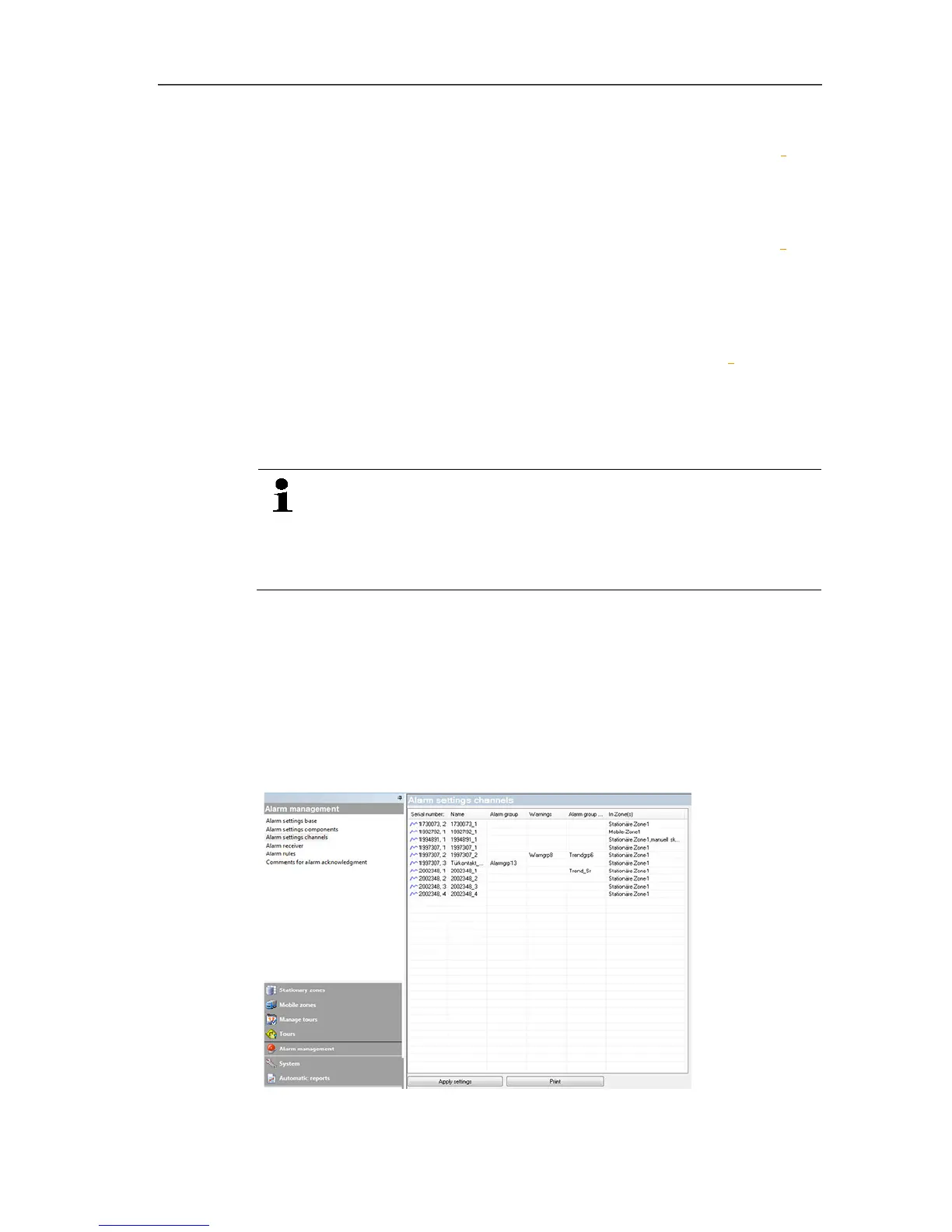
1. Click on Alarm management in the navigation area.
- The data area shows the sub-menus Base alarm settings,
Component alarm settings, Channel alarm settings, Alarm
recipients, Alarm rules, Comments for acknowledging
alarms.
2. Click on Channel alarm settings.
- The probe alarm settings are shown in the display area.







 To Next Page