100
DISPLAYING THE MEASUREMENT RESULT
TOPO/ABERRATION MAP OVERLAY AND MARKER OVERLAY
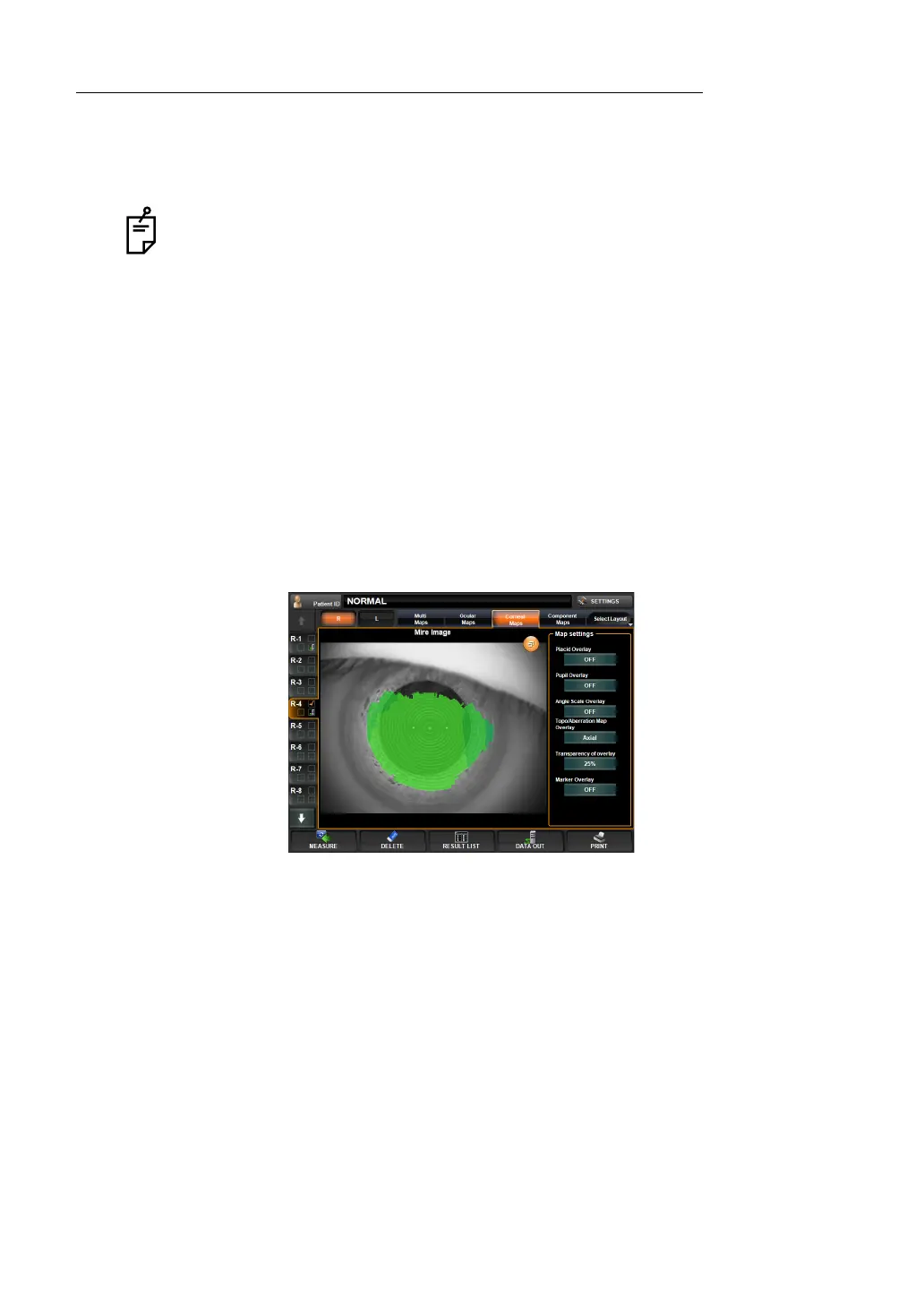
When the corneal Mire image is enlarged and displayed from the Corneal Aberration map and
IOL Selection map, the Topo/aberration map overlay and Maker overlay can be set by the
"Map Setting" displayed on the right.
TOPO/ABERRATION MAP OVERLAY
Various maps can be overlaid to the corneal Mire image of the Corneal Aberration map.
Maps can be overlaid to display : Corneal Axial map, Corneal Instantaneous map, Total Ocu-
lar Aberration map, Ocular High-Order Aberration map,
Corneal High-Order Aberration map.
1 Tap, enlarge and display the corneal Mire image from the Corneal Aberration map or IOL
Selection map.
2 Tap the TopoMap Overlay button of Map Settings and display the Topo/aberration map
overlay.
3 Tap the button, and the overlaid map will be switched from Axial, Instantaneous, Total
Ocular Aberration, Ocular High-Order Aberration, to Corneal High-Order Aberration in
order.
TRANSPARENCY OF OVERLAY
Transmission of each overlaid map can be changed to adjust the transparency level of the
corneal Mire image in the back.
Maps can be overlaid to display : Corneal Axial map, Corneal Instantaneous map, Total Ocu-
lar Aberration map, Ocular High-Order Aberration map,
Corneal High-Order Aberration map
1 Tap, enlarge and display the corneal Mire image from the Corneal Aberration map or IOL
Selection map.
2 Tap "Transparency of overlay" in the "Map Setting" to change the transmission rate.
3 Every time the button is tapped, the transparency rate changes as 0% R 25% R 50% R
75%.
When the corneal Mire image is enlarged and displayed from the Corneal aberra-
tion map and IOL selection map, the overlay cannot be changed by dragging the
image.



 To Next Page