50
INDIVIDUAL OPERATIONS
SELECTION OF AUTO MEASUREMENT/AUTO TRACKING MEASUREMENT/
MANUAL MEASUREMENT
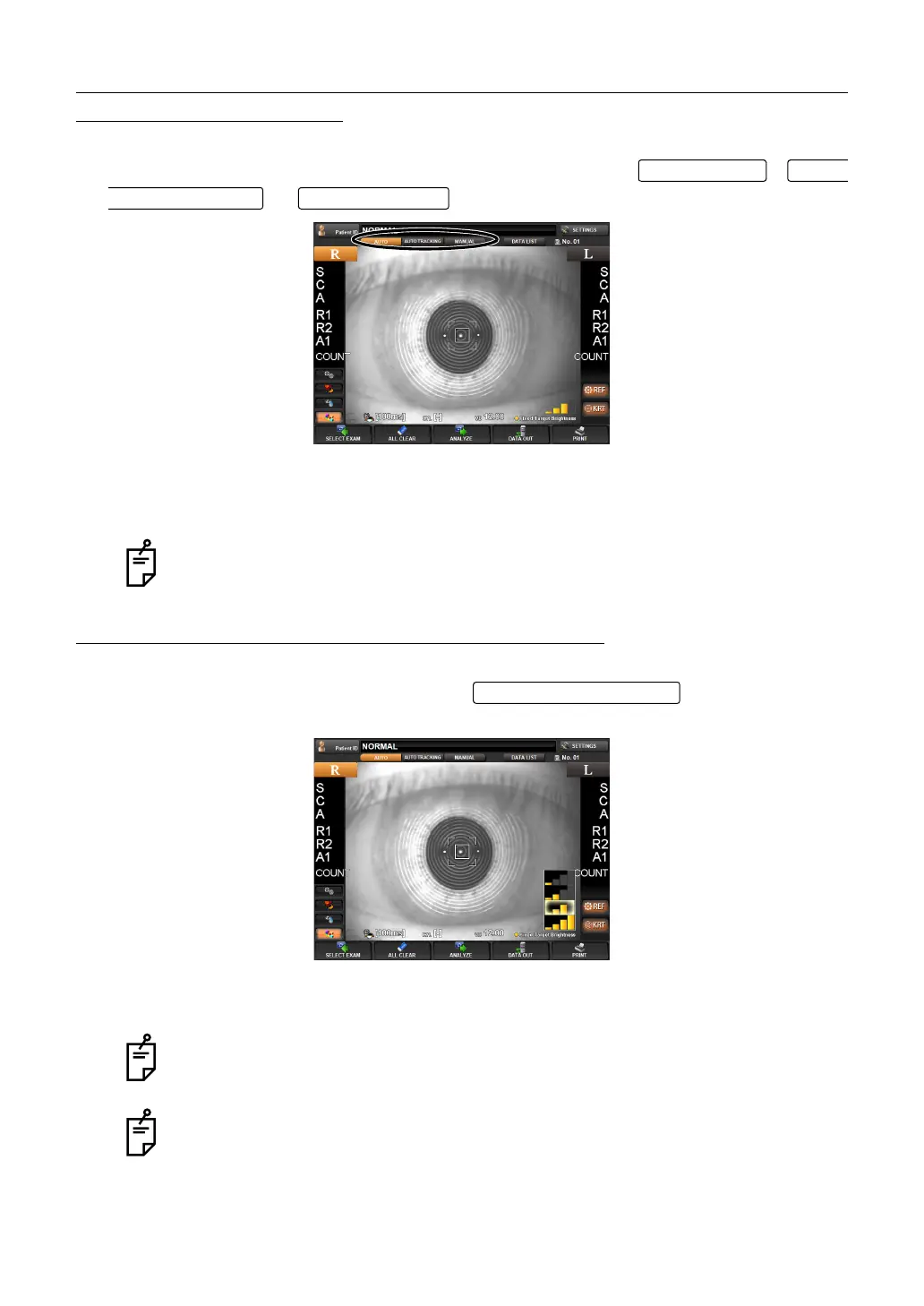
Select either auto or manual measurement. To select, tap ,
, or on the control panel.
"AUTO" : Alignment and measurement are automatically done.
"AUTO TRACKING" : Alignment is automatic but not measurement.
"MANUAL" : Alignment and measurement are manually done.
SETTING FIXATION TARGET ILLUMINATION LEVEL
Brightness of a fixation target is selected. Tap on the control panel,
and the pop-up indication is displayed for about 3 seconds. Tap the indication to select.
• The lower is the brightest (all orange) and the upper is the darkest (the left gage only is
orange).
Auto mode setting can be made in the Setup Screen. Refer to page 129 for the
detail.
The fixation target brightness can be set in the Setup screen. Refer to page 126
for the detail.
The fixation target brightness automatically changes in the Pupillometry mode.
RACKING button MANUAL button
Fixed Target Brightness



 To Next Page