33
PREPARATIONS
SETTING THE PRINTER PAPER
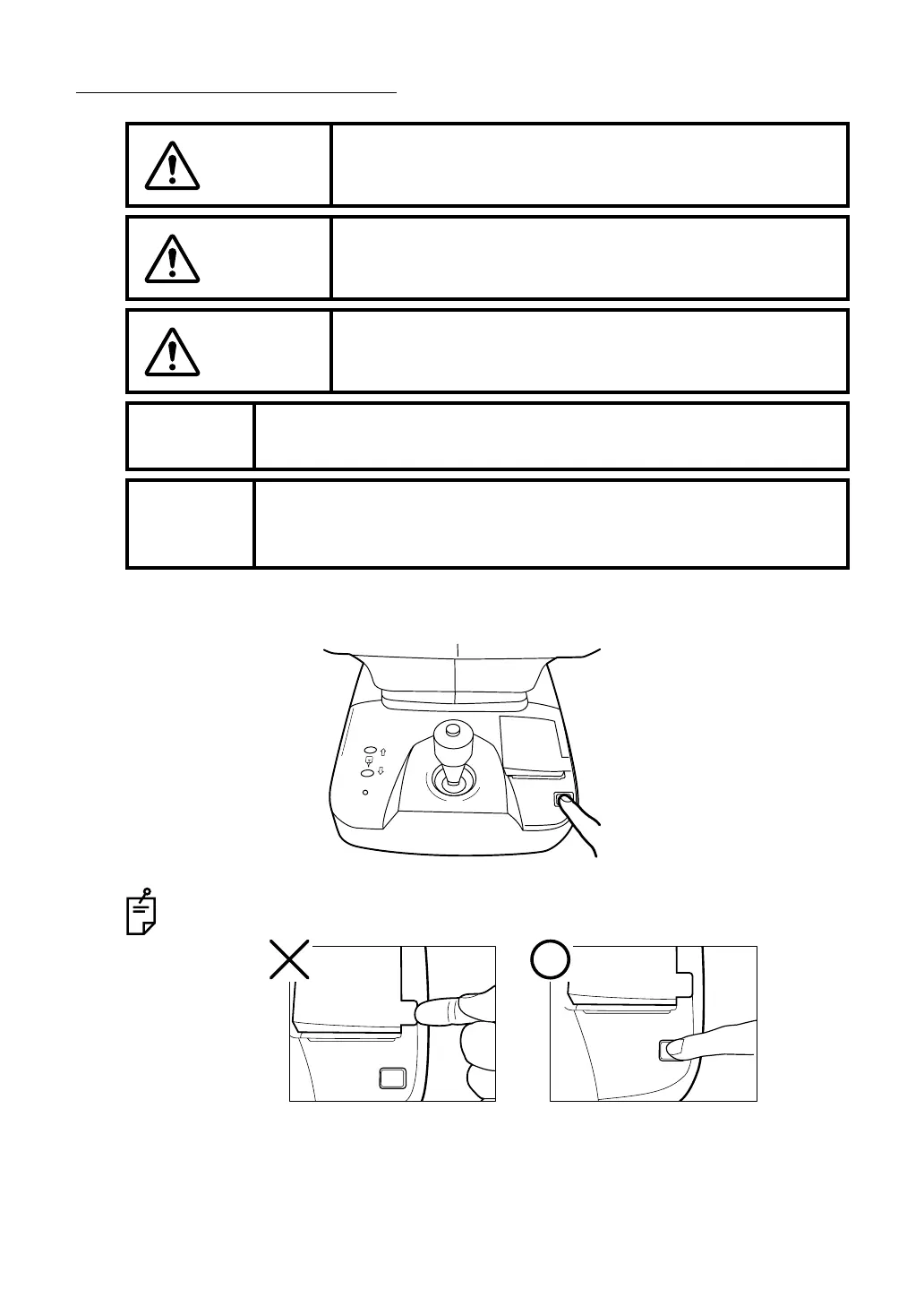
1 Press the printer cover OPEN button to open the printer cover.
CAUTION
To avoid potential injury, do not touch the internal printer body
while the printer is in operation or when replacing the printer
paper.
CAUTION
To avoid failure or potential injury, do not open the printer cover
while the printer is in operation.
CAUTION
To avoid potential injury in case of malfunction, including a
paper jam, be sure to shut off the power before attempting to
repair it.
MEMO
• Note, if the printer paper roll is set with the back of the paper facing
up, printing cannot be performed.
MEMO
• Please insert the paper deep enough into the printer.
• Otherwise the paper may not come out. A "PAPER END" error will be
displayed on the control panel screen.
To avoid failure in the printer when opening, do not hold any part of the cover. Be
sure to open the printer by pressing the opening button for the cover.



 To Next Page