47
BASIC OPERATIONS
MEASUREMENT RESULT LIST SCREEN
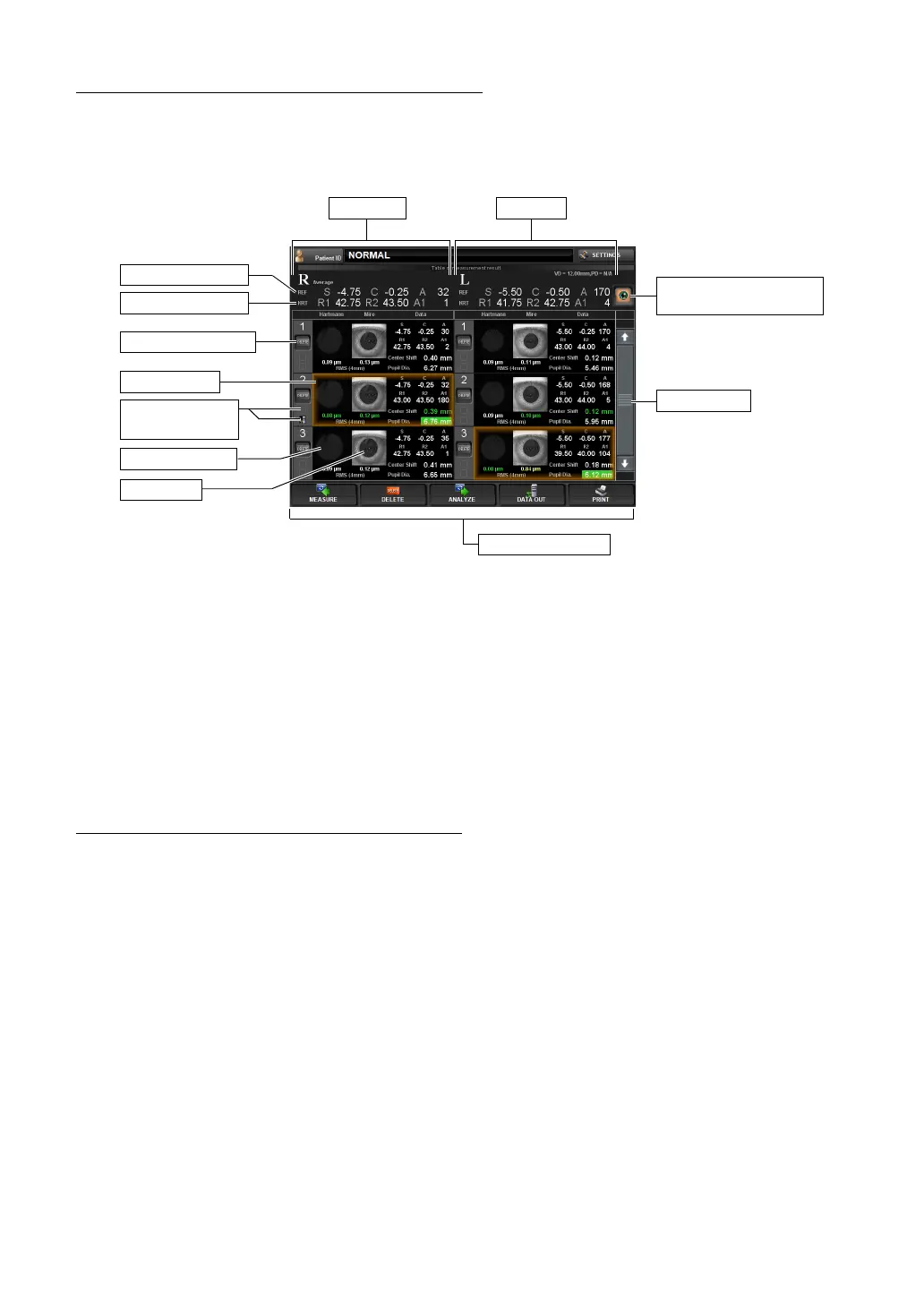
When measurement is completed, the Table of measurement result screen is displayed. For
the details of the screen, refer to page
74.
• Of the data measured for several times, the most reliable data is automatically deter-
mined and enclosed with a brown line.
• You can tap any data to select.
• If you are not satisfied with the data, you can delete unnecessary data and tap "To mea-
surement screen" button to take additional measurement.
• This data also allows data output and printout. The data printed or output have the
printed icon and output icon respectively.
• You can select to display or not display the result list screen when switching to the anal-
ysis screen from the measurement screen. Refer to "DISPLAY OF TABLE OF MEA-
SUREMENT RESULT SCREEN" in page 140.
DISPLAYING THE ANALYSIS RESULT
After selecting the data in the Table of measurement result screen, tap the "ANALYZE" button
to display the analysis result screen. In the Selection of examination interface, the analysis
result screen is automatically selected and displayed on a preferential basis from the map
best for the selected measurement course. Refer to page
77, "ANALYSIS RESULT SCREEN"
for the detail of the analysis screen.
(3) Function button
(1) Scroll bar
Right eye
Typical REF value
Typical KRT value
Selected data
(5) Recommended data
selection button
Left eye
Mire Image
Hartmann Image
(2) DELETE button
(4) Printed icon/
output icon



 To Next Page