46
BASIC OPERATIONS
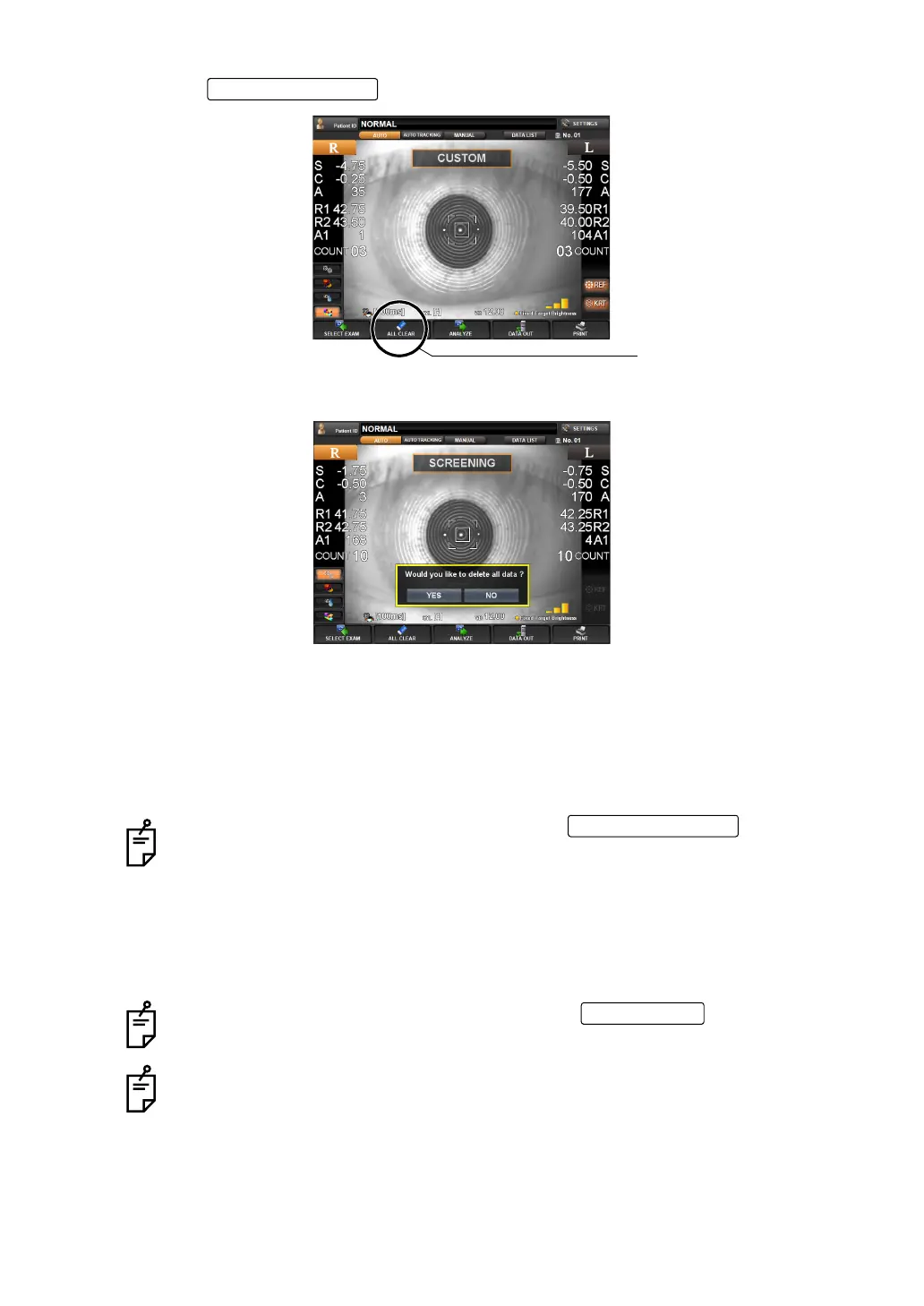
1 Tap the of the control panel.
2 A message "Would you like to delete all data ?" is displayed.
If "Yes" is selected: All measurement values are cleared.
If "No" is selected: Measurement can be continued.
3 When "Yes" is selected, a message "Clearing data..." is displayed.
4 All the measurement values for right and left eyes are cleared, and the main body will
return to the initial power on position.
When measurement values are cleared by the , the patient
ID may reset, depending on the setting of "RESETTING THE PATIENT ID
(PATIENT ID RESET)" (page 134).
When "Resetting the Patient ID" is "ON":
• The patient ID is reset to the initial patient ID set by "Setting the Patient ID"
of "Initial Setting."
When "Resetting the Patient ID" is "OFF":
• The patient ID is not reset, and the same patient ID is used.
When measurement values are outputted by the , the data will be
cleared when starting the measurement of the next patient.
The screen returns to "Selection of examination screen" or "Measurement screen"
depending on the setting.
ALL CLEAR button
ALL CLEAR button
ALL CLEAR button
PRINT button



 To Next Page