66
INDIVIDUAL OPERATIONS
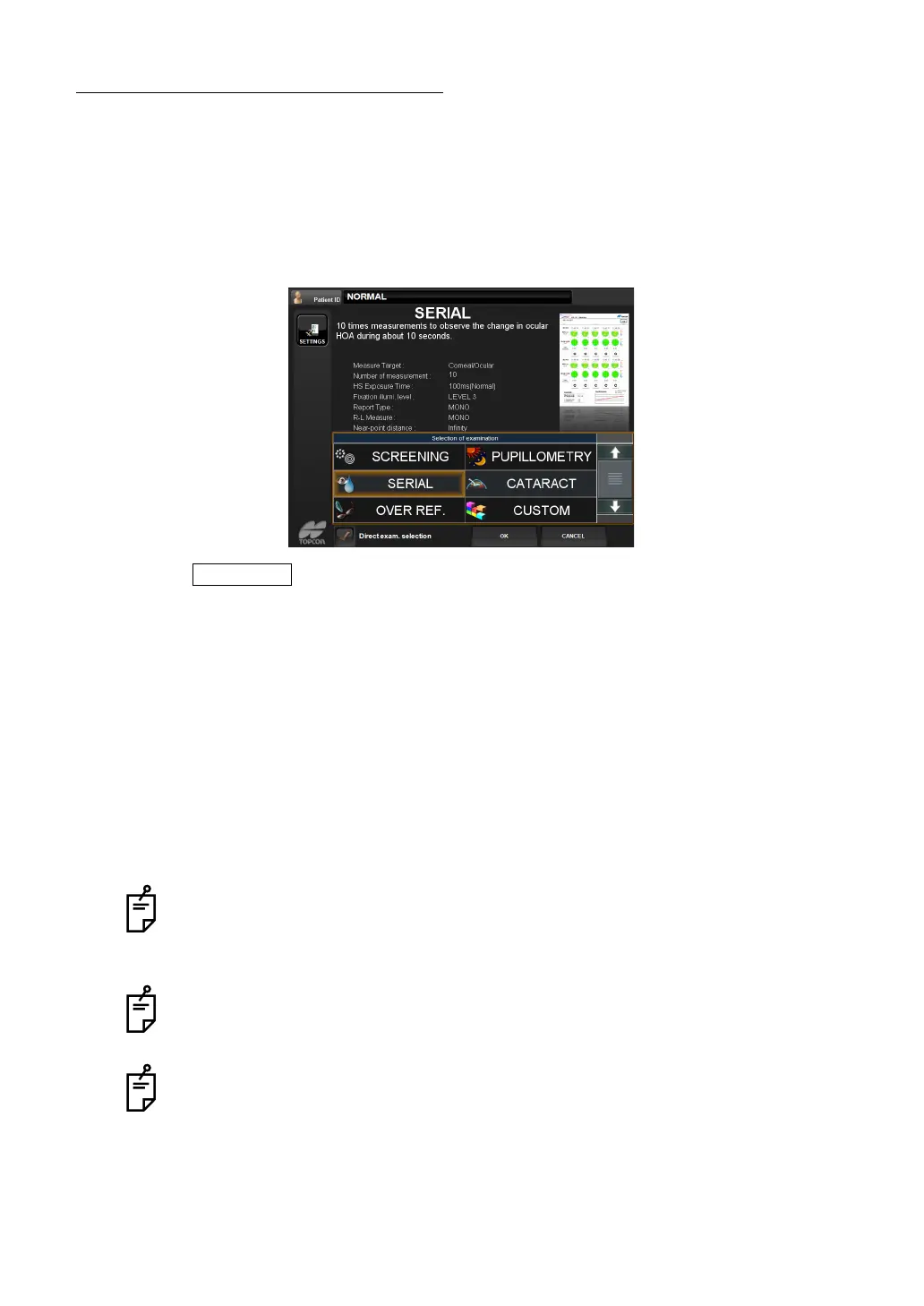
SERIAL (DRY EYE) MEASUREMENT
By continuously performing measurement for 10 shots at a rate of 1 shot/1 sec., you can see
the condition of aberration changing by elapsed time, such as dry eyes.
SETTING SERIAL MEASUREMENT FUNCTION
1 Display the examination purpose selection screen.
2 Tap and select "Serial".
3 Press to measure the measurement screen.
MEASUREMENT PREPARATION AND SERIAL MEASUREMENT
1 To prepare for the serial measurement, perform measurement once.
When a message "Get the eye aligned and press the MEASUREMENT switch" is dis-
played, perform alignment and press the MEASUREMENT switch. (Since this is done
merely for preparation, the measurement results are not reflected in the result of continu
-
ous measurement.)
2 When a message "Press the MEASUREMENT switch again to perform 10 continuous
measurements" is displayed, press the switch.
Here the serial measurement is started. The measurement count is displayed at the count
column using large numerals.
Auto alignment is not done during the 10 continuous measurements. Since mea-
surement values are calculated after finishing 10 measurements, only measure-
ment counts are displayed and measurement values are not displayed on the
Measurement screen during the measurement.
In the case of the serial measurement, when the measurement of one eye is fin-
ished, the measuring head does not move automatically to the measurement posi-
tion of the other eye under progress measurement.
In case of the serial measurement, the screen does not go automatically to the
Table of measurement result screen after finishing the measurement.
OK button



 To Next Page