57
INDIVIDUAL OPERATIONS
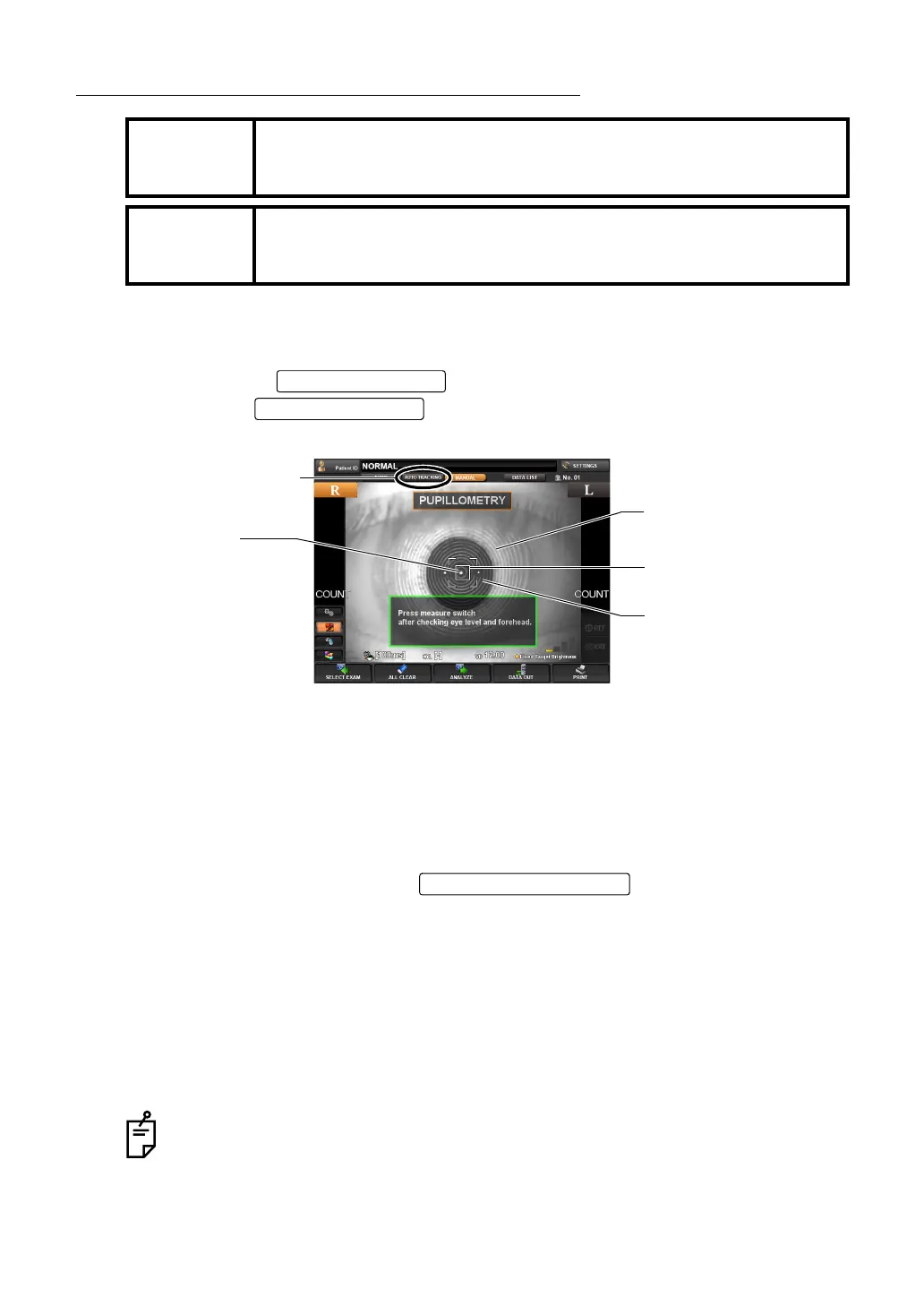
MEASUREMENT UNDER AUTO TRACKING MODE
SETTING THE AUTO TRACKING MODE
1 Confirm the waiting status for measurement.
Confirm that the button of the control panel is displayed in orange.
If not, tap the button, select Auto tracking, and set the waiting sta-
tus for measurement.
2 A message "Press measure switch after checking eye level and forehead." is displayed.
Confirm that the pupil image and luminous point are displayed on the screen.
• If the image of the pupil is not shown on the screen, use the control lever to move the
measuring head into the proper position, locating the patient's pupil.
For the operation of the control lever, see "OPERATING THE CONTROL LEVER" on
page 35.
3 When the pupil image is seen on the screen, tap the luminous point of the center part to
start measurement, or press the
on the control lever. The
main body will move into the position where the pupil image and luminous point come on
the screen center.
4 Confirm that a coaxial ring image is seen at the center of the pupil image.
• If the coaxial ring image cannot be recognized, it may be outside the auto alignment
range. Using the control lever, move the main body forward and into to a position where
the coaxial ring image can be seen.
5 When the auto alignment range is reached, the main body performs an auto focusing
function to finalize alignment, and will start the measurement process automatically.
MEMO
Adjust the height of the automatic instrument table so that the patient
can sit on the chair comfortably and correct measurement values can be
obtained.
MEMO
When operating the instrument, be careful not to touch the patient's face
or nose. If touched, clean the instrument following "
CLEANING THE
INSTRUMENT" on page 180.
Even in steps 2 to 4, the main body starts measurement automatically when the auto
alignment range is reached.
AUTO TRACKING
Alignment mark
Luminous point
AUTO TRACKING button
Pupil image
Ring image



 To Next Page