171
FUNCTION SETTING USING SETTINGS
LAN CONNECTION (NETWORK)
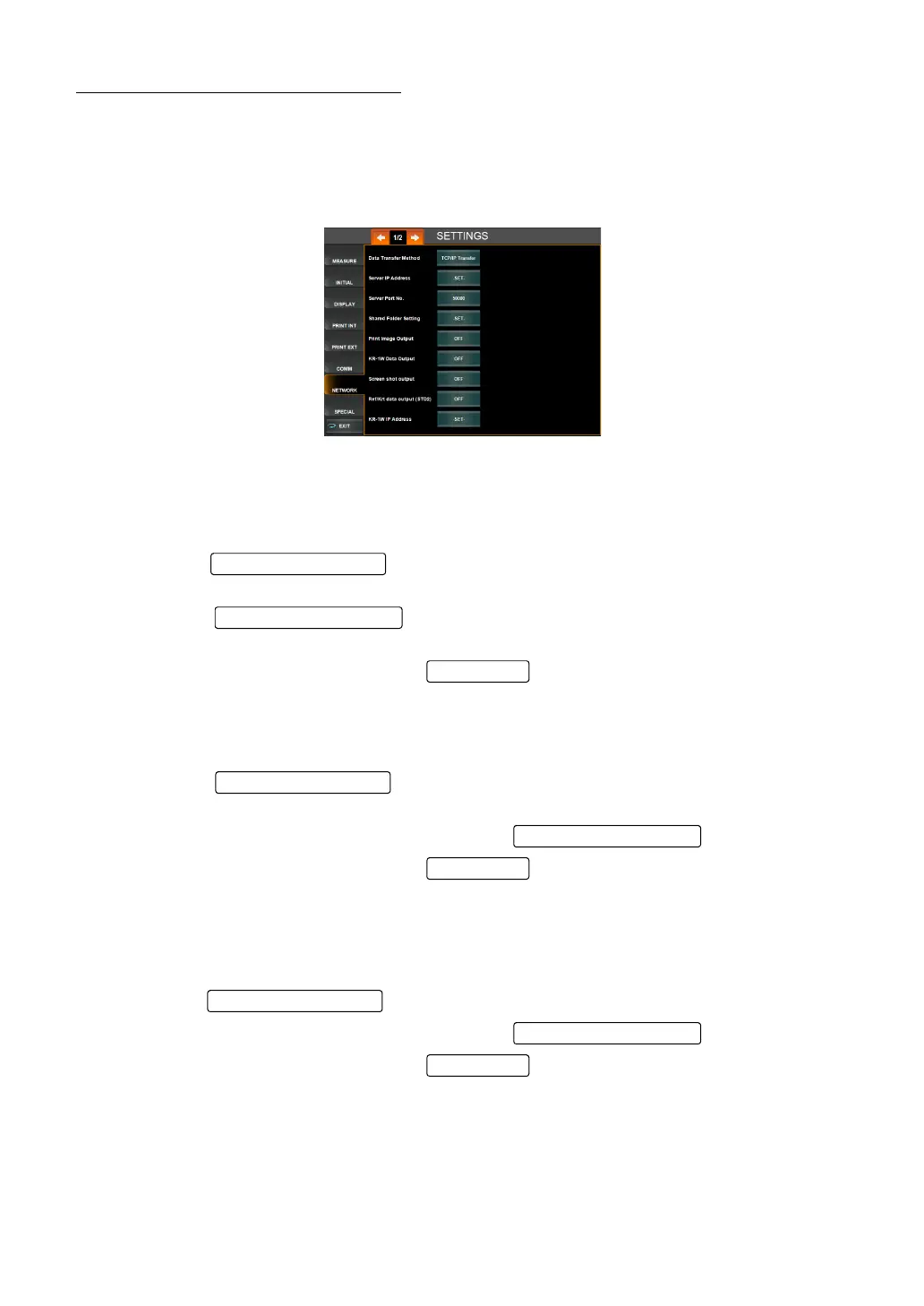
NETWORK menu contains settings related to data input/output of the LAN.
1 Tap the index "NETWORK" of the "SETTTINGS screen." The LAN Connection screen is
displayed.
SETTING THE DATA TRANSFER METHOD
The data transfer method can be set. Before shipment, the default setting is "TCP/IP Trans-
fer".
1 Tap the of the set item display "Data Transfer Method" of "NET-
WORK. "
2 Tap the and select the "TCP/IP Transfer" or "Shared Folder
Transfer".
3 Setting is completed by tapping the .
SETTING THE IP ADDRESS OF CONNECTED PC (SERVER IP ADDRESS)
The IP address of the PC connected to output data can be set.
1 Tap the of the set item display "Server IP Address" of "NET-
WORK. "
2 Enter the number by the ten-key display of the .
3 Setting is completed by tapping the .
SETTING THE PORT NO. OF CONNECTED PC (SERVER PORT NO.)
The server port No. of the PC connected to output data can be set. Before shipment, the
default setting is "50000."
1 Tap the of the set item display "Server Port No." of "NETWORK. "
2 Enter the number by the ten-key display of the .
3 Setting is completed by tapping the .
Set Condition button
Setting Change butto
OK button
Set Condition button
Setting Change butto
OK button



 To Next Page