175
SETUP OF SELECTION OF EXAMINATION
SETUP OF SELECTION OF EXAMINATION
MEASUREMENT
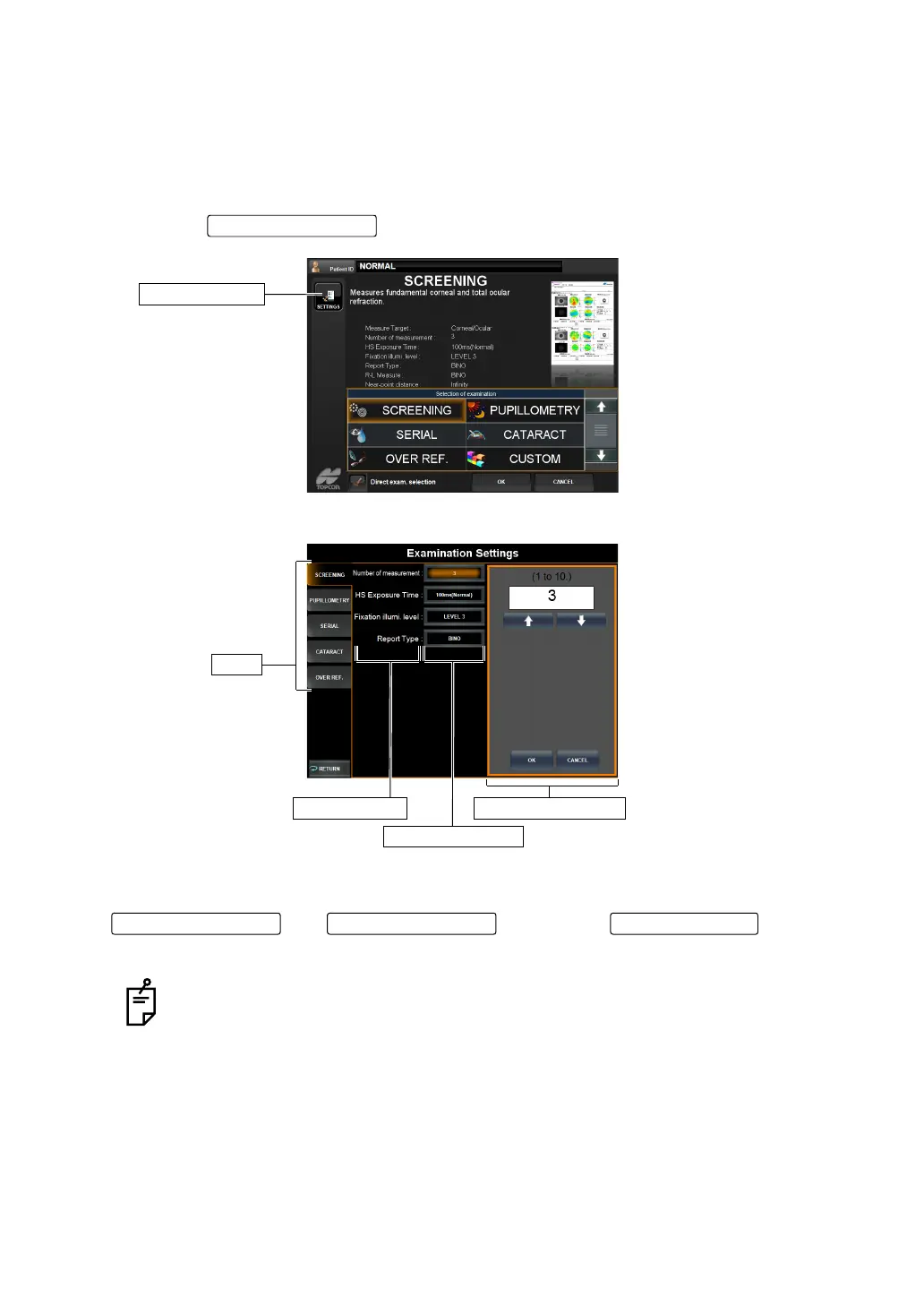
The settings of the examination purpose measurement course can be changed on the dedi-
cated setup screen.
1 Tap the on the examination purpose selection screen.
"Examination Settings" screen is displayed.
The "Examination Settings" screen can be operated in the same manner as "OUTLINE OF
SETTINGS SCREEN OPERATIONS" (page 112) in general. Note that there are no
and . Tapping the brings you
back to the "Examination Purpose Selection Screen", not the measurement screen.
Settings in "Examination Settings" screen are not reflected to the individual set-
tings in the "OPERATION METHOD OF SETTINGS SCREEN" (page 111). These
settings become valid only when the examination purpose measurement course is
used regardless of the "Settings Screen" settings.
SETTINGS button
SETTINGS button
Index
Set Item display
Set Condition button
Setting Change button
Page Feed button Page Return button RETURN button



 To Next Page