142
FUNCTION SETTING USING SETTINGS SCREEN
DISPLAY SETTING (DISPLAY)
Display menu contains settings related to screen display.
1 Tap the index "DISPLAY" of the "SETTTINGS screen."
2 Tap the and/or , as needed, till the set item to
be checked/changed is displayed.
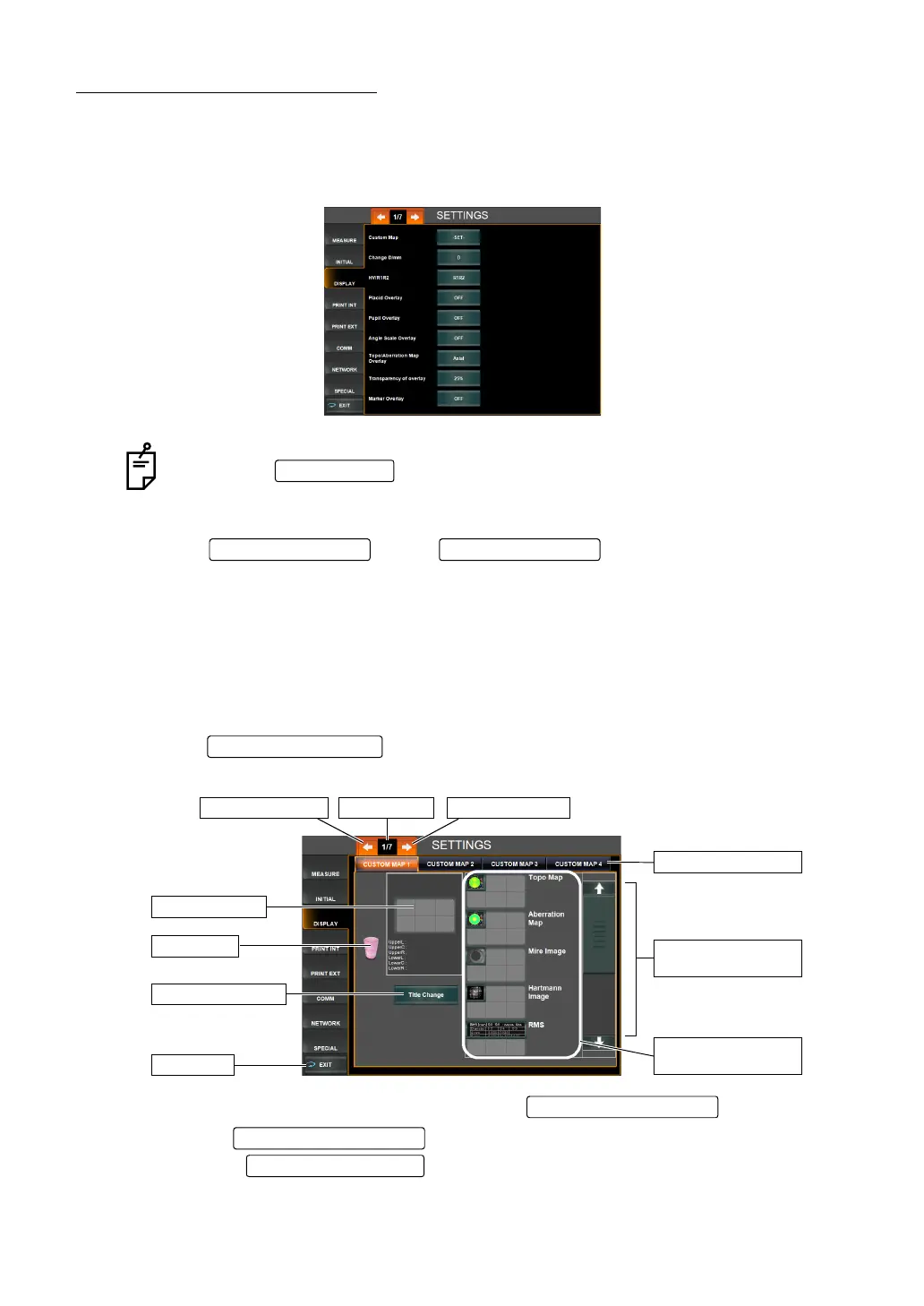
CUSTOM MAP
Up to 4 types of custom map layouts for the measurement results screen can be set/regis-
tered.
For each layout, up to 6 maps can be set.
For details about each map, see "DESCRIPTION OF MAP LAYOUT" on page 78.
1 Tap the of the set item display "CUSTOM MAP" of "DISPLAY."
The screen layout setting screen is displayed.
2 Select the custom layout to be registered by the , as needed.
Title of the can be changed on the register screen displayed by
pressing the .
To quit the screen:
• Tap the .
• The "SETTTINGS screen" is quitted and the "MEASUREMENT screen" is
returned.
EXIT button
Page Feed button Page Return butto
Layout candidate item
display scroll bar
Custom layout button
Layout candidate item
display area
Exit button
Title change button
Recycle bin
Preview display
Page feed buttonPage displayPage return button
Custom Layout button
Custom Layout button
Title Change button



 To Next Page