59
INDIVIDUAL OPERATIONS
MEASUREMENT UNDER MANUAL MODE
SETTING THE MANUAL MODE
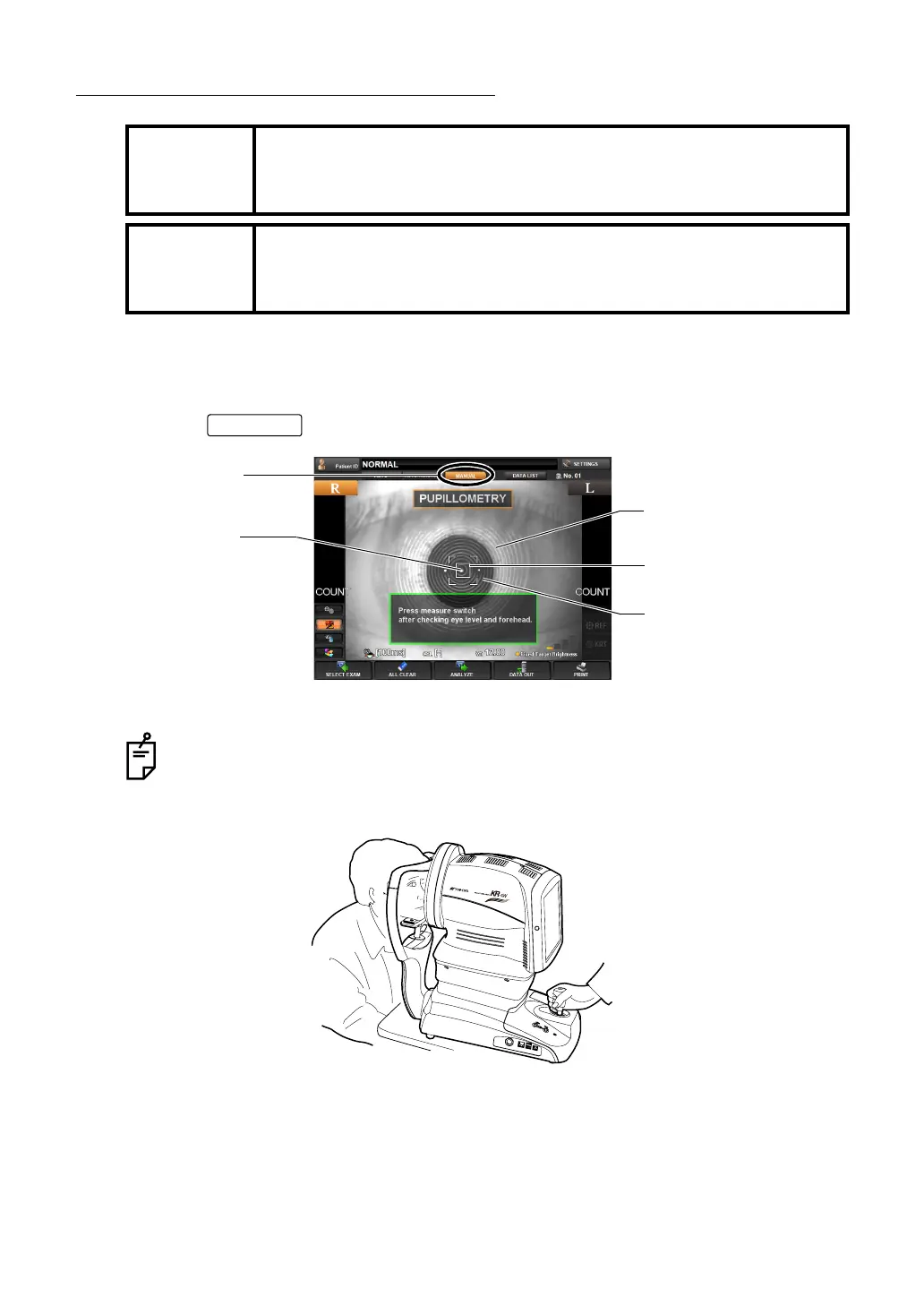
1 Make sure the MEASUREMENT screen is on.
2 Tap the button of the control panel, and select "Manual mode" (MANUAL).
Under Manual mode, alignment operation is done by utilizing the control lever.
3 Hold the control lever and move the main body to the operator side; away from the patient.
4 Move the main body right-left and up-down by using the control lever. Place the patient's
eye at the center of the Control Panel screen.
MEMO
Adjust the height of the automatic instrument table so that the patient
can sit on the chair comfortably and correct measurement values can be
obtained.
MEMO
When operating the instrument, be careful not to touch the patient's face
or nose. If touched, clean the instrument following "
CLEANING THE
INSTRUMENT" on page 180.
About the operation of the main body by the control lever, see "OPERATING THE
CONTROL LEVER" on page 35.
MANUAL
Alignment mark
Luminous point
MANUAL button
Pupil image
Ring image



 To Next Page