180
MAINTENANCE AND CHECKING
MAINTENANCE AND CHECKING
DAILY MEAINTENANCE
CHECKING THE MEASURING ACCURACY
Using the model eye provided with the instrument, check the measurement accuracy at regu-
lar intervals.
CLEANING THE INSTRUMENT
• Dust on examination window.....................................Blow off dust using a blower.
• Fingerprints and oil spots on measuring window ......Wipe the surface lightly with monitor
cleaner, provided with the instrument.
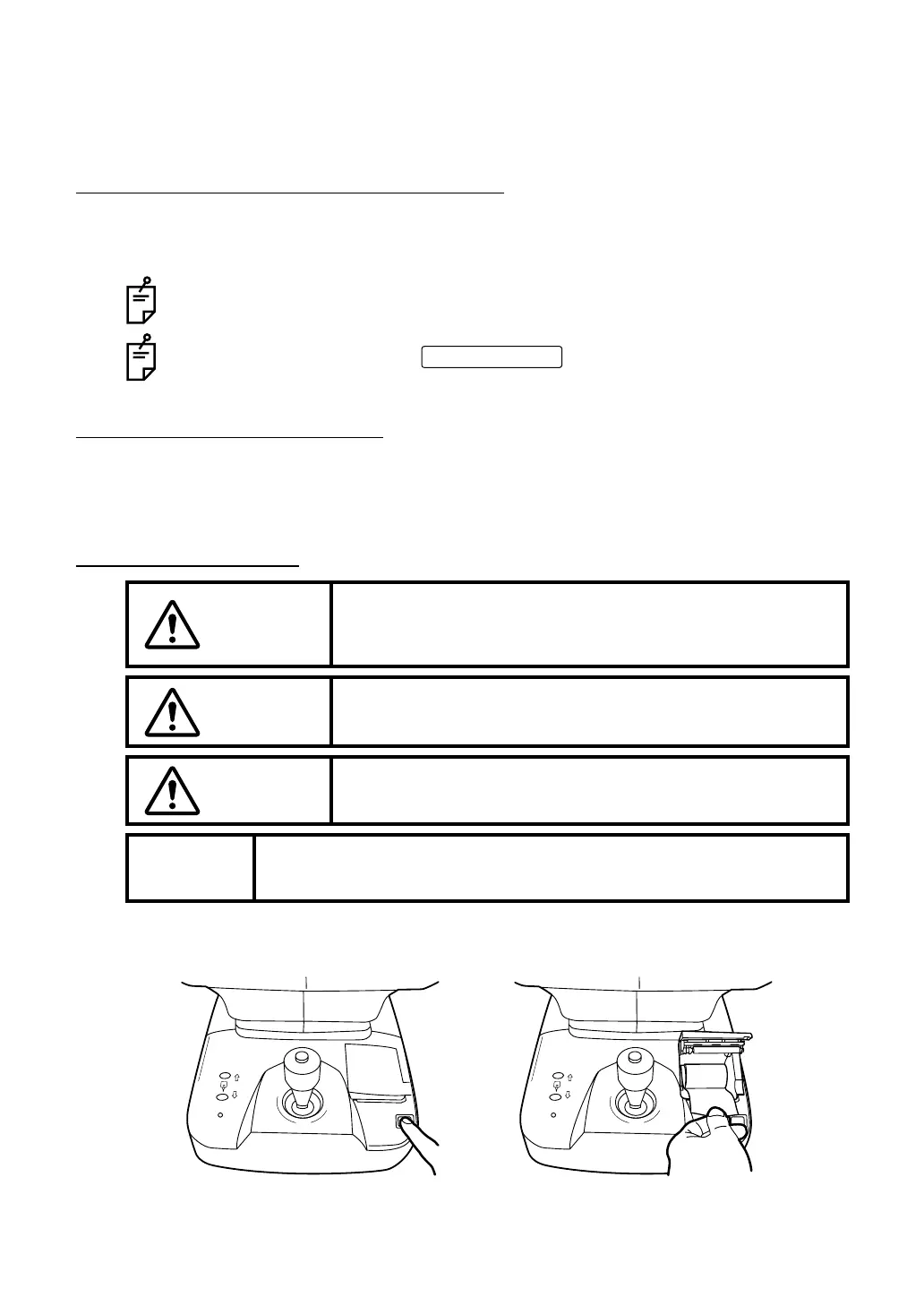
PRINTER PAPER JAM
1 Press the printer cover OPEN button, open the printer cover, and take out the jammed
paper with the paper retainer lever fully released.
Keep this instrument free of dust. When not in use, put the measuring lens cap
and dust cover on.
When not in use, turn off the .
CAUTION
To avoid potential injury, do not touch the internal printer body
while the printer is in operation or when replacing the printer
paper.
CAUTION
To avoid failure or potential injury, do not open the printer cover
while the printer is in operation.
CAUTION
To avoid potential injury in case of malfunction, including a paper
jam, be sure to shut off the power before attempting to repair it.
MEMO
• If paper jam occurs inside the printer, printing is not done, and, using the
printer further without removing the jammed paper may cause a failure.
POWER switch



 To Next Page