101
DISPLAYING THE MEASUREMENT RESULT
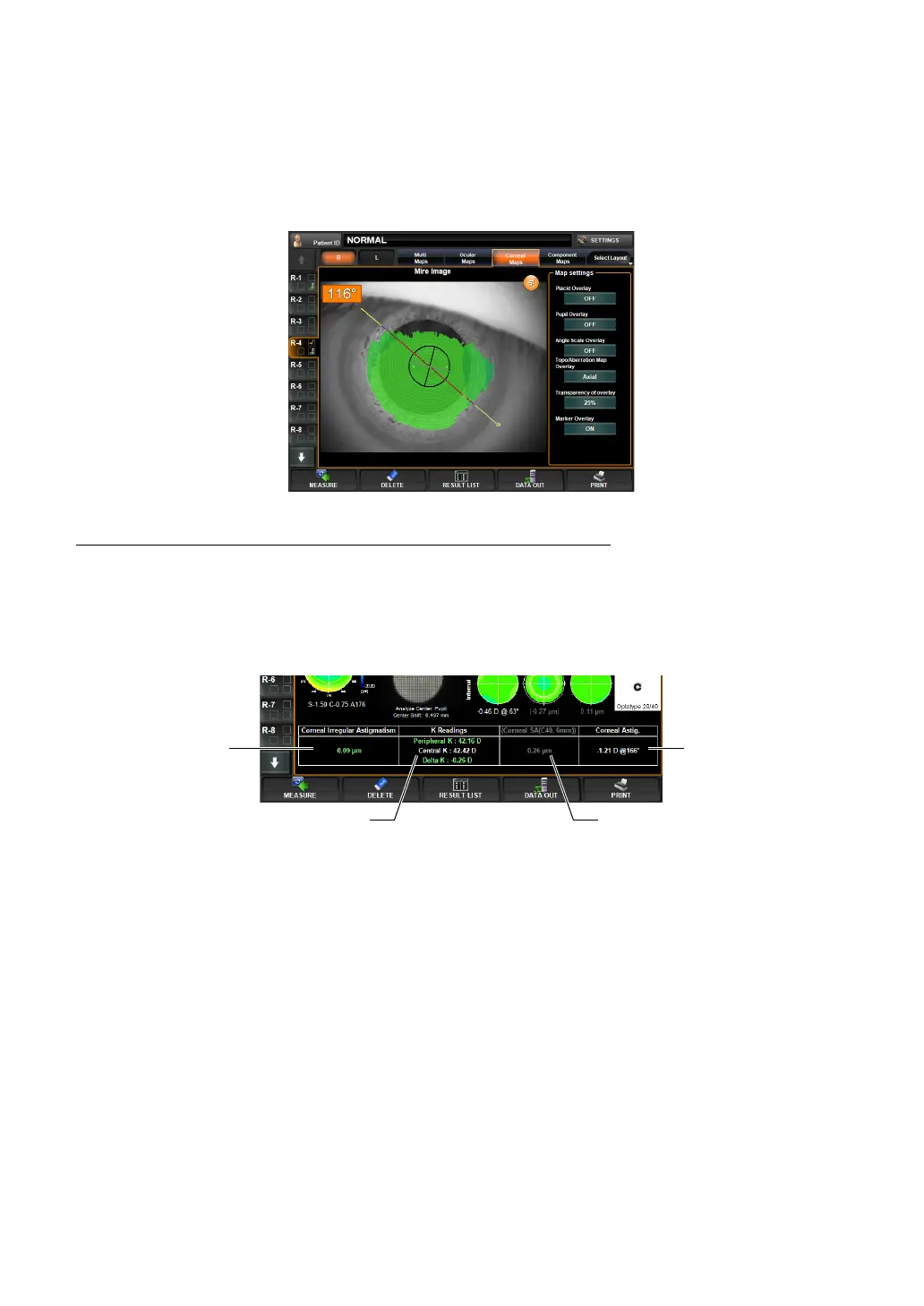
MARKER OVERLAY
The angle of the tap position with regard to the flat meridian (black) is displayed. Also, the
steep meridian is displayed in gray.
1 Tap, enlarge and display the corneal Mire image from the Corneal Aberration map or IOL
Selection map.
2 Tap ON the Marker Overlay button of Map Settings, the marker overlay is displayed.
IOL THRESHOLD SETTING OF IOL SELECTION MAP
Each of the "Corneal Irregular Astigmatism (high order aberration)," "K Readings," "Corneal
SA" and "Corneal Astig." displayed on the IOL Selection map is displayed by changing the
character color when the measurement result exceeds the set threshold value.
* The character color cannot be specified.
SETTING THE THRESHOLD VALUE
Corneal Irregular Aberration (corneal high order aberration):
• In each of the following cases, the character color is changed based on the threshold values
set to Corneal Irregular Astig.1 and Corneal Irregular Astig.2:
• When the measurement value is not more than the threshold value of corneal irregular
aberration 1
• When the measurement value is exceeds the threshold value of corneal irregular aber-
ration 1 and not more than the threshold value of corneal irregular aberration 2
• When the measurement value is not less than the threshold value of corneal irregular
aberration 2
Threshold value of corneal irregular aberration 1: Lowest set threshold value of corneal
irregular aberration (corneal high order aberration)
Threshold value of corneal irregular aberration 2: Highest set threshold value of corneal
irregular aberration
Corneal Irregular
Astigmatism
K Readings
Corneal Astig.
Corneal SA



 To Next Page