15
COMPONENTS
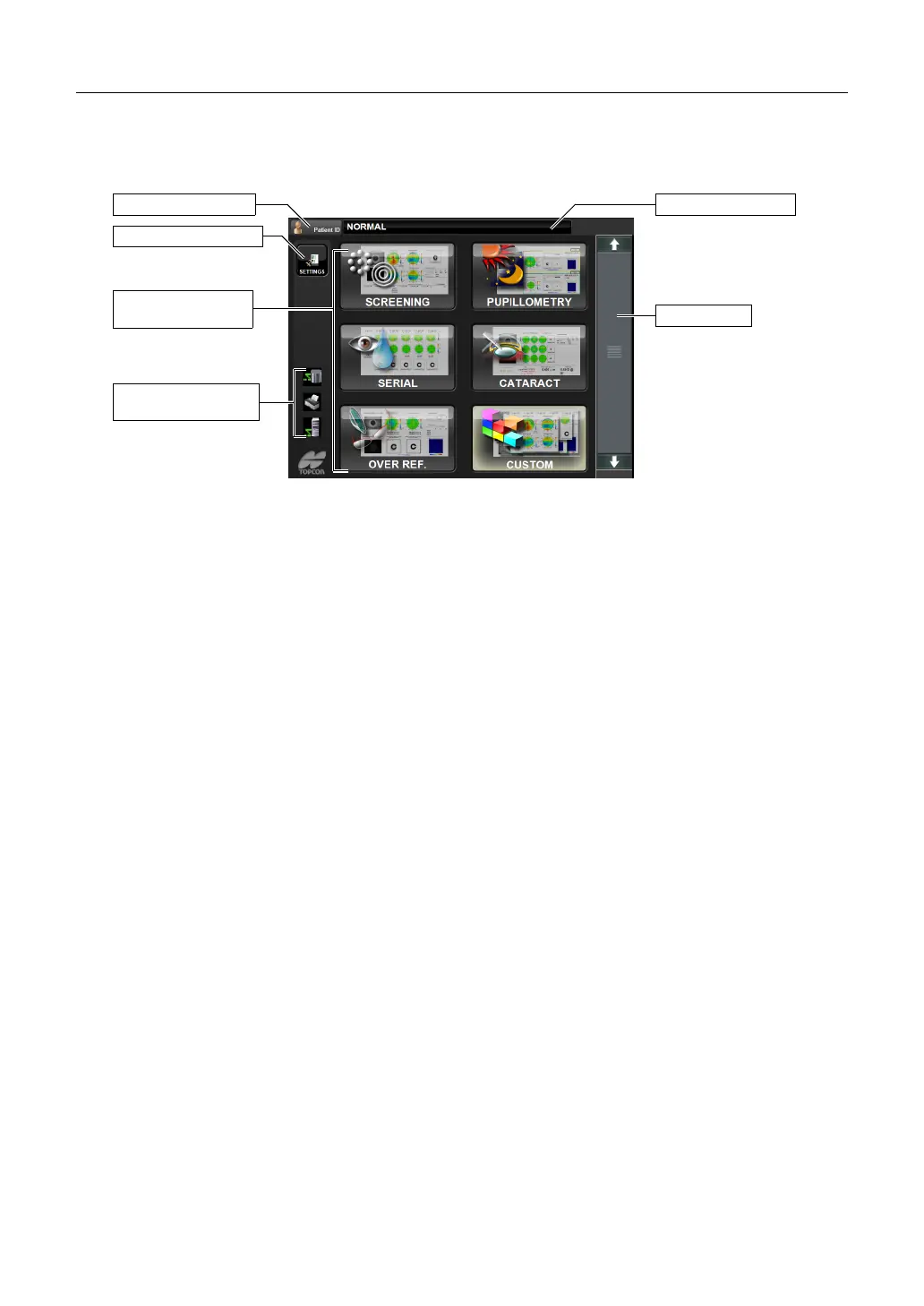
CONTROL PANEL COMPONENTS (SELECTION OF EXAMINATION SCREEN)
This is the screen to select the measurement course provided according to the report after
turning the instrument on and starting it.
(1) SETTINGS button Used to change the setting details of each measurement course
by examination purpose.
(2) Report selection screen
Used to select the measurement course according to the report.
(3) Patient ID button The Patient ID INPUT screen is displayed. The patient ID is dis-
played on the right.
(4) Scroll bar If some measurement courses are not displayed, the next mea-
surement course can be displayed by dragging the scroll bar.
(5) Connection status icons
If any PCs and printers are connected to this instrument, they will
be displayed as icons.
Display of patient ID
(1) SETTINGS button
(5) Connection status
icons
(4) Scroll bar
(3) Patient ID button
(2) Report selection
screen



 To Next Page