77
DISPLAYING THE MEASUREMENT RESULT
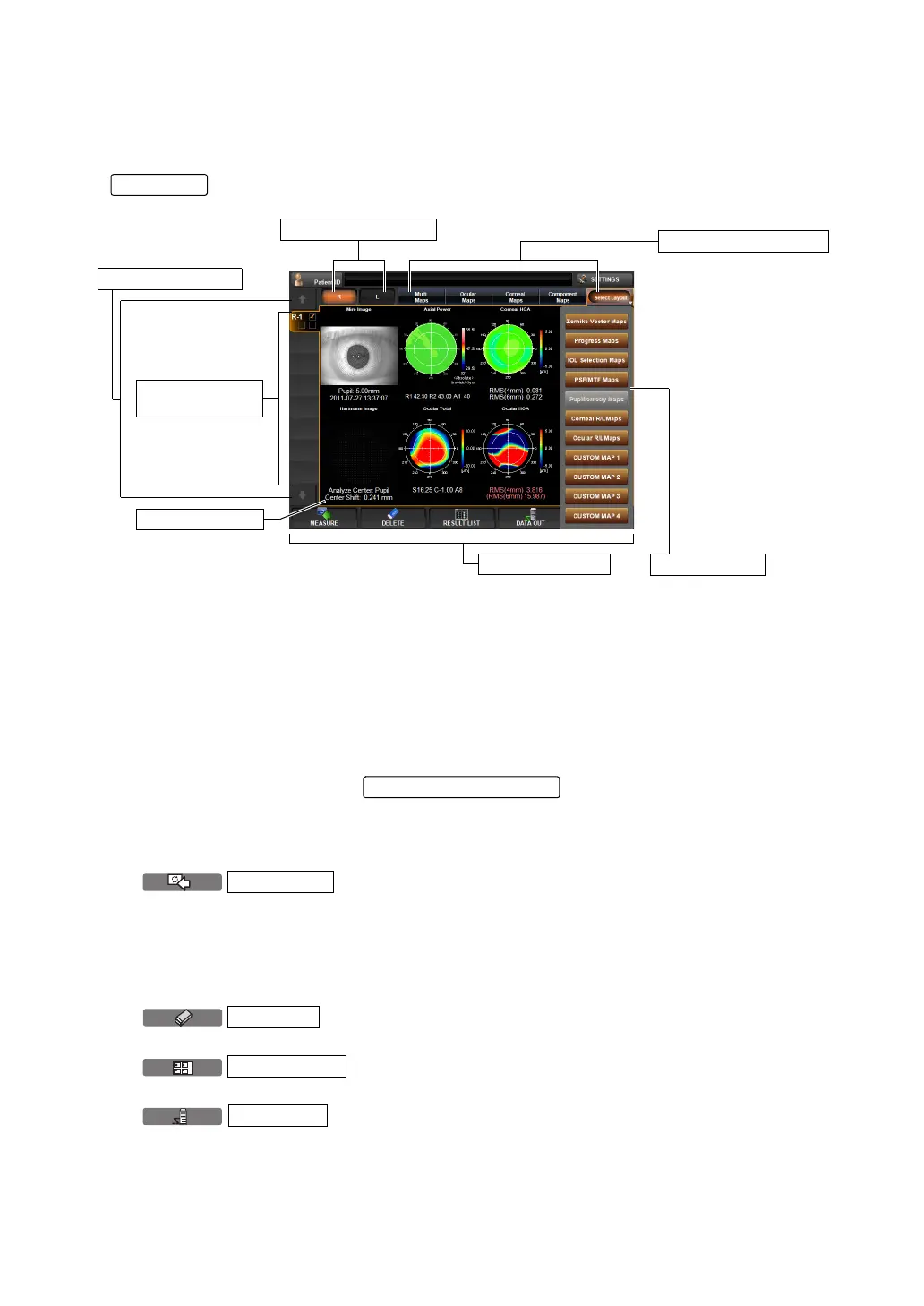
ANALYSIS RESULT SCREEN
The KR-1W can perform REF/KRT measurements and aberration measurements by capturing
Hartmann Shack and Mire images of the patient's eye. After the measurement, tap the
button to display analysis results on Measurement Result List Screen.
(1) R-L Change button Moves to the first measured data of each of the right and left
eyes.
(2) Data Feed button If there are too many data to display on the measurement value
data tab (6), the tab of the next measurement data is displayed or
the previous measurement value data tab is displayed.
(3) Layout Change button Displays the measurement result by changing it to the previously
set layout pattern. Four layout types can be registered. Pressing
the
at the right most, a pull down menu
for layout selection is displayed.
(4) Function button A list of operable functions is displayed. Select a relevant button
by the touch panel.
button
The Measurement screen is returned and an additional
measurement can be done. However, if data are outputted
to the connected PC or printed by the internal/external
printer, the display is changed to "NEXT MEASUREMENT"
and a new measurement is started.
button
The measurement data currently displayed are cleared.
button
Changes to Result List display mode. (see page 74.)
button
Selected measurement result data can be outputted to the
RS-232C or to the connected PC.
ANALYZE
(4) Function button
(3) Layout Change button
(The figure shows a multi map
Pull down menu
(1) R-L Change button
(2) Data Feed button
(6) Measurement
value data tub
(5) Analysis result
MEASURE
DELETE
RESULT LIS
DATA OUT



 To Next Page