63
INDIVIDUAL OPERATIONS
IN A CASE LIKE THIS
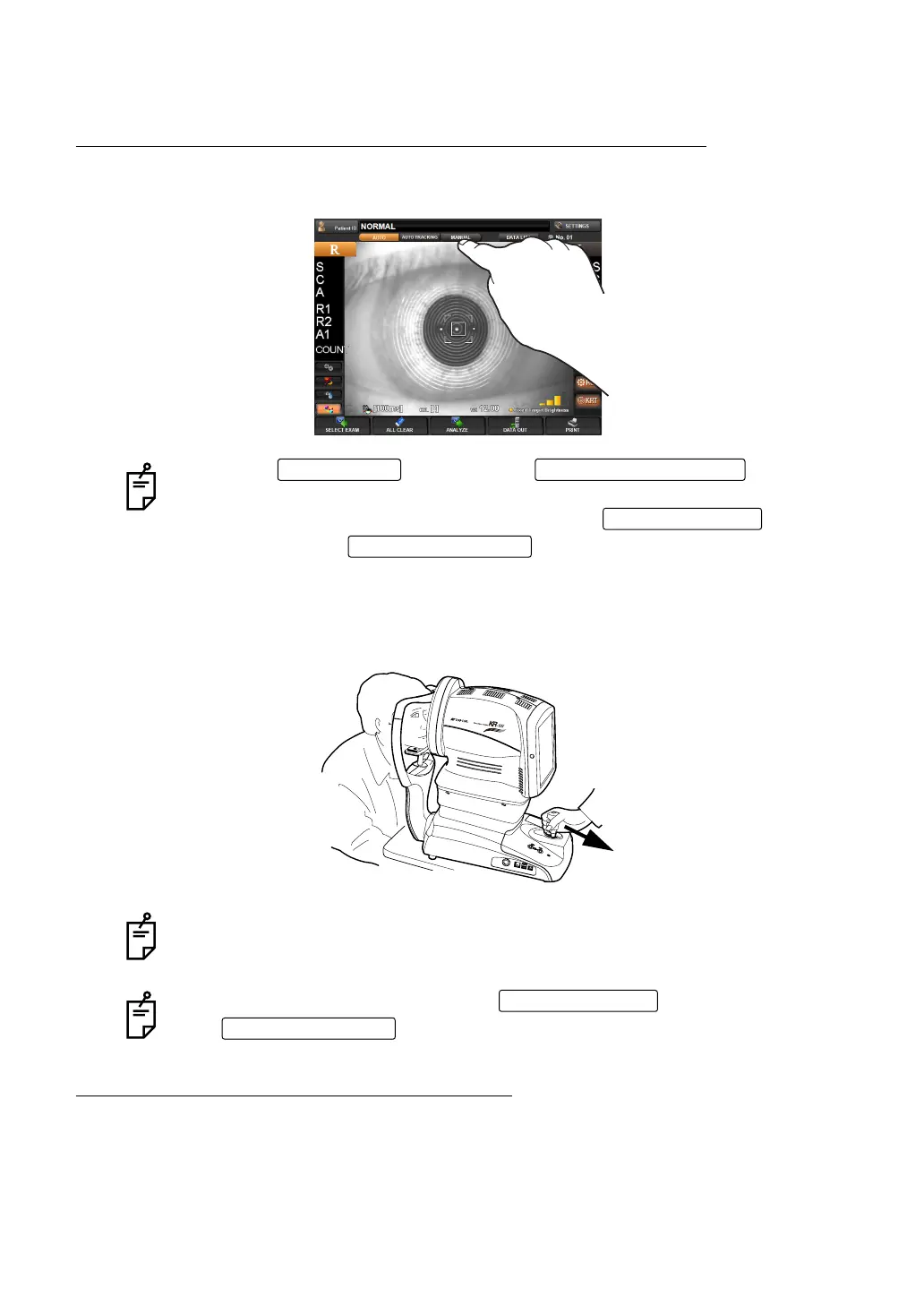
TO STOP AUTO ALIGNMENT MEASUREMENT IN THE MIDDLE
PRESSING THE MANUAL BUTTON TO STOP AUTO ALIGNMENT
STOP THE MEASUREMENT BY OPERATING THE CONTROL LEVER
Tilt the control lever and pull toward the operator. The main body will move away from the
patient.
TO MEASURE THE RIGHT/LEFT EYE ONLY
Normally continuous measurement is used. To measure the right or left eye only, perform
the following operations. For details, see "
MEASURING ONE EYE ONLY" on page 52.
Press the and press the : measure-
ment operation restarts.
To finish measurement, output data by tapping the , or clear
data by tapping the .
To resume measurement, tilt the control lever toward the patient, and bring the
main body slowly into focus with the patient's eye. In auto measurement mode, the
measurement operation starts automatically when focus is reached.
To finish measurement, either tap the to output data, or tap
the to delete data.
AUTO button MEASUREMENT switch
DATA OUT button
ALL CLEAR button
ALL CLEAR button



 To Next Page