13
COMPONENTS
OPERATION METHOD OF CONTROL PANEL
Control panel is a touch panel performing various operations and setups by touching the
screen. It displays the information including setting conditions and measurement results as
well as observation images.
MEMO
When operating the control panel, do not use any sharp tools; e.g. ball
point pen.
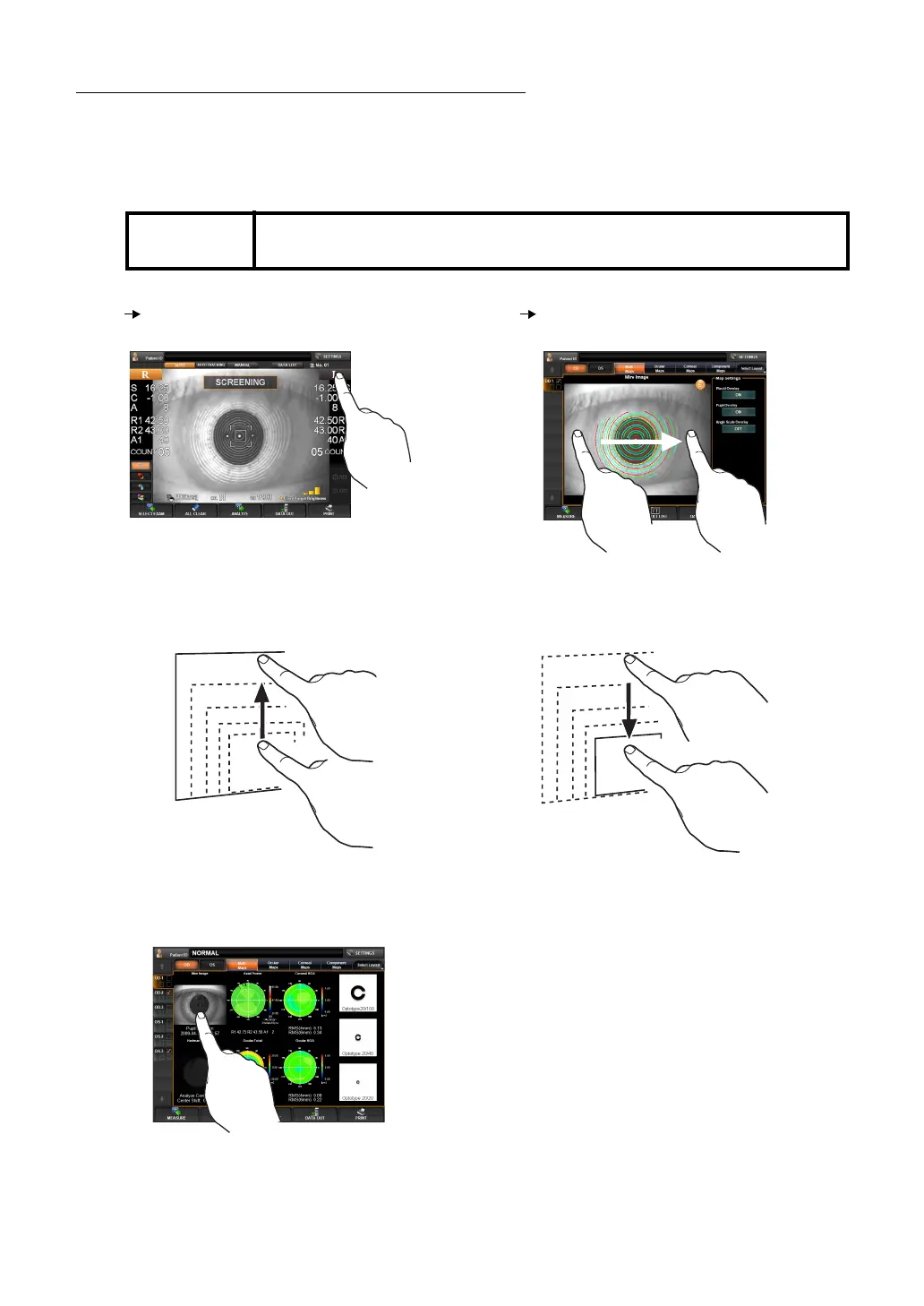
Tap To select any relevant item.
Touch the screen softly with a finger.
Drag Used to change images.
(Overlay, Reduction of image size, etc.)
Touch the screen softly and move the finger.
(Example)
Enlarging the image (Method 1)
Touch the upper part of the image and drag it
upward.
Reducing the image
Touch the upper part of the image and drag it
downward.
Enlarging the image (Method 2)
Tap the image.



 To Next Page