134
FUNCTION SETTING USING SETTINGS SCREEN
SETTING THE EXTERNAL PRINTER (EXTERNAL PRINTER)
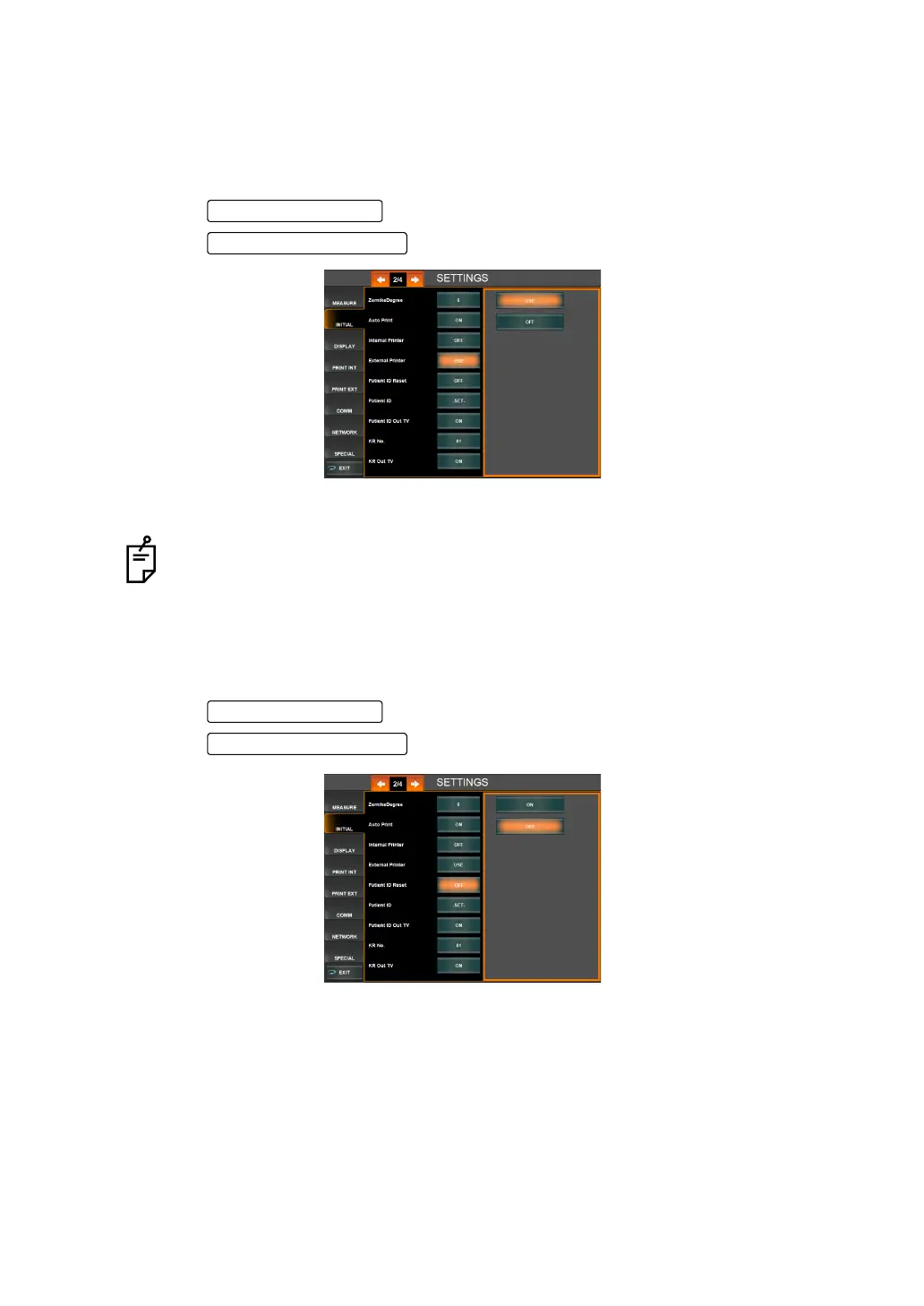
It is possible to set whether or not to use the external printer via a USB connection. Before
shipment, the default setting is "OFF."
A print layout should be set for the external printer. For details, see "SETTING OF EXTERNAL
PRINTER (PRINT EXT)" on page 167.
1 Tap the of the set item display "External Printer" of "INITIAL."
2 Tap the and select "USE" or "OFF."
3 Setting is complete.
RESETTING THE PATIENT ID (PATIENT ID RESET)
It is possible to set whether or not to reset the patient ID upon power on. Before shipment, the
default setting is "ON."
1 Tap the of the set item display "Patient ID Reset" of "INITIAL."
2 Tap the and select "ON" or "OFF."
3 Setting is complete.
For the available external printers, contacts your dealer or TOPCON as shown on
the back cover.



 To Next Page