135
FUNCTION SETTING USING SETTINGS
SETTING THE PATIENT ID
It is possible to set the initial value for patient ID (which is set upon power on, when tapping
the CLEAR button when the setting of "Resetting the Patient ID" is "ON," or when pressing the
MEASUREMENT switch after printing/outputting measurement values).
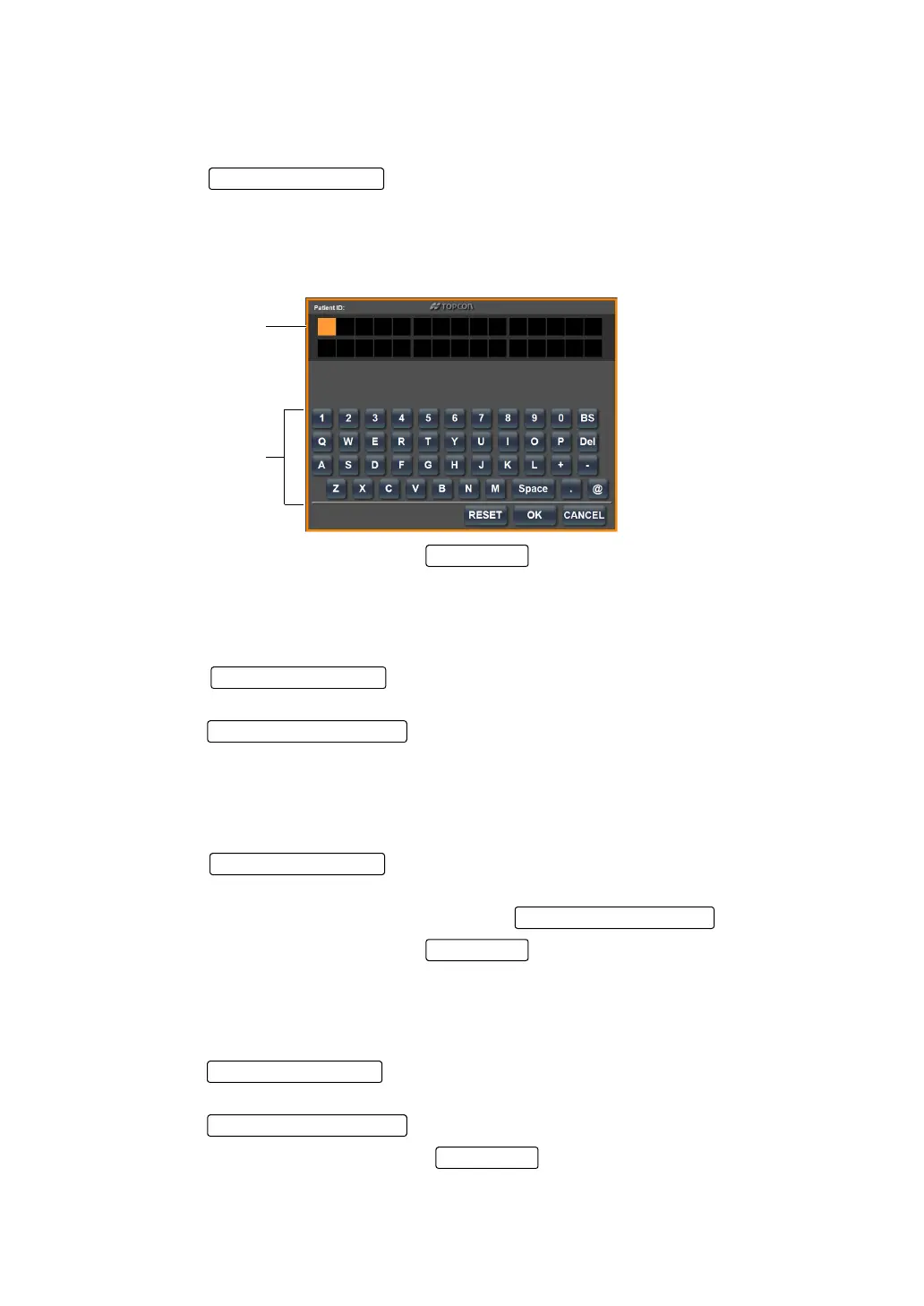
1 Tap the of the set item display "Patient ID" of "INITIAL." The key-
board screen is displayed.
2 Tap the displayed keyboard, enter the patient ID to the input display.
The cursor of the input display is highlighted in orange.
It is also possible to move the cursor by directly tapping the part to be changed.
3 Setting is complete by pressing the .
DISPLAYING THE PATIENT ID (SERIAL OUT TV)
It is possible to set whether or not to display the patient ID. Before shipment, the default setting
is "ON."
1 Tap the of the set item display "Patient ID Out TV" of "INITIAL."
The keyboard screen is displayed.
2 Tap the and select "ON" or "OFF."
3 Setting is complete.
SETTING THE MACHINE No. (KR No.)
The machine No. can be set.
1 Tap the of the set item display "Setting the Machine No." of "INI-
TIAL."
2 Enter the number by the ten-key display of the .
3 Setting is complete by pressing the .
DISPLAYING THE MACHINE ID (KR OUT TV)
It is possible to set whether or not to display the machine No. Before shipment, the default setting is
"OFF."
1 Tap the of the set item display "Displaying the Machine ID" of "INI-
TIAL."
2 Tap the and select "ON" or "OFF."
3 Setting is completed by pressing the .
Input display
Keyboard
Set Condition button
Setting Change button
Set Condition button
Setting Change button
OK button



 To Next Page