133
FUNCTION SETTING USING SETTINGS
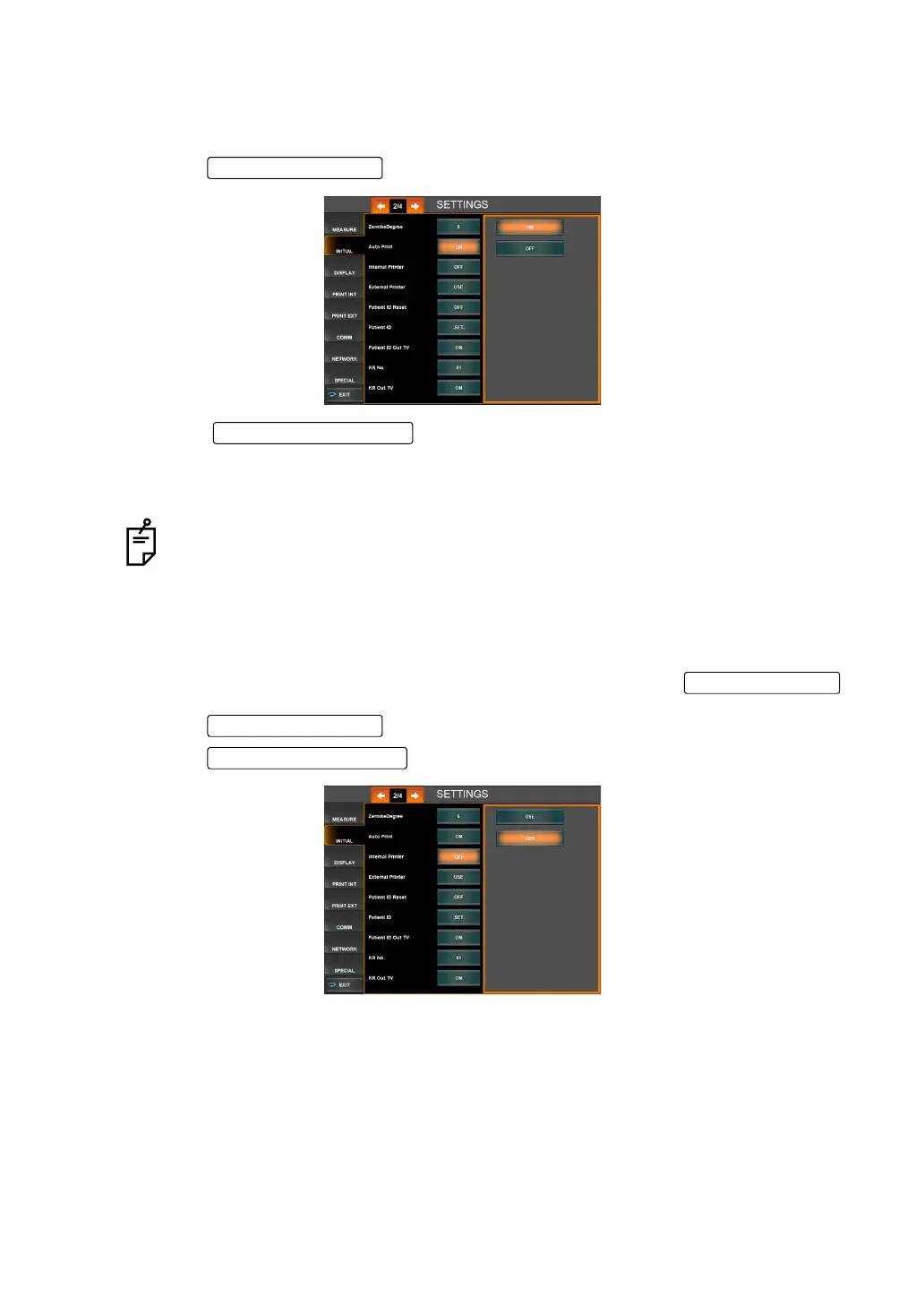
SETTING AUTO PRINT
After measuring the right and left eyes under auto mode, the results can be printed automati-
cally by the internal printer. Before shipment, the default setting is "ON" (Auto Print).
1 Tap the of the set item display "Auto Print" of "INITIAL."
2 Tap the and select "ON" (Auto Print is performed) or "OFF"
(Auto Print is not performed).
3 Setting is complete.
SETTING THE THERMAL PRINTER (INTERNAL PRINTER)
The internal thermal printer can be set. Before shipment, the default setting is "Use." When
the setting is "Do not use," printing is not performed even by tapping the
.
1 Tap the of the set item display "Internal Printer" of "INITIAL."
2 Tap the and select "USE" or "OFF."
3 Setting is complete.
If the eye to be measured is set to the right/left eye only, the auto print function will
not be performed. For the setting of the eye to be measured, see "
MEASURING
ONE EYE ONLY" on page 52.
Setting Change button
DATA OUT button
Set Condition button
Setting Change button



 To Next Page